Alert fatigue copilot
| Section | Agent patterns |
| Time to complete | ~20 min |
| Model | muse-spark-1.3 |
| Harness | OpenCode (also direct API via the OpenAI SDK) |
| Language | Python |
Summary
This recipe shows how Muse Spark extracts grounded patterns from a noisy alert feed, proposes a sharper triage purpose and signal basket, answers a question from memory, then self-assesses and proposes improvements to itself. The core rule of the loop: each turn the model reads context, reasons, emits strict JSON, writes state files, and decides whether the task is done. validate_alert_output.py is the oracle for whether that JSON matches the schema.
Screenshots and captured output throughout are from an actual run; because the model is non-deterministic, your results may differ.
When does the CLI use alert triage?
- Completing triage takes more than one turn — the model probes, then chats, then self-assesses.
- It has to read structured data, extract patterns, and then decide what to propose.
- An objective JSON schema defines "done" for each step, so the harness can tell when a turn succeeded.
The alert triage contract
The loop ends when the probe JSON and self-assess JSON both parse against the schema, or a guard fires (max turns hit, parse fails repeatedly, or the user interrupts). See alert_fatigue_spec.md(opens in new tab) for the full guards and termination table.
How OpenCode implements the pattern
OpenCode runs this loop and maps each step onto its own tools:
| Loop step | OpenCode mechanism |
|---|---|
| RECEIVE | the prompt you pass to opencode or opencode run |
| READ | the Read tool on data/synthetic_alerts.json |
| THINK | the reasoning Muse Spark emits before a tool call, shown when reasoning is on |
| ACT | the Write/Edit tools that record state files, or a bash command running demo.py |
| OBSERVE | the tool result or state-file content fed back to the model |
| EVALUATE | the loop continues until a final message or a guard fires |
For a dependency-free path, the same loop runs via alert_demo/demo.py(opens in new tab), which calls the Model API directly through the OpenAI SDK against https://api.meta.ai/v1 — no OpenCode required. This recipe leads with the OpenCode path per cookbook convention; the Quick Start below documents both.
Configure OpenCode for Muse Spark
Install OpenCode if you haven't already (npm i -g opencode-ai).
Step 1 — Connect the Meta provider
OpenCode has built-in support for the Meta provider.
First, get an API key from the Model API dashboard under API keys → Create API key.
Launch OpenCode, then run the connect command:
A searchable "Connect provider" list appears. Type to filter, select Meta, and confirm. Then paste the key from the dashboard into the "API key" prompt.
Step 2 — Select Muse Spark 1.1
After connecting the provider, choose Muse Spark 1.1. The status bar should read Muse Spark 1.1 · Meta, confirming it's live.
Launch OpenCode with Muse Spark from the sample project:
bash
For the direct-API path without OpenCode, export your key (the same one from the dashboard) and run the sample project directly:
bash
Try it on the sample project
alert_demo/(opens in new tab) is a Python CLI that calls the Muse API directly, with a synthetic alert feed at data/synthetic_alerts.json: 42 alerts for the fictional BrewBean POS SRE team, .example domains only, no PII. The patterns are baked in: 28 recurring (67%), 31 owned by alex (74%), 28 in the 2–4am window, 3 silenced, ~1.4 alerts per day.
Run and validate it from the recipe root:
bash
The recipe is self-validating from the recipe directory. Each task below shows the prompt typed into OpenCode and a screenshot of the real run.
Task 1 — probe the alert feed
Prompt: "Read
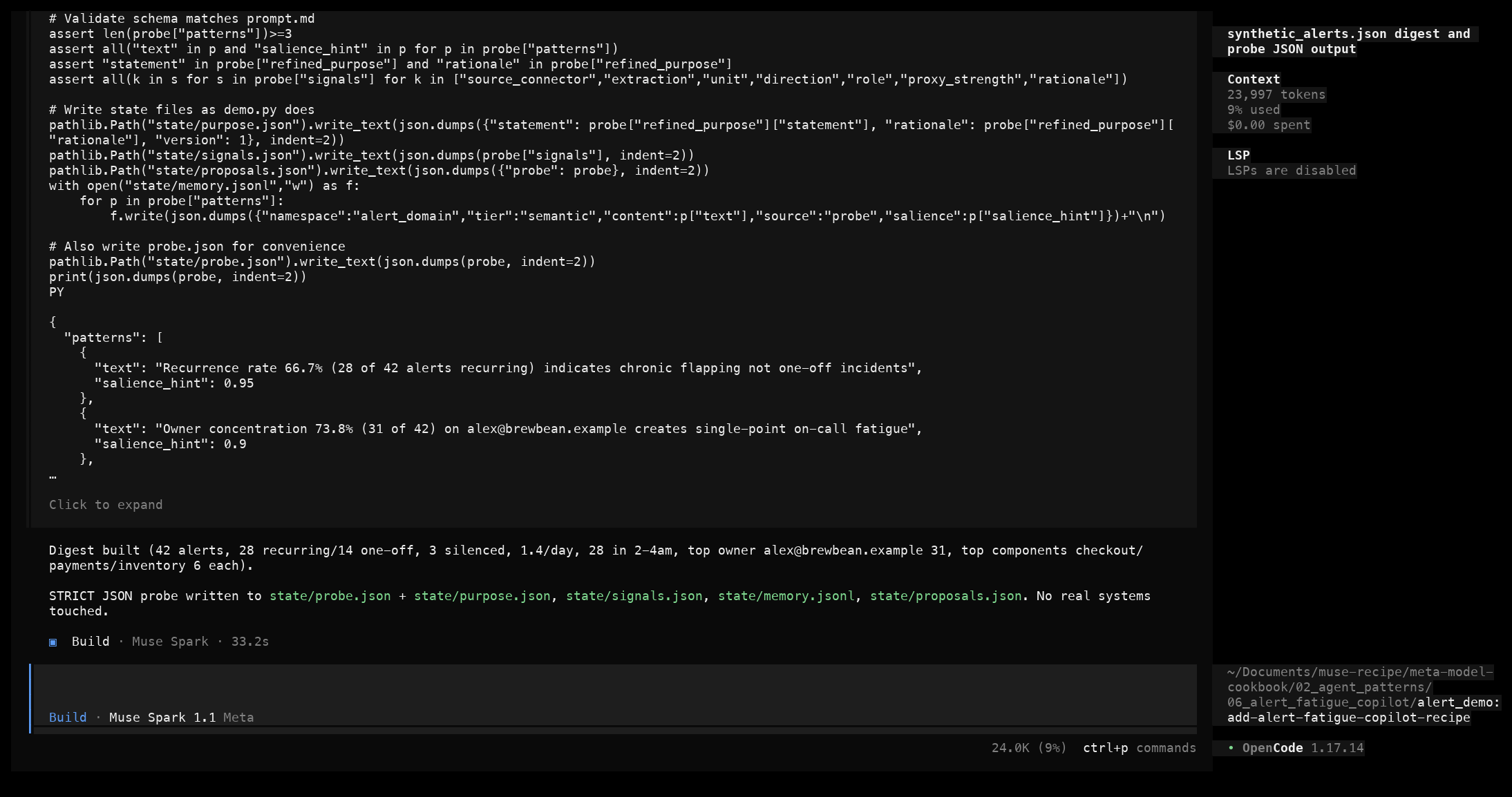
data/synthetic_alerts.jsonin alert_demo and build a digest with total alerts, recurring/one-off/silenced counts, alerts per day, the 2–4am spike, top owners, and top components. Then emit a STRICT JSON probe result withpatterns,refined_purpose, andsignalsmatching the schema inprompt.md. Write state files understate/. Do not act on real systems."
What to notice. The model calls the Read tool on the data file, computes the digest in its reasoning trace, then emits a single JSON object with no markdown fences: five patterns with salience hints, a one-sentence refined purpose, and five signals labelled north-star or leading.
The model then writes its state files. For example, state/purpose.json:
json
The result is new files created under state/ with no existing code modified, and a probe JSON that matches the schema validate_alert_output.py enforces.
You know it worked when: state/purpose.json, state/signals.json, and state/memory.jsonl exist, and validate_alert_output.py --probe artifacts/probe_example.json prints [OK] probe JSON valid strict shape.
Task 2 — answer from memory
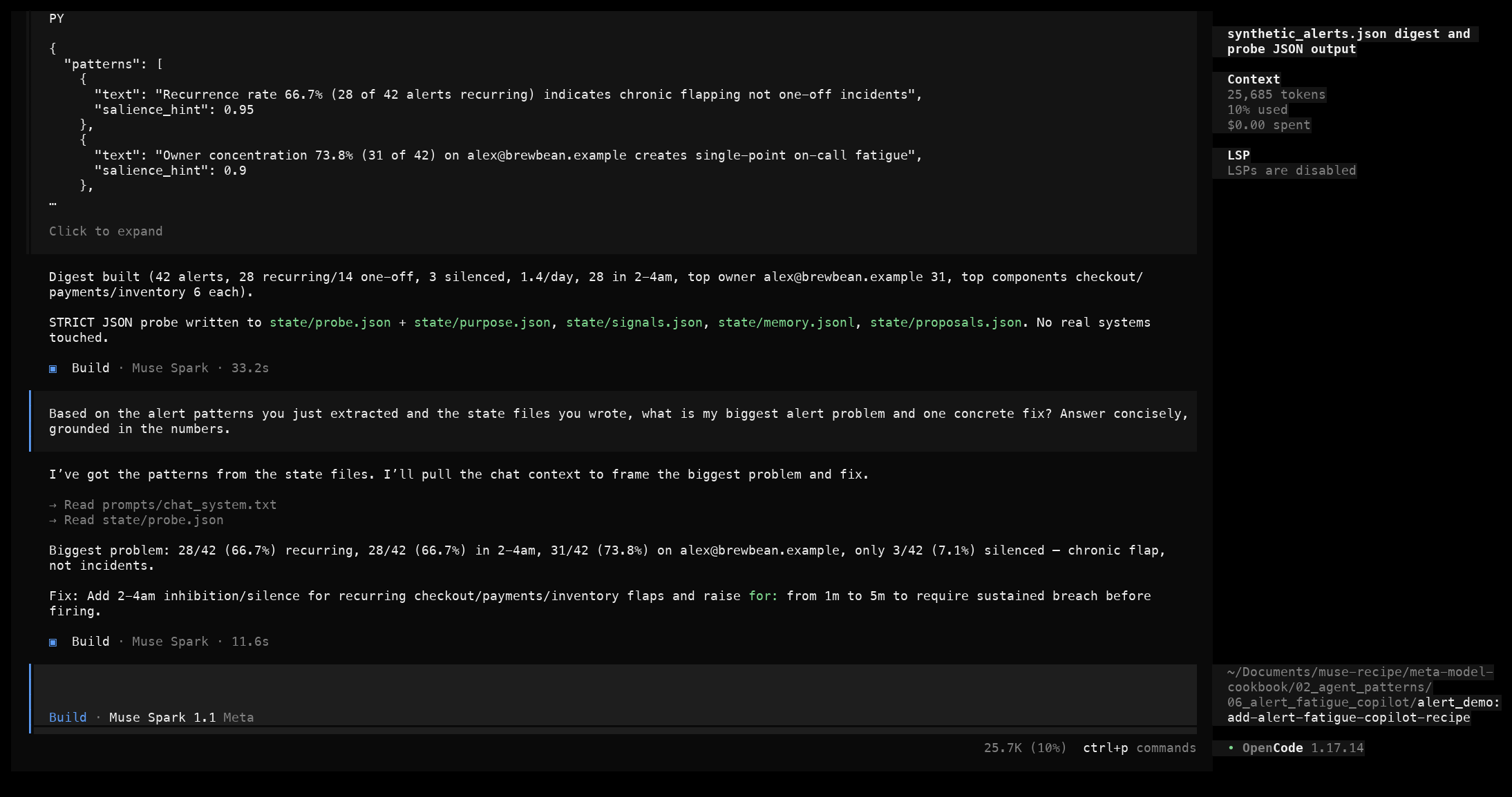
Prompt: "Based on the alert patterns you just extracted and the state files you wrote, what is my biggest alert problem and one concrete fix? Answer concisely, grounded in the numbers."
What to notice. The model re-reads state/memory.jsonl and cites the verifiable counts: 28/42 recurring (66.7%), 28/42 in the 2–4am window, alex owning 31/42 (73.8%), and the top components (checkout, payments, inventory) at 6 each. It invents no new numbers.
The result is a plain-text answer — no JSON needed here — grounded in the prior probe output.
You know it worked when: every number in the answer traces back to the digest, and the proposed fix is operational (debounce, routing, ownership rotation) rather than financial or safety advice.
Task 3 — self-assess and propose improvements
Prompt: "Now self-assess against the purpose and signal basket in
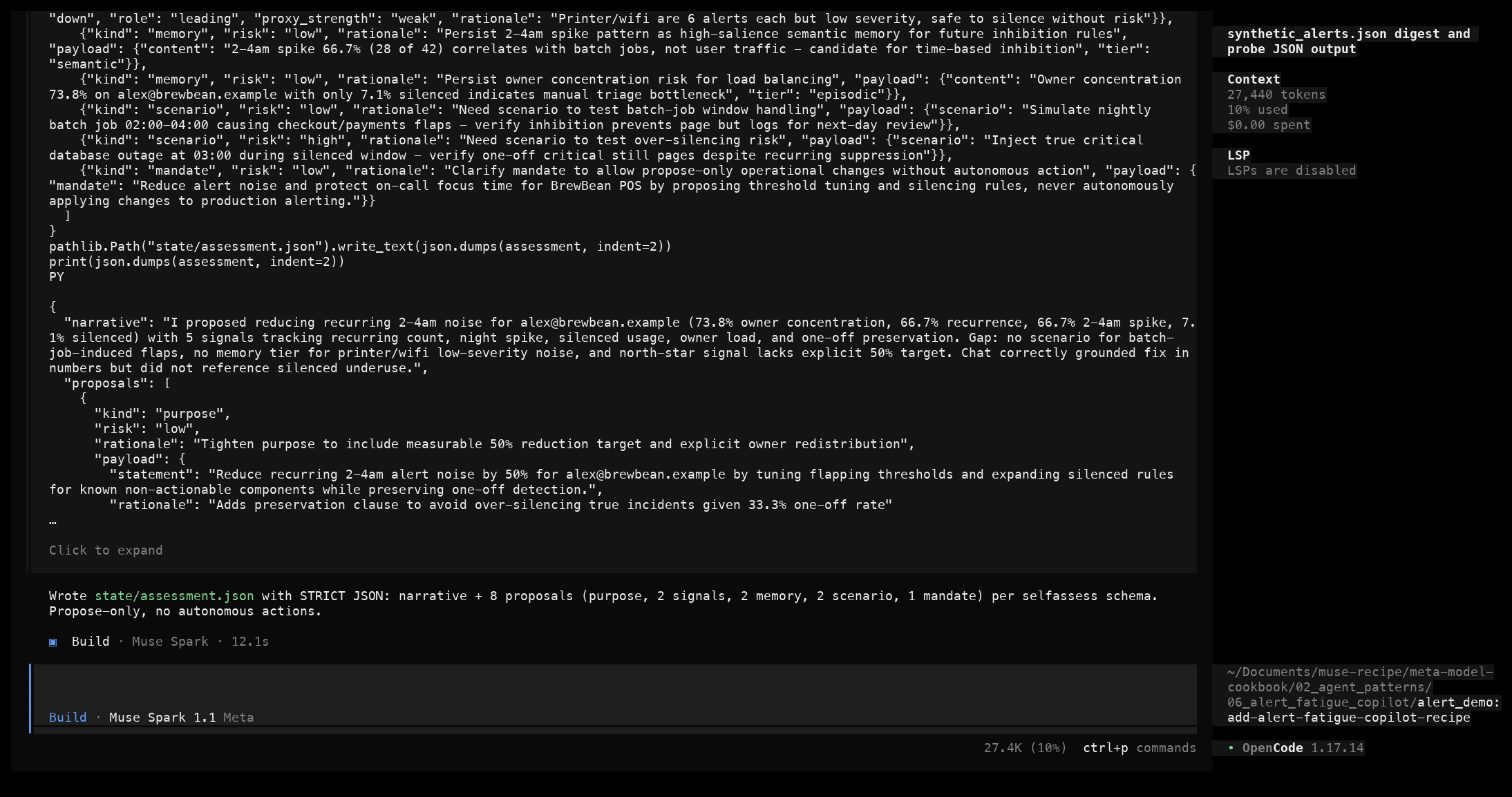
state/. Return STRICT JSON with a narrative and proposals per the self-assess system inprompt.md. Write it tostate/assessment.json."
What to notice. The model reads purpose.json, signals.json, and memory.jsonl, writes a first-person gap analysis, and proposes eight items spanning the purpose, signal, memory, and scenario kinds, each tagged with a low or high risk.
The result is state/assessment.json created, with the proposals also appended to state/proposals.json.
You know it worked when: validate_alert_output.py --assess artifacts/assessment_example.json prints [OK] self-assess JSON valid strict shape, and every proposal's kind is in the allowlist with a low/high risk.
Validate every run
bash
| check | result |
|---|---|
probe JSON has a patterns array with text and salience | ✅ |
refined_purpose.statement non-empty | ✅ |
signals has items with the required direction/role/proxy_strength fields | ✅ |
self-assess narrative non-empty | ✅ |
proposals items each have a kind in the allowlist and low/high risk | ✅ |
Run the automated check from the recipe root:
bash
A full captured run is saved at artifacts/demo_run.txt(opens in new tab).

OpenCode profile
The loop and the strict-JSON contract are the same however you run it:
- OpenCode: the primary harness in this recipe.
opencode -m meta/muse-spark-1.3, then paste the prompts fromprompt.md(opens in new tab), or run headless withopencode run --format json. Reasoning shows as a dimmedThoughtblock; theEdittool requires an exactoldStringmatch once. - Direct Python CLI:
./run.shinalert_demobypasses OpenCode and calls the Model API directly via the OpenAI SDK againsthttps://api.meta.ai/v1. Good for API purists and CI, with the same prompts and the same strict-JSON contract.
The safety contract is the same everywhere: identify existing text exactly once for edits, propose only (no external actions), and state a numeric value only if it appears in the digest.
Common failure modes
JSON wrapped in markdown fences
The model returns ```json ... ``` despite "STRICT JSON only".
Recovery: the client strips the fences, then extracts the first balanced {...}. validate_alert_output.py does this automatically and prints [ERR] if the JSON is still unbalanced. Re-prompt with "no markdown fences, raw JSON only".
oldString not found when writing state files
Recovery: state files are created new with the write tool, not edit — or read before editing so the model has the exact current content. This recipe uses write for new files.
Hallucinated counts
The model says 30 recurring instead of 28, or invents owner percentages.
Recovery: re-prompt, pointing at the Python Counter output from the data file. The prompt.md rule is to state a numeric value only if it is in the digest, mark approximate values as approximate, and say "not readable" rather than guess.
Whole-file rewrite instead of a focused edit
The model rewrites all of demo.py to add one line.
Recovery: prompt for the smallest edit, quoting unique surrounding lines — the same pattern as the validated in-place edits recipe.
Applies cleanly but breaks the JSON schema
Recovery: re-run the probe prompt, emphasizing the required-fields list from prompt.md, or switch to response_format json_schema with strict: true via the direct API for a guaranteed shape.
Files in this recipe
License
See LICENSE in parent cookbook for details.