Keep an image series consistent
| Section | Muse Image |
| Time to complete | ~25 min |
| Model | muse-image-1.0 |
| Language | Python |
| Prerequisites | Python 3.10+, the openai package, and a MODEL_API_KEY (create one in the Model API dashboard). |
Use reference images when a series repeats a character, style, or setting. References can improve consistency, but compare every output with the source images.
The worked example creates a six-panel comic with one hero, two locations, and a cat. The same sequence applies to product shots, avatars, storyboards, and brand assets.
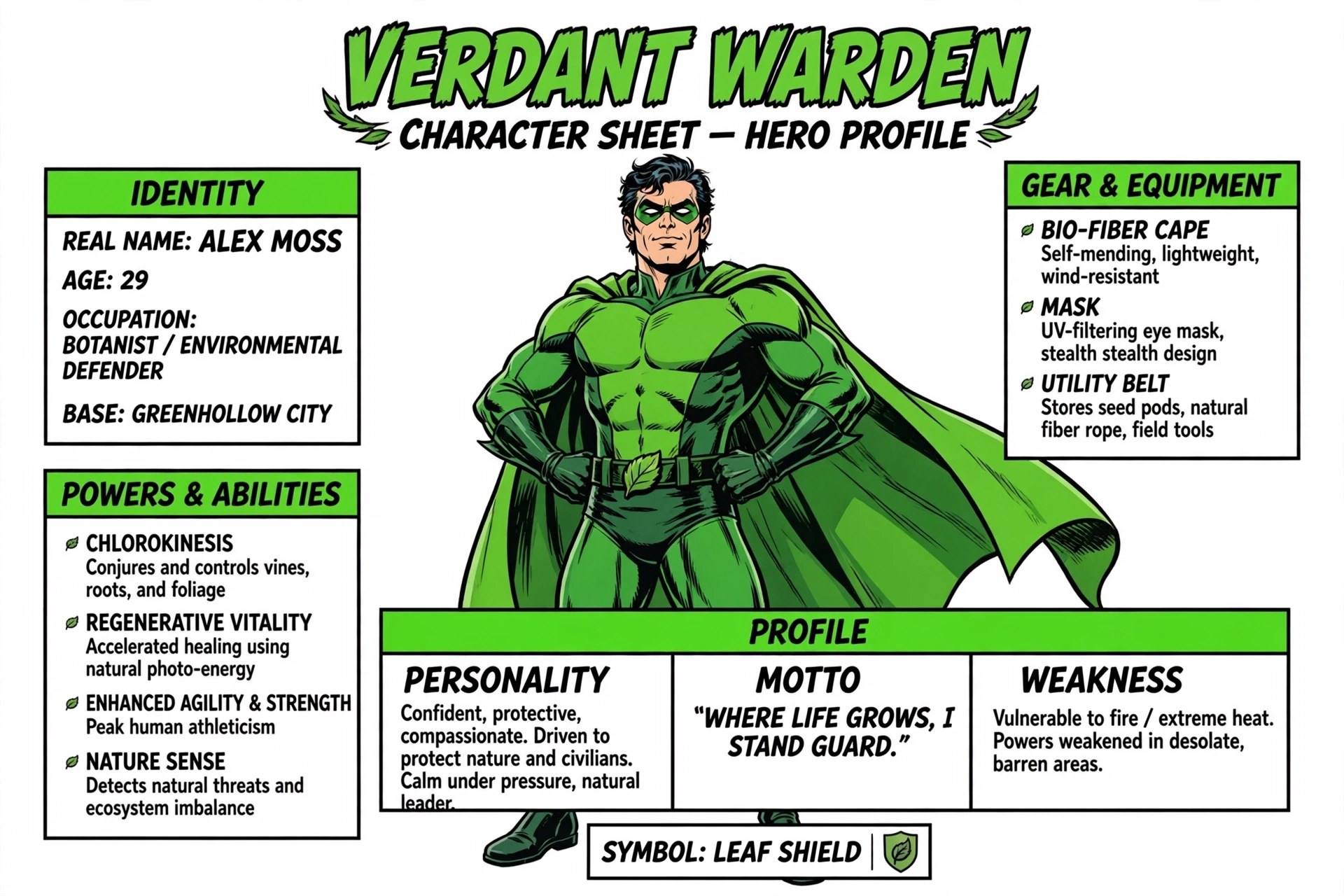
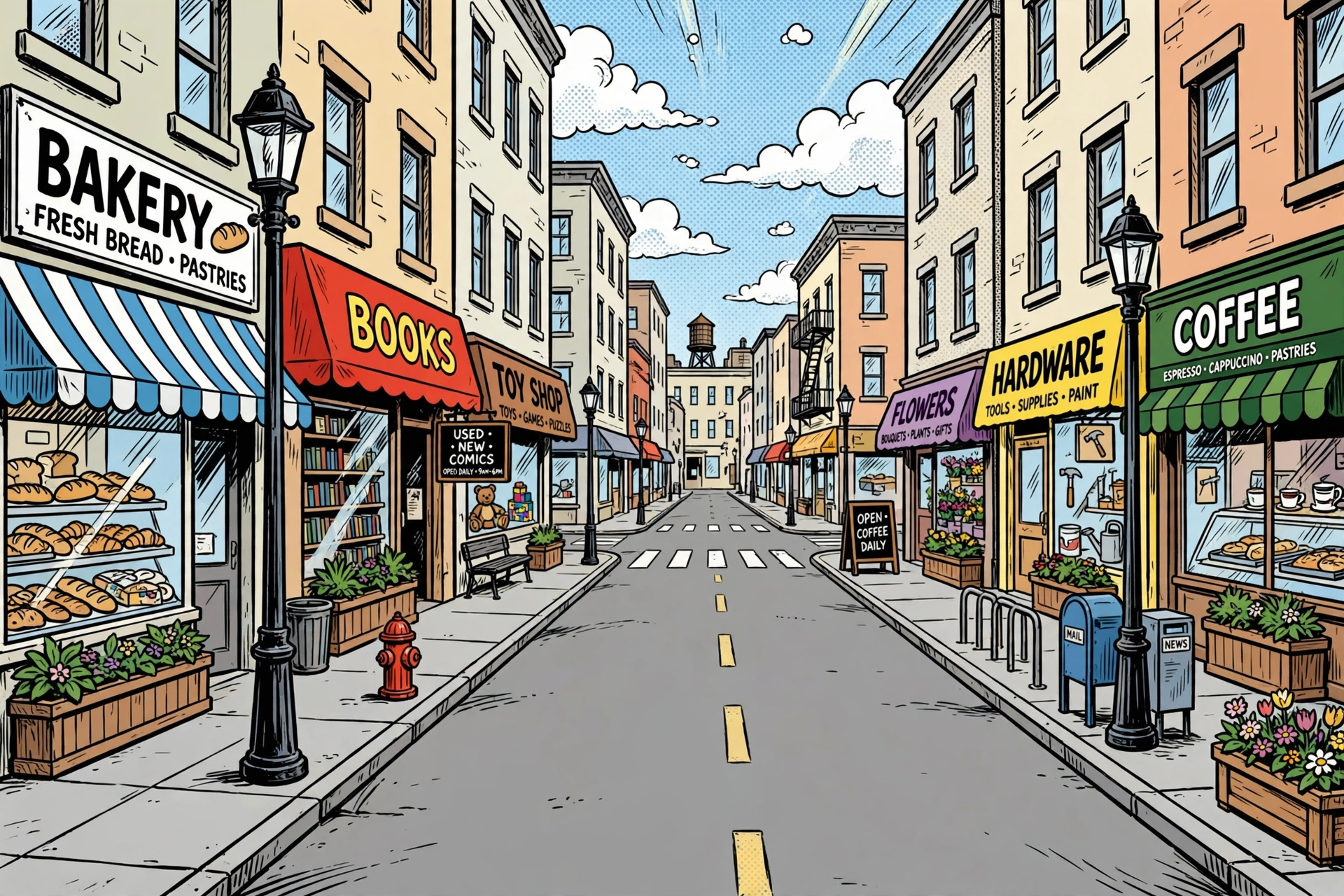
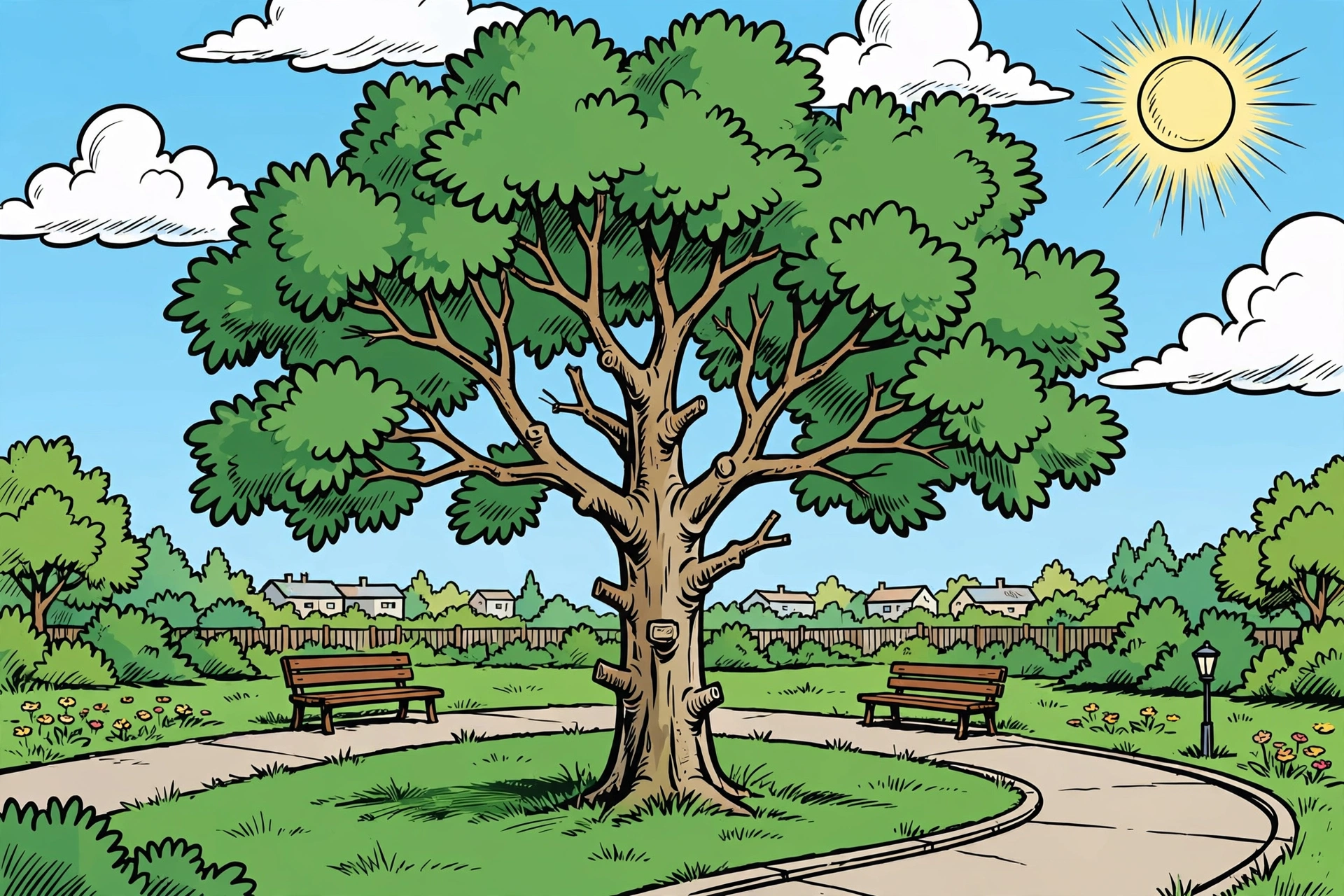
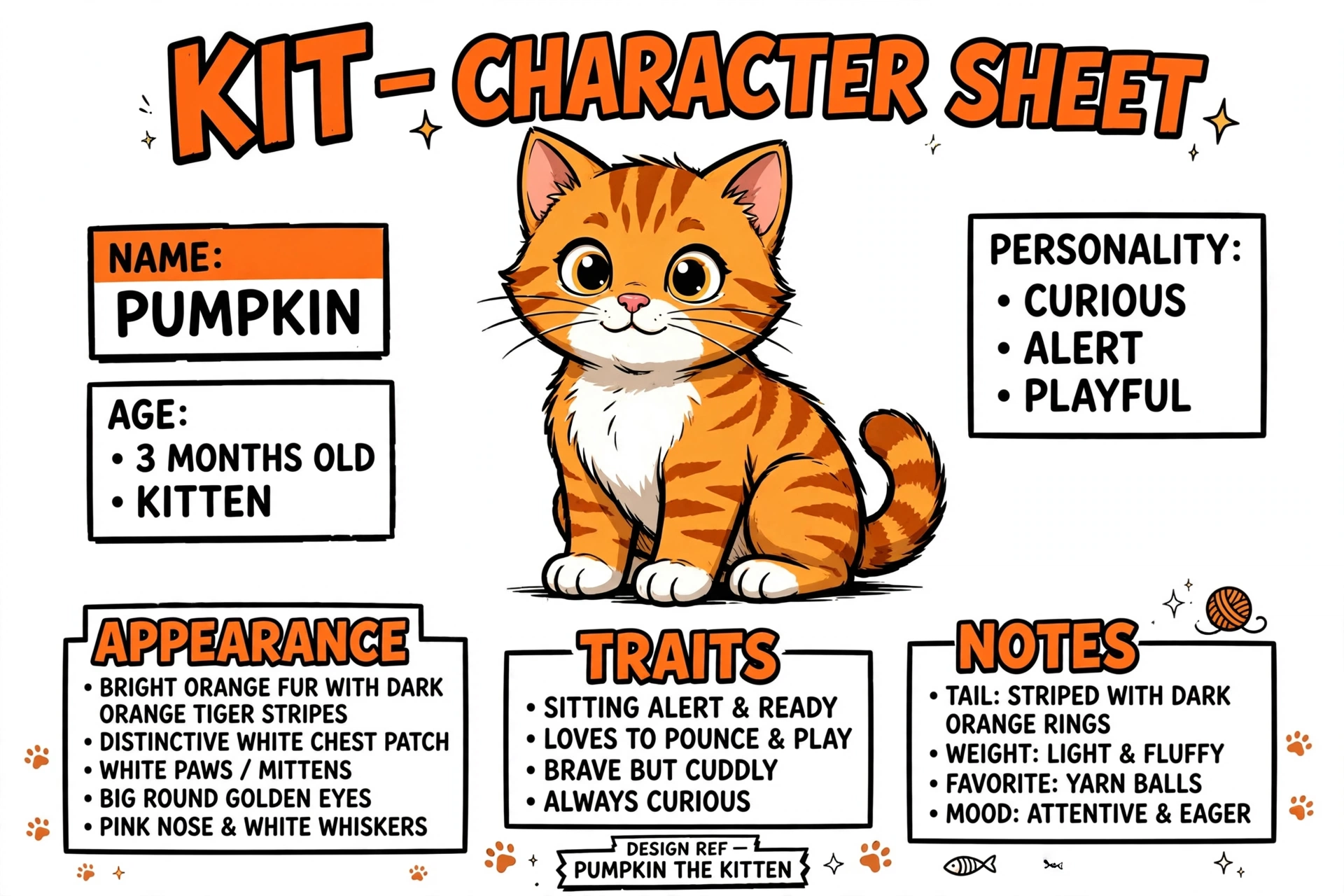
The reference anchors (a hero character sheet, two location plates, and a cat character sheet) and the composed page:

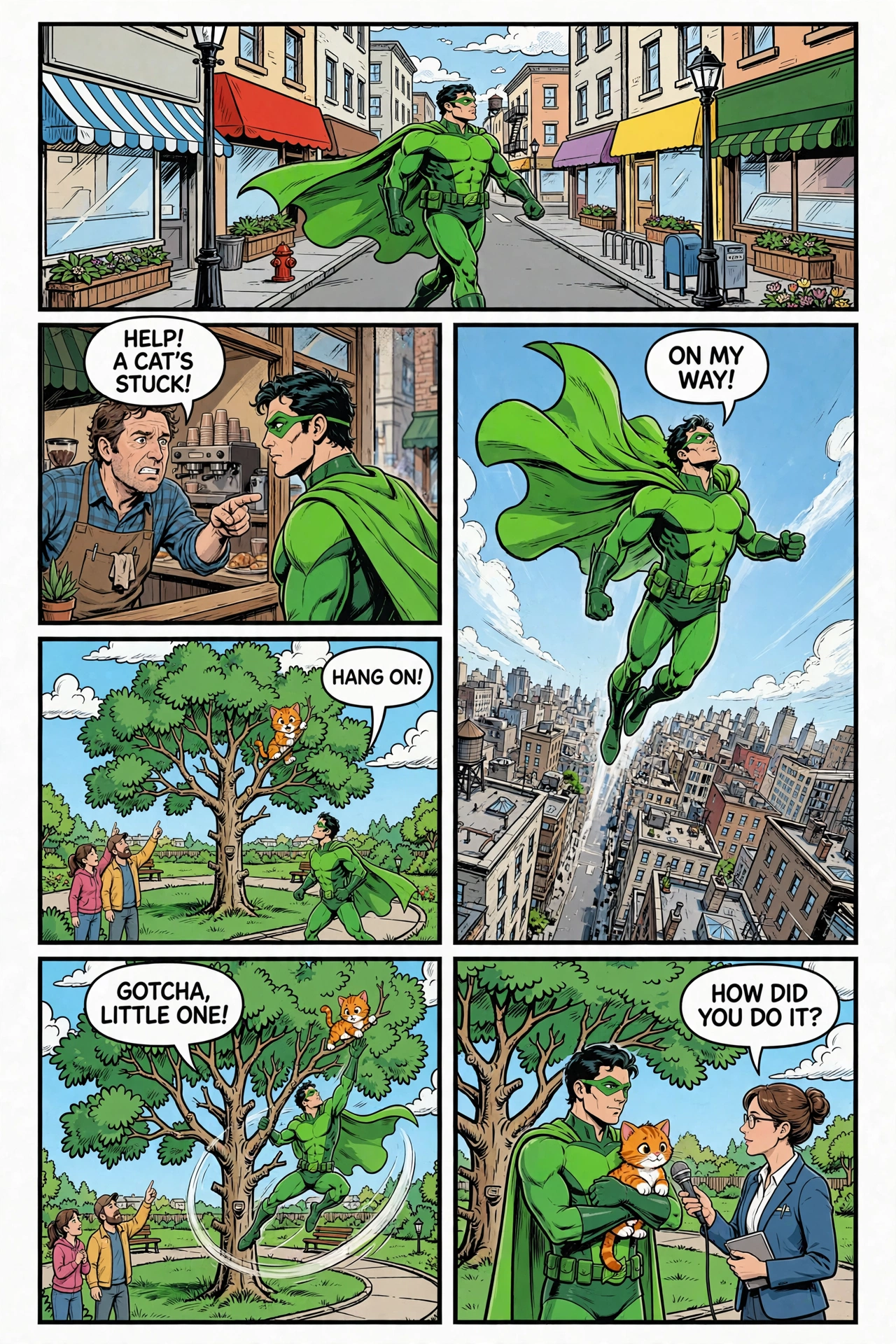
Images throughout are from an actual run; because the model is non-deterministic, your results will differ.
Why anchoring matters
An unchained generation has no prior image context. Ask twice for "a green caped hero in a park" and the costume, face, or art style can change. Generate the hero once, then keep later turns in the same conversation so each turn can use that reference.
The same scene, generated two ways. On the left, a plain text-to-image call with no reference: a generic hero in a generic style. On the right, the same prompt anchored on the hero and park references: the established character, in the established setting.
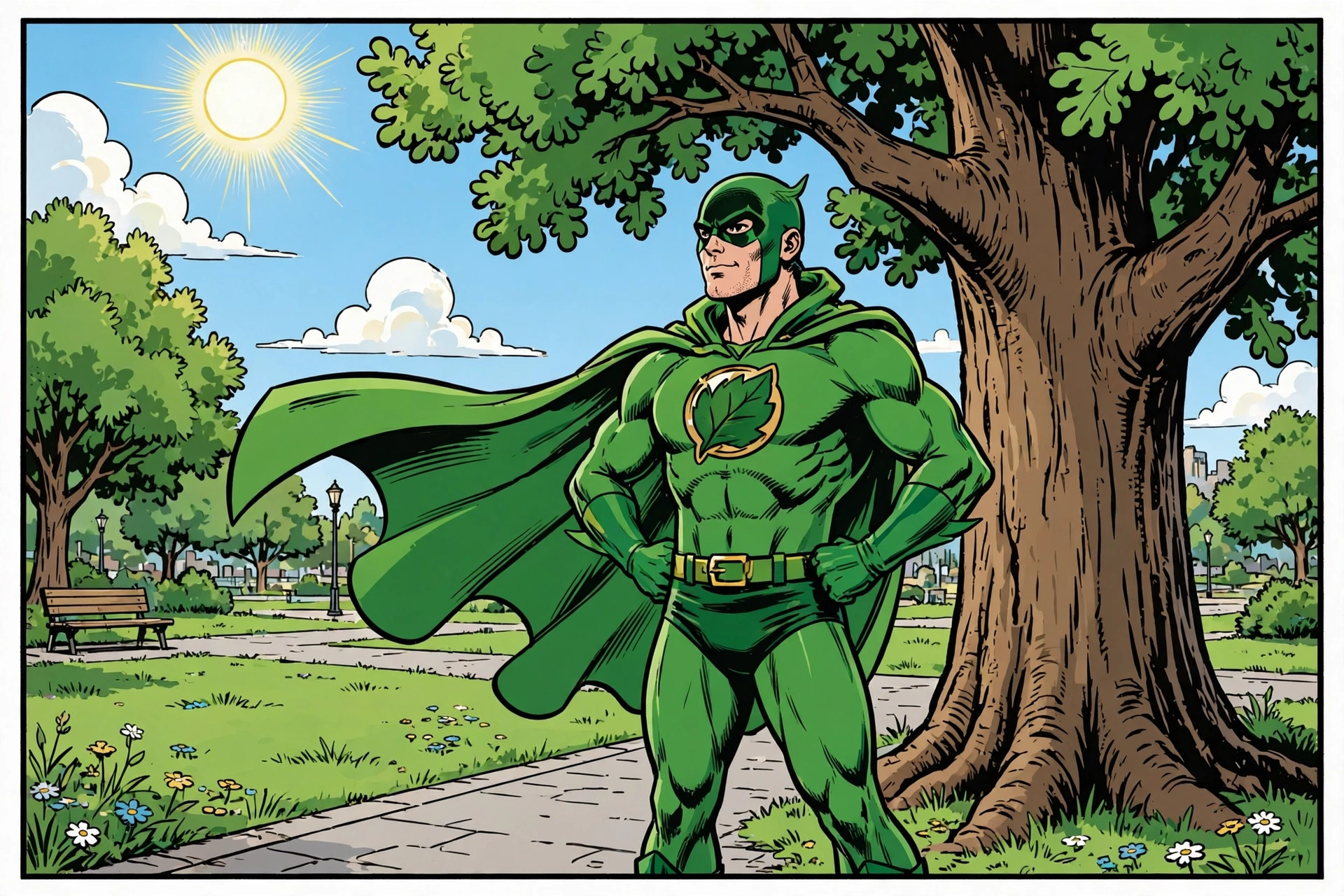
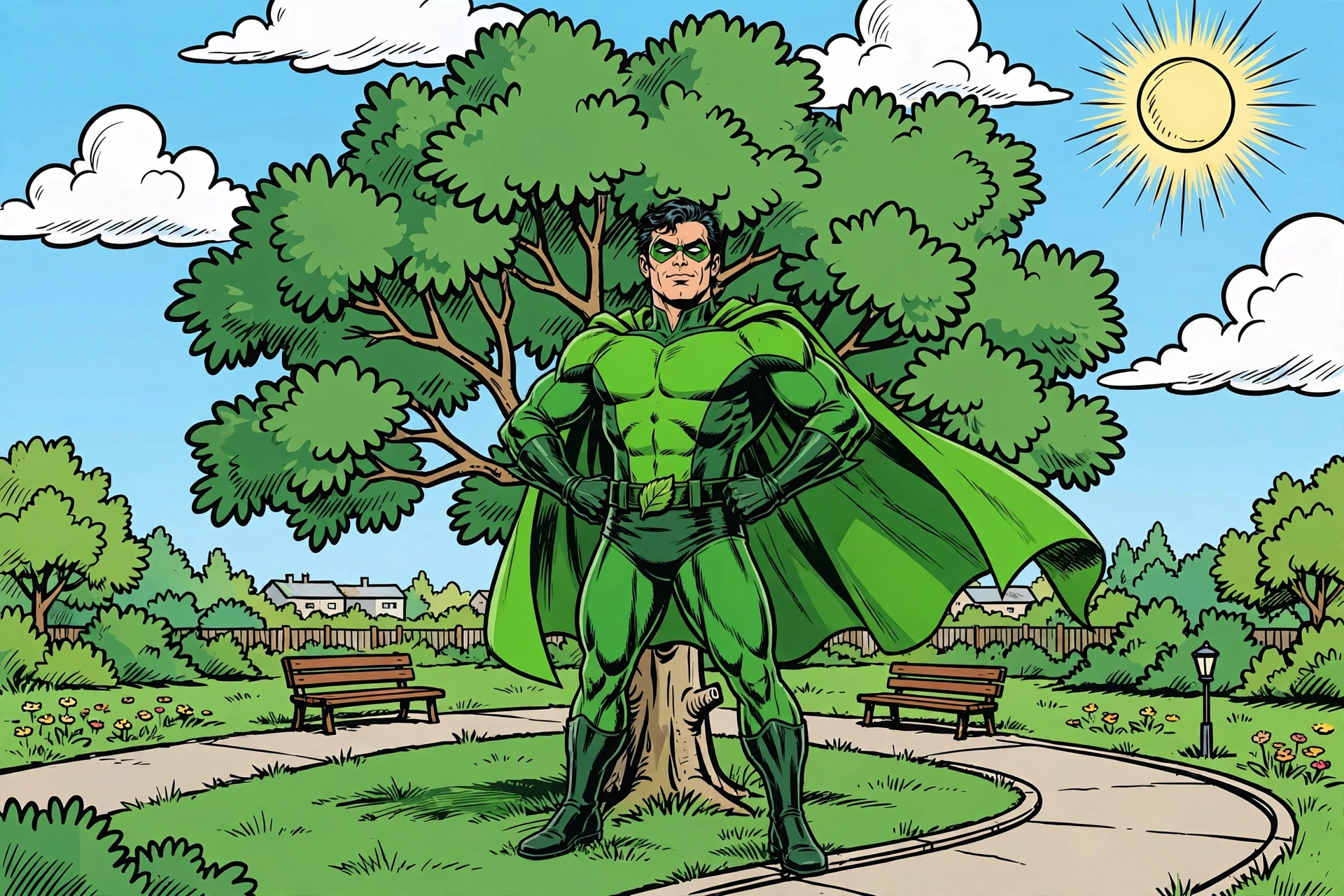
Without the reference, the character has a different mask, suit, and build. With the reference, the mask, costume, and face more closely match the original hero. Create references first, then reuse them in each related generation.
Create a reference for each recurring character, setting, or style.
How it works
Muse Image is reached through the Responses API (client.responses.create). A generation turn returns a response with an id, a status, and an output list; the rendered image is the base64 result on the image_generation_call item in that list.
Anchoring works by chaining. Each generation is a turn in a conversation, and passing previous_response_id on the next turn gives the model everything the conversation already holds, including the images it rendered earlier. So once you generate the hero as its own turn, every later turn that chains from it can reuse that hero by name, with no re-upload and no re-description. This cookbook builds all four anchors as generated turns, then chains every panel back to them. (If an anchor lives in a file instead of the conversation, for example art you made elsewhere, you can attach it once as an input_image part on the turn that needs it; here everything is generated in-conversation, so chaining alone carries it.)
The recipe puts that to work as reference anchors for consistency: build the hero, the cat, and the two settings once, up front, then render the six panels by chaining from those anchor turns. The panels accumulate in the conversation too, so the last two steps arrange the panels the conversation already holds into a page and then letter it.
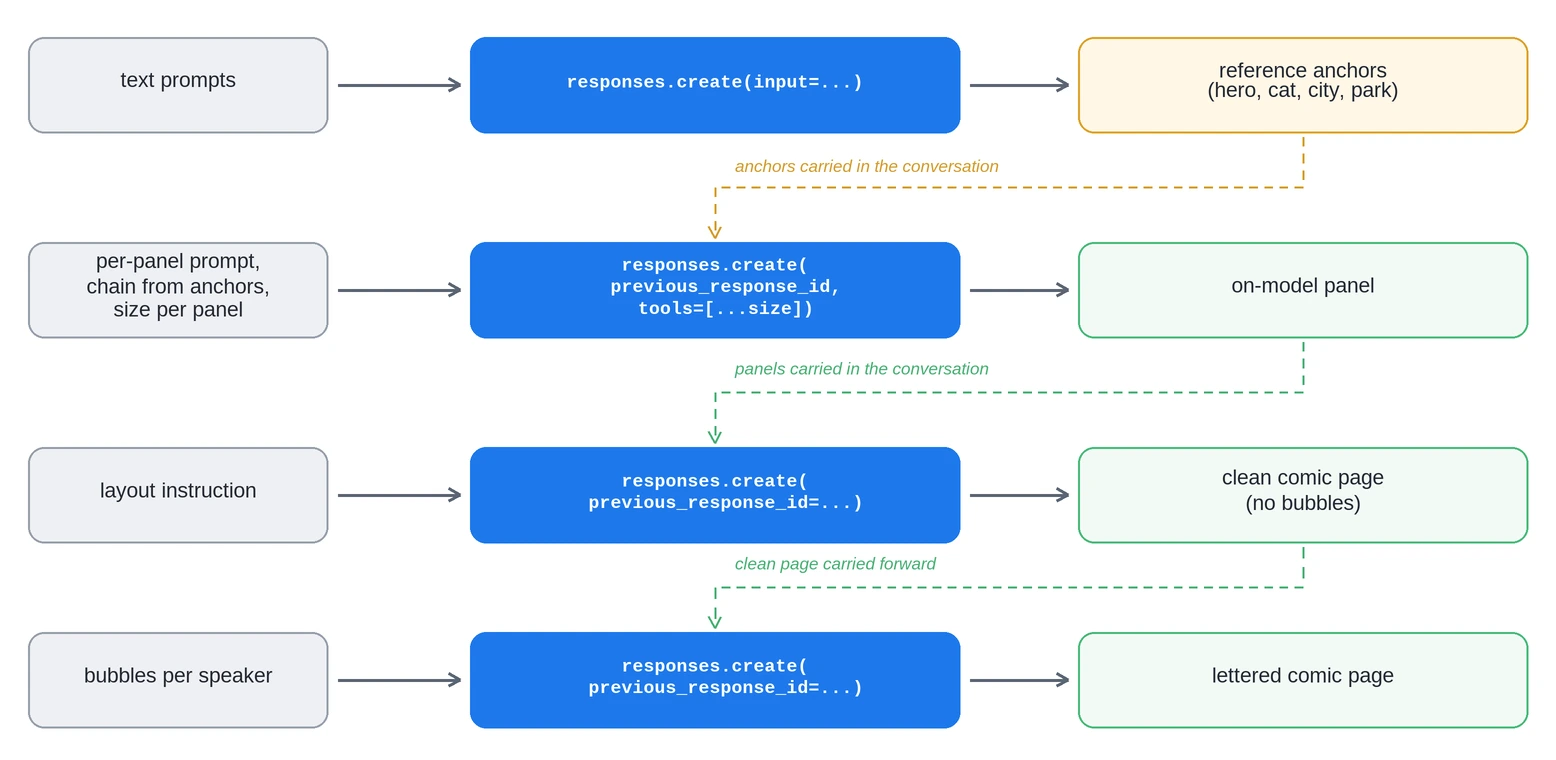
Swap the vocabulary and the pattern carries over: a product plus a set of scenes, an avatar plus poses, a brand kit plus templates. The anchors change; the technique does not.
Setup
Install the dependency and set your key:
bash
Wire up the client once. The OpenAI SDK does not auto-read MODEL_API_KEY, so pass it explicitly. Add one helper to pull the rendered image out of the response's output list and one to save it to disk:
python
Build the reference anchors
The anchors are the foundation: build them first, in one conversation, so they are all on hand when the panels begin. Each anchor turn chains from the previous one with previous_response_id, threading the hero, the cat, and both settings into a single conversation the panels then continue. Anchor every recurring element, not just the protagonist: any character or setting that shows up in more than one frame gets its own reference so it stays consistent. Map the story first, then build the full set. This comic needs four anchors: the caped hero (in every panel), the city street and the park (each in several panels), and a rescued cat (stuck in a tree, grabbed mid-rescue, then held during the interview). Characters get character-sheet prompts; locations get clean, character-free background plates.
Describe each original subject precisely, on a plain background, so later renders have a clean, well-defined target to lock onto. Generate the hero and the cat as character sheets:
python
Then build the two location plates the same way. Prompt for the setting only, no characters, so each background is a clean plate to drop the hero and cat into:
python
That is the whole reference set: the hero and the cat character sheets, and the city and park location plates, all now in the conversation for the panels to draw on.
Generate the panels from the anchors
Render each panel as a chained turn. Pass previous_response_id so every panel continues the conversation that contains the hero, cat, and settings. Refer to each subject by name and repeat the art-style words in every prompt. Compare each panel with the references before continuing.
Leave the panels free of speech bubbles for now. Rendering clean art first, then lettering the composed page in a later step, keeps each line under your control and off the characters' faces.
python
In this run, the six panels kept the main costume, locations, and cat appearance close to the references. Compare each panel with the anchor images. Regenerate or refine any panel whose recurring elements differ.
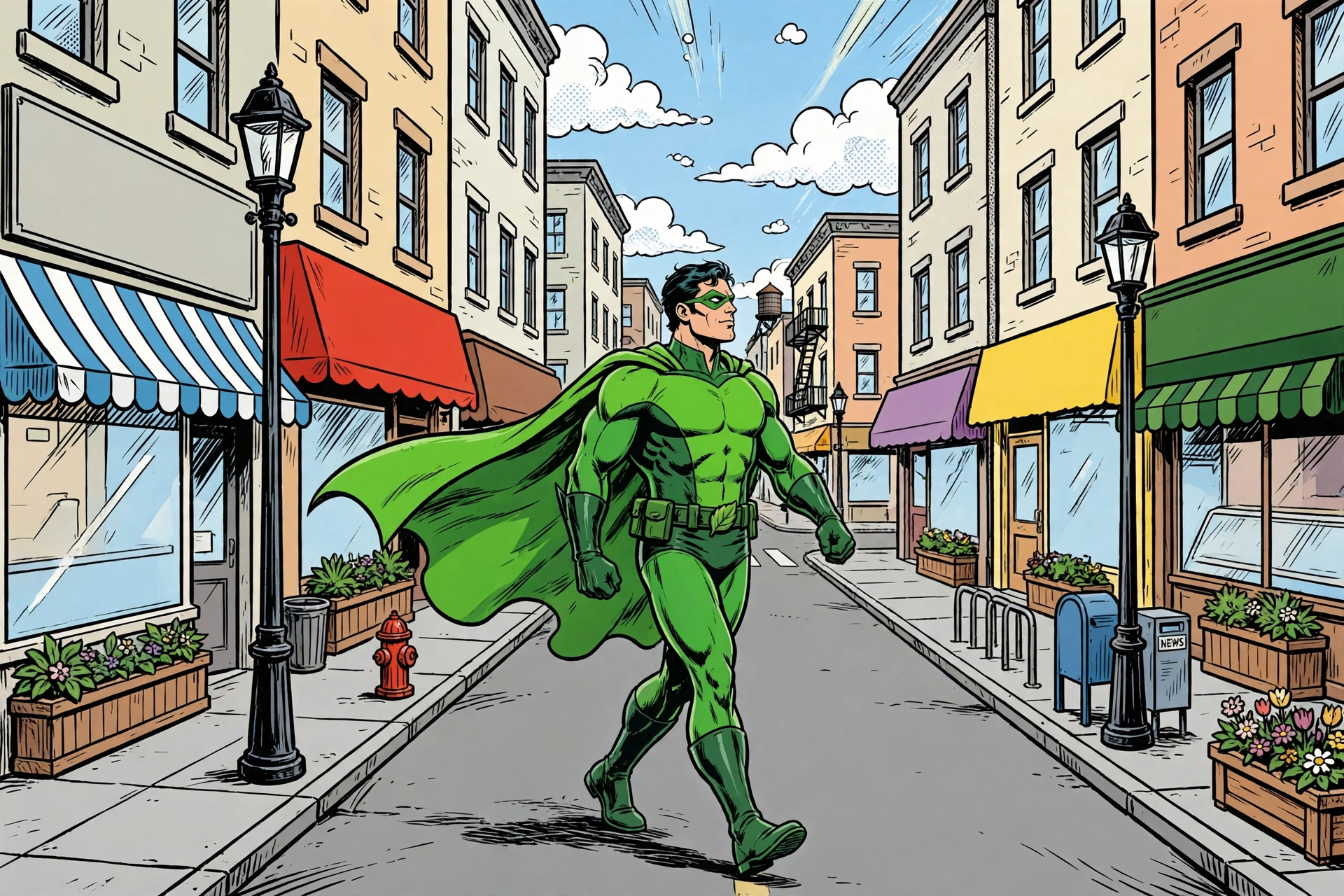
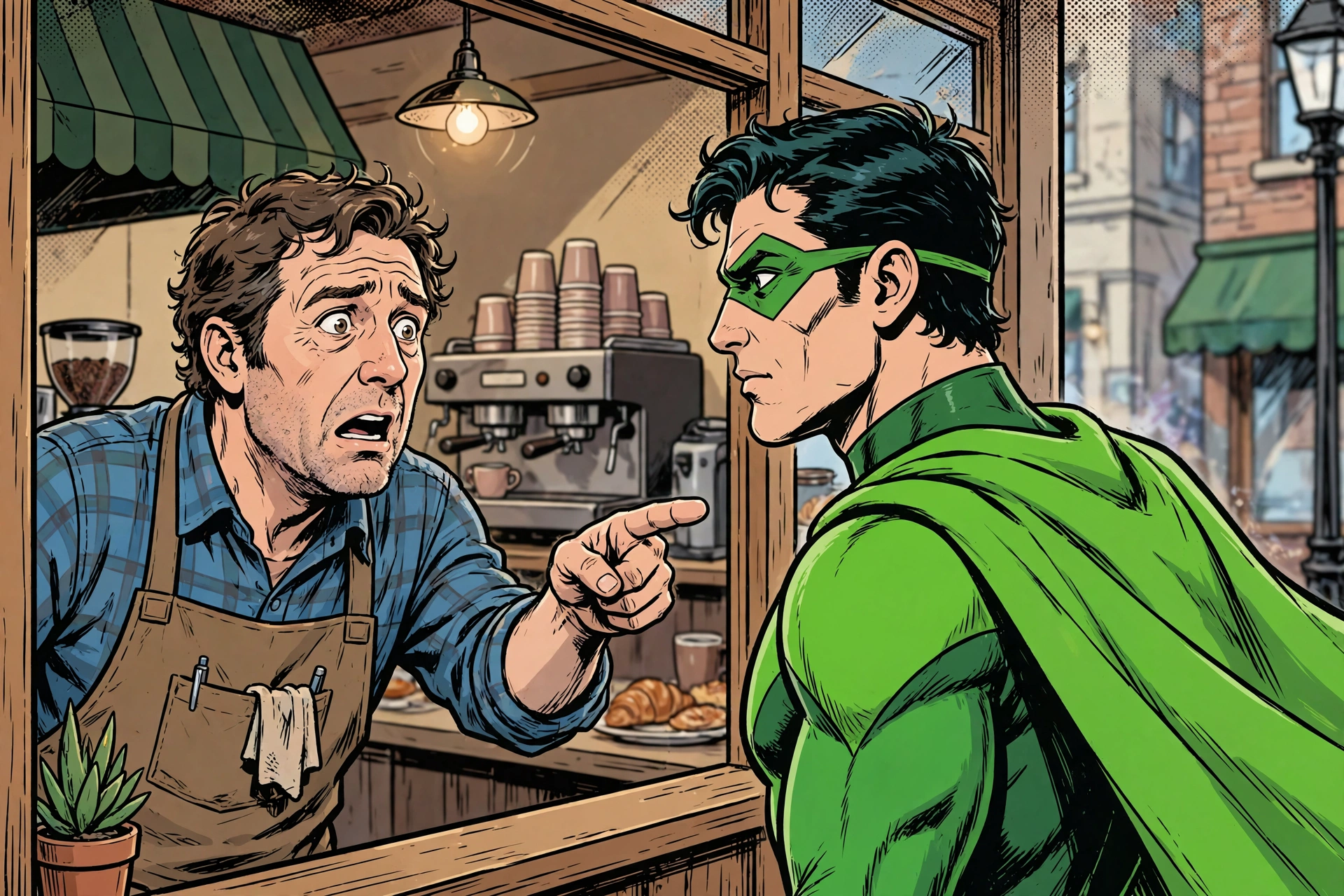
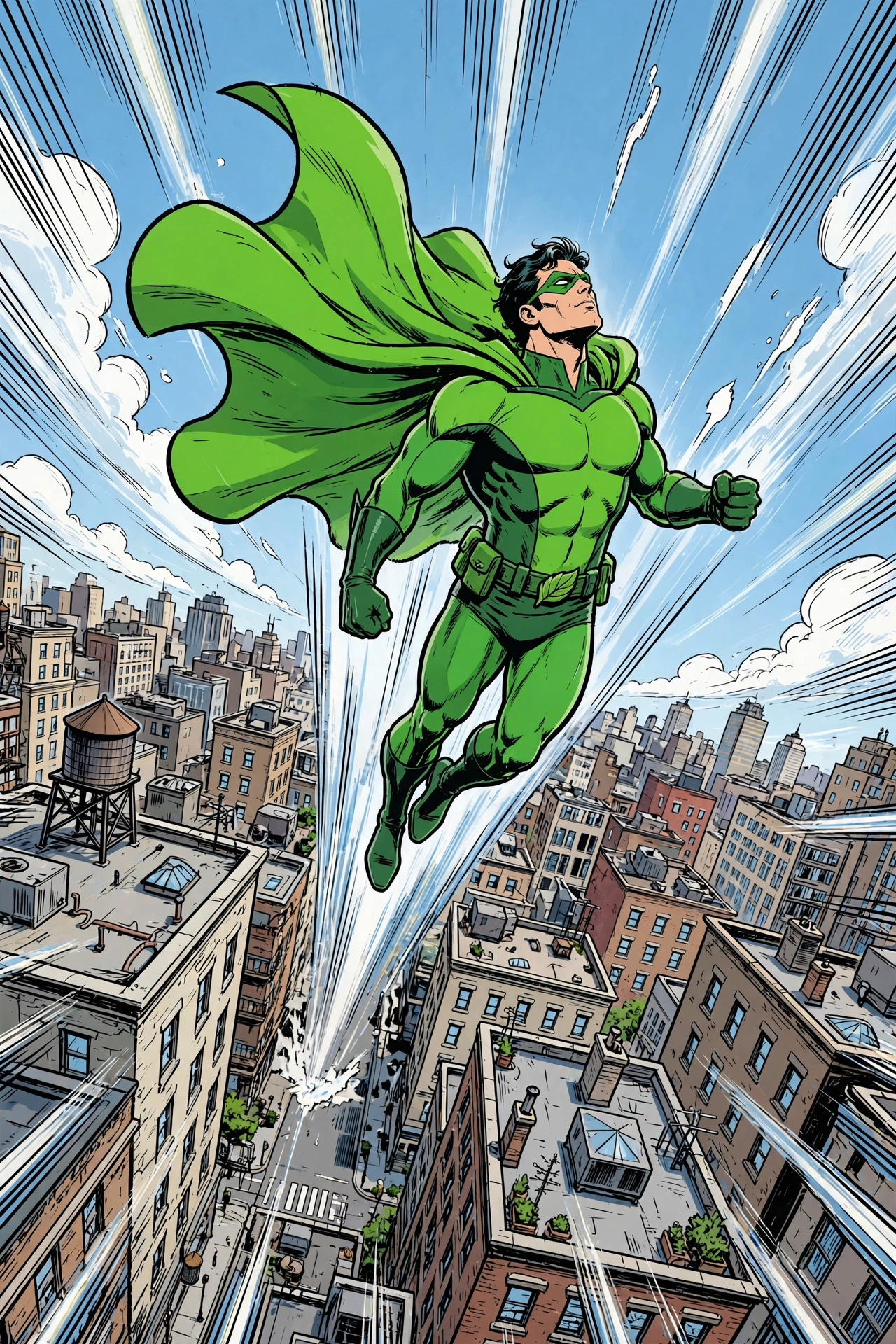
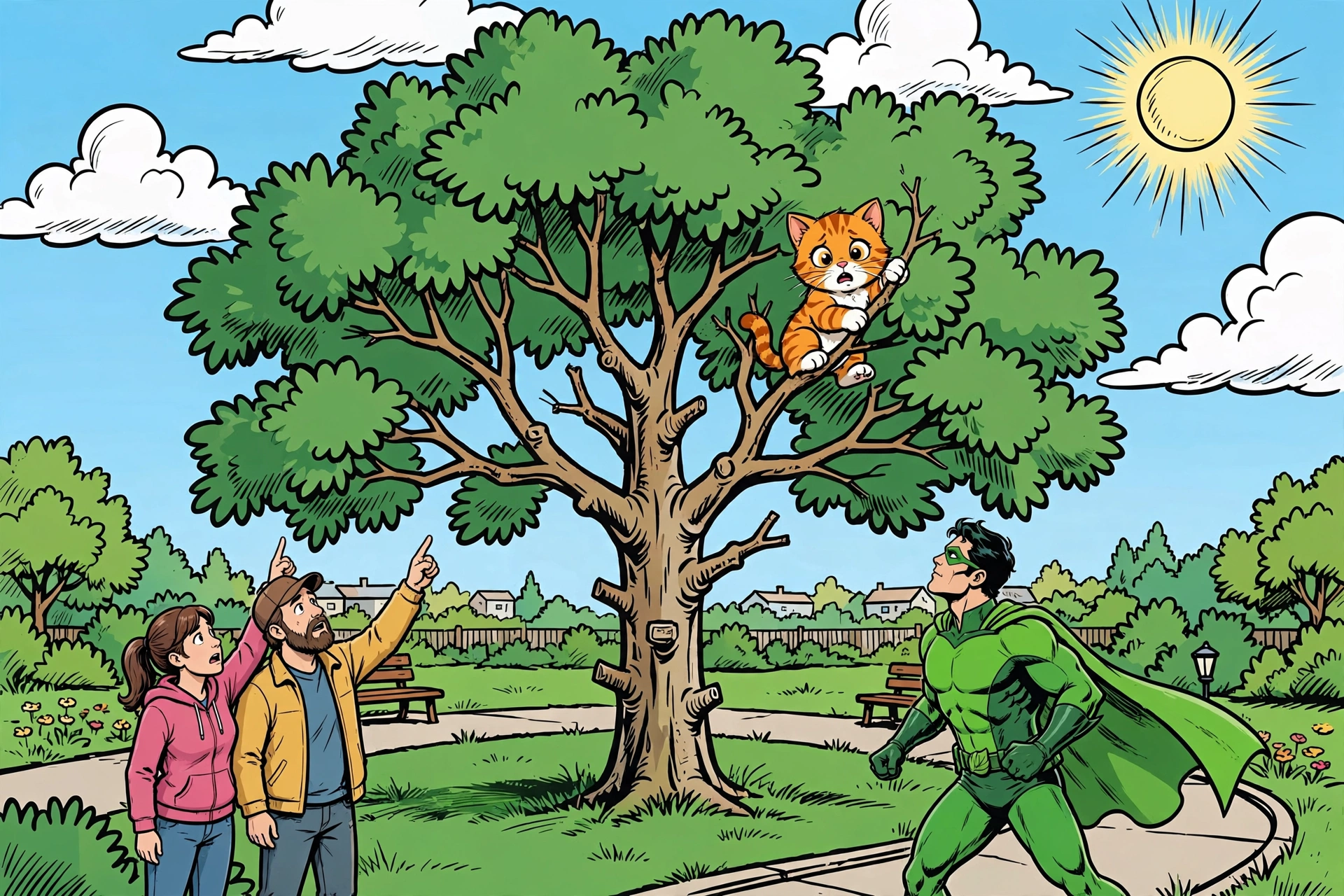
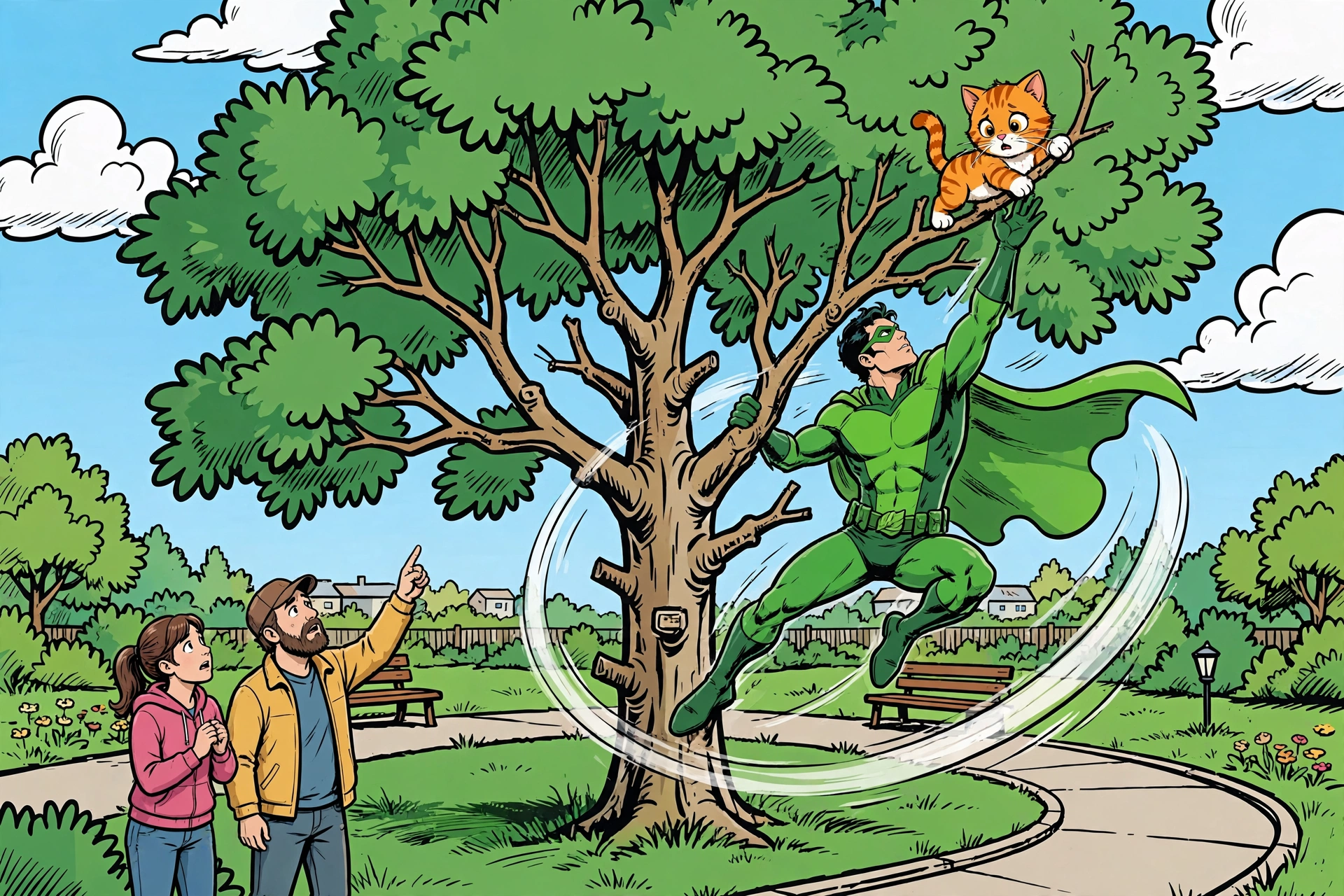
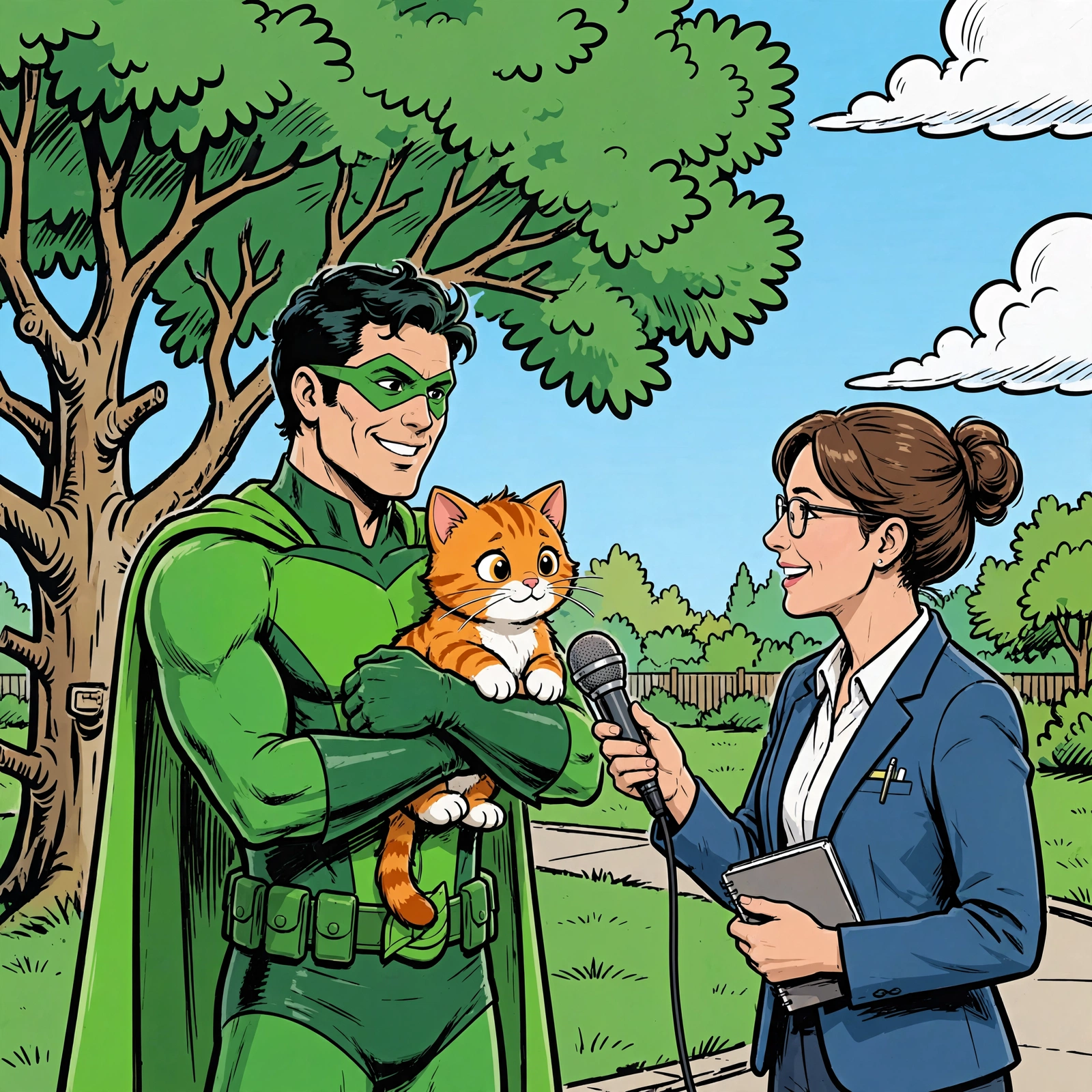
Because every turn chains from the last, the conversation grows as you go, and each turn re-sends the context before it. That is what holds the hero and the cat on-model without any re-upload, and it means later turns carry more context than earlier ones. Keep a series to the anchors and beats it actually needs rather than letting the chain run on.
Compose the page
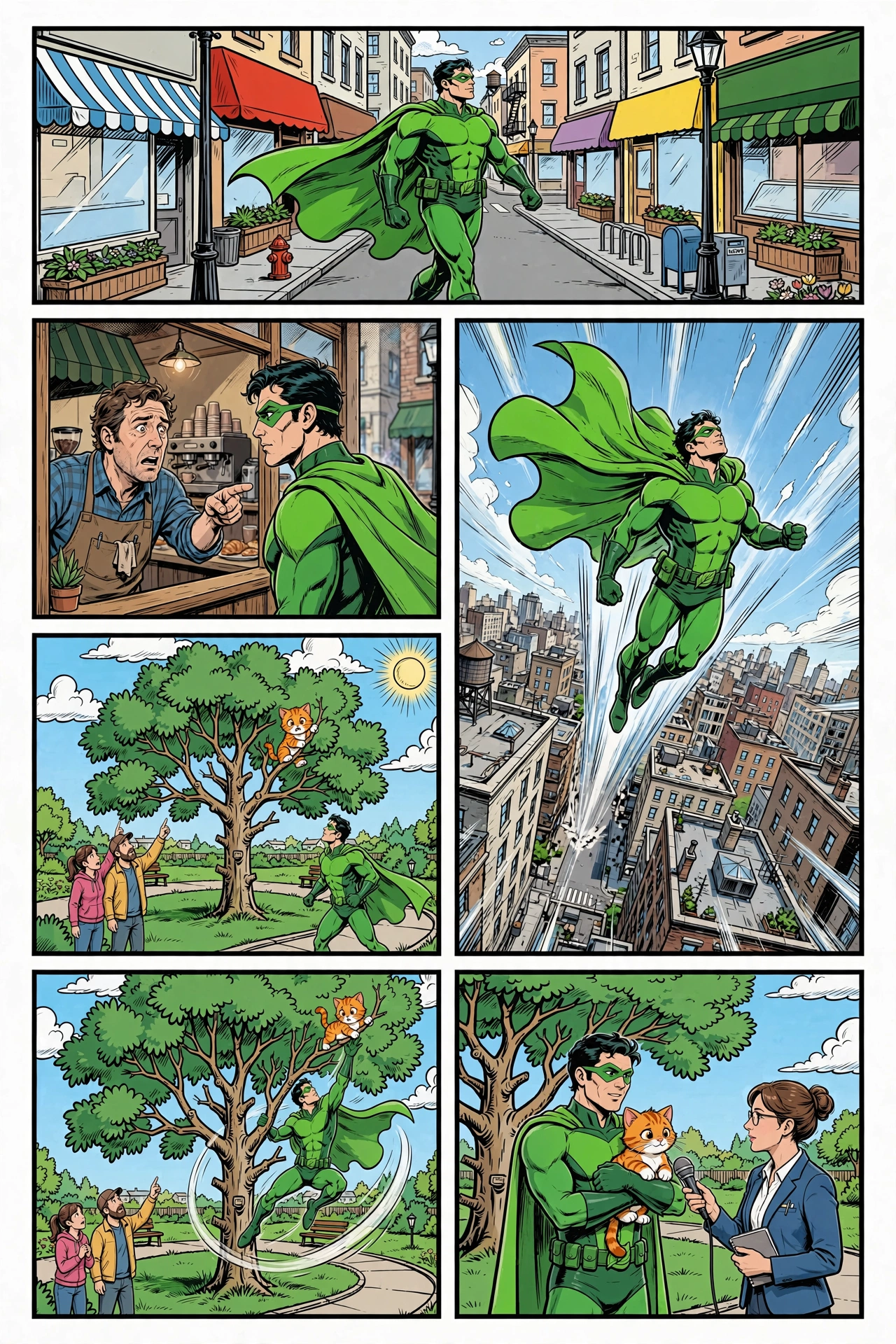
The six panels already live in the conversation. Pass the interview response ID as previous_response_id, then describe the portrait layout. The model can arrange the panels without another upload.
Keep the instruction to layout only: give the portrait orientation and the row order, tell it to place each panel as-is, and let the model size the cells and draw the borders. The panels are still free of speech bubbles, so there is nothing to preserve or move yet. The model is only arranging art.
python
Letter the page
Now add the speech bubbles, in one more chained turn from the clean page. Name each line's speaker, and ask for the bubbles to sit in empty parts of their panels so no face or animal is covered:
python
The first turn lays out the panels, and the second adds lettering. Compare the final page with the clean composition and the reference images.
Check the result
Compare every panel with the reference images. Regenerate or refine a panel when a recurring character, setting, or style differs from its reference.
| Task | Call |
|---|---|
| Build the hero, background, and cat anchors | client.responses.create(model="muse-image-1.0", input="... character sheet ...") |
| Render a panel from the references | client.responses.create(model="muse-image-1.0", previous_response_id=prev, input="...") |
| Improve character and setting consistency | generate each subject once, then chain later turns with previous_response_id and name the subject in the prompt |
| Compose the page | chain a turn from the last panel (previous_response_id) with a layout instruction |
| Letter the page | chain one more turn from the clean page, naming each line's speaker and asking for bubbles in empty space |
Production checklist:
- Build the anchors first as clean reference plates, then chain the rest of the series from them.
- Anchor every recurring subject, not just the protagonist: any character or setting that appears in more than one frame gets its own reference so it stays consistent.
- Chain every later turn from the anchor with
previous_response_idand name the subject in the prompt; the conversation carries it forward without re-uploading or re-describing it. - Repeat the art-style words in every prompt.
- Compose the layout first, then letter it in a second turn, so each bubble lands on empty space with its tail on the named speaker.
- Keep bubble text short and uppercase so it renders legibly.
Next steps
- Reference the image guide: the Image generation guide covers reference-image steering and the full parameter set.
- See the Responses API: the Responses API guide covers
previous_response_id,input_imageparts, and theoutputitem types. - Start with the basics: the Muse Image basics recipe covers generating and editing images from scratch.