Build multi-speaker headlocked captions
| Section | Segment Anything Model |
| Docs | Media segmentation · Reading segmentation output · Speech to text |
| Time to complete | ~20 min |
| Models | sam-3.1, muse-voice-transcribe-1.0 |
| Languages | React, TypeScript, JavaScript, and Python |
| Prerequisites | Node.js 22.22.2+, Python 3.10+ with Pillow, FFmpeg, and a MODEL_API_KEY (create one in the Model API dashboard) |
Upload a conversation video, watch Muse Voice and Segment Anything Model 3.1 (SAM 3.1) analyze it in parallel, match each anonymous voice to a tracked person, preview collision-aware speech bubbles, and download the rendered MP4.
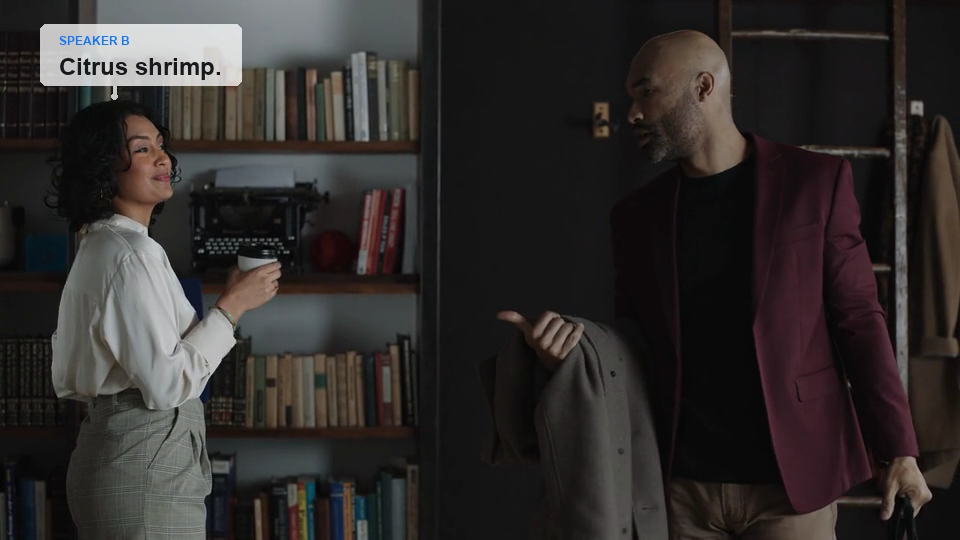
Try the included videos
| File | Purpose |
|---|---|
| sample-input.mp4(opens in new tab) | Original 16-second, two-speaker source video |
| sample-output.mp4(opens in new tab) | Rendered video produced by this app |
How it works
- The local Express server receives an uploaded video. Model API keys stay on the server and are never sent to the browser.
- Muse Voice diarization and one SAM request for
peoplerun in parallel. - SAM returns every matching object and its encoded pixel mask. The data builder filters tiny detections and reconnects track fragments across camera cuts without relying on clothing descriptions.
@meta-sam/reactrenders the analysis video and SAM masks on one canvas. Its@meta-sam/videoplayer uses exact packet frame indexes, so masks do not drift or offset from the displayed video. The user listens to each voice sample and selects the corresponding person.- During preview,
@meta-sam/graphicshides non-speaker tracks and highlights the active speaker. The layout planner derives a head anchor from the pixel mask, keeps each caption chunk on a stable side, avoids other people, and connects the bubble to the top of the speaker silhouette. - Python, Pillow, and FFmpeg render the selected mapping into a downloadable H.264 MP4 with the original audio.
The model APIs currently process uploaded files rather than exposing live frame inference. The progress UI updates while both calls run; masks and transcript turns become interactive as soon as analysis completes.
Setup
bash
npm install pulls @meta-sam/parser, @meta-sam/graphics, @meta-sam/video, and @meta-sam/react from npm. To develop against unreleased parser changes, build a local meta-sam(opens in new tab) checkout and install the four packages over the published ones:
bash
Run the app
bash
Open http://127.0.0.1:5174, upload a video, and complete the two mapping steps. After previewing the captions, select Render video and then Download MP4.
Uploaded videos and generated model artifacts are stored under runtime/ and ignored by source control.
Run the model steps directly
bash
The default preprocessing preserves the source frame rate and limits the longest video edge to 960 pixels, so the rendered MP4 matches that analysis size rather than the source. Use --fps only when deliberately sampling frames, or raise --max-dimension to trade latency for a larger render.
For distant subjects, lower the configurable --min-area-ratio value instead of changing the prompt to clothing or another video-specific description.
Verify
bash