Iterative game dev
| Section | Use cases |
| Time to complete | ~30 min |
| Model | muse-spark-1.3 |
| Harness | OpenCode + Playwright browser MCP |
| Prerequisites | series setup(opens in new tab) |
A Meta Model Cookbook recipe — game development with a coding agent that fetches its own assets and play-tests its own game in a real browser.
This recipe builds a 3D solar-system car-racing game from natural-language prompts using OpenCode(opens in new tab) driven by the Muse Spark model. Two things make it work reliably:
- Free game assets from Kenney(opens in new tab) (CC0 licensed) — the agent downloads real 3D kart models instead of hand-rolling geometry.
- A Playwright browser MCP so the agent can load the game, look at the rendered frame, read the console, press keys to drive the kart, and fix what's broken — the same loop a human game dev runs.
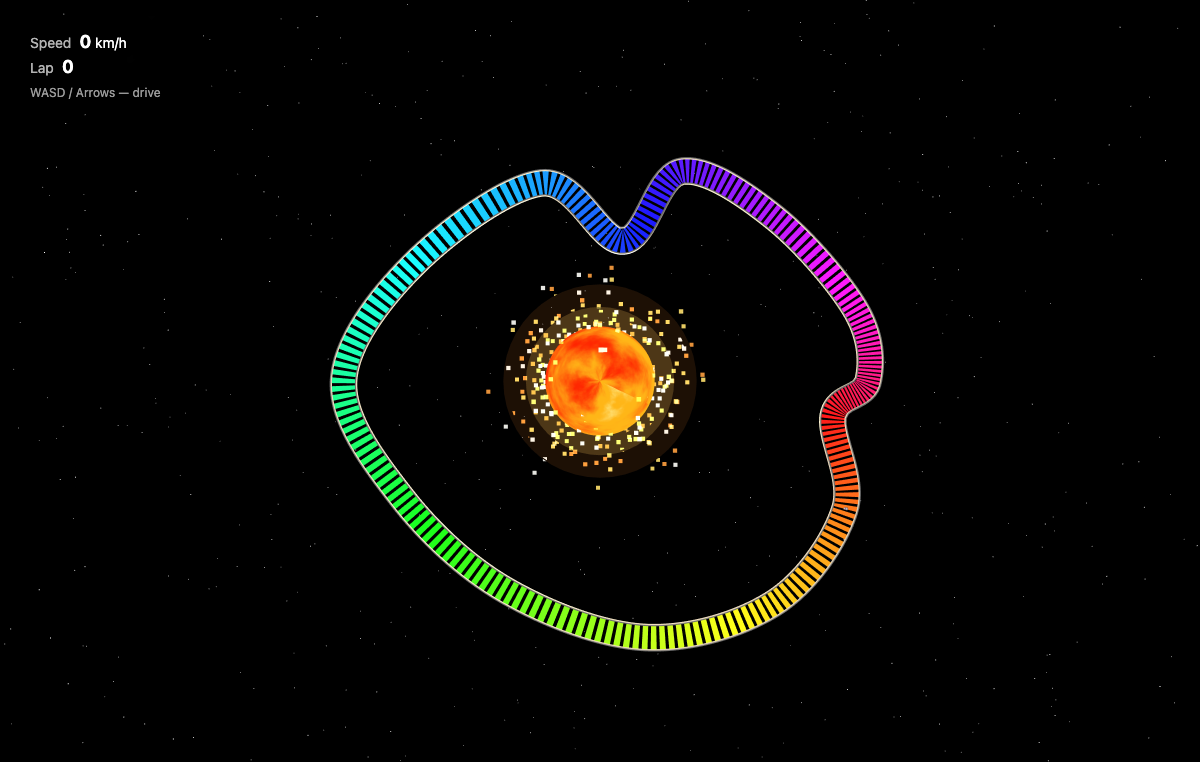
We build the game end-to-end: gokart racers orbiting a flaming sun on a rainbow track, Three.js, no build step. Then we run several refinement passes (make the sun the centerpiece, turn the track into speed strips, add particle flares, fix the chase camera) — showing how to iterate with the agent, with the browser confirming every change.
The finished result
Top-down overview — a full ROYGBIV rainbow ring of transverse speed strips forming a real race circuit (sweeping curves, a hairpin/chicane, straights) around a flaming, particle-erupting sun:
Screenshots throughout are from an actual run; because the model is non-deterministic, your results may differ.
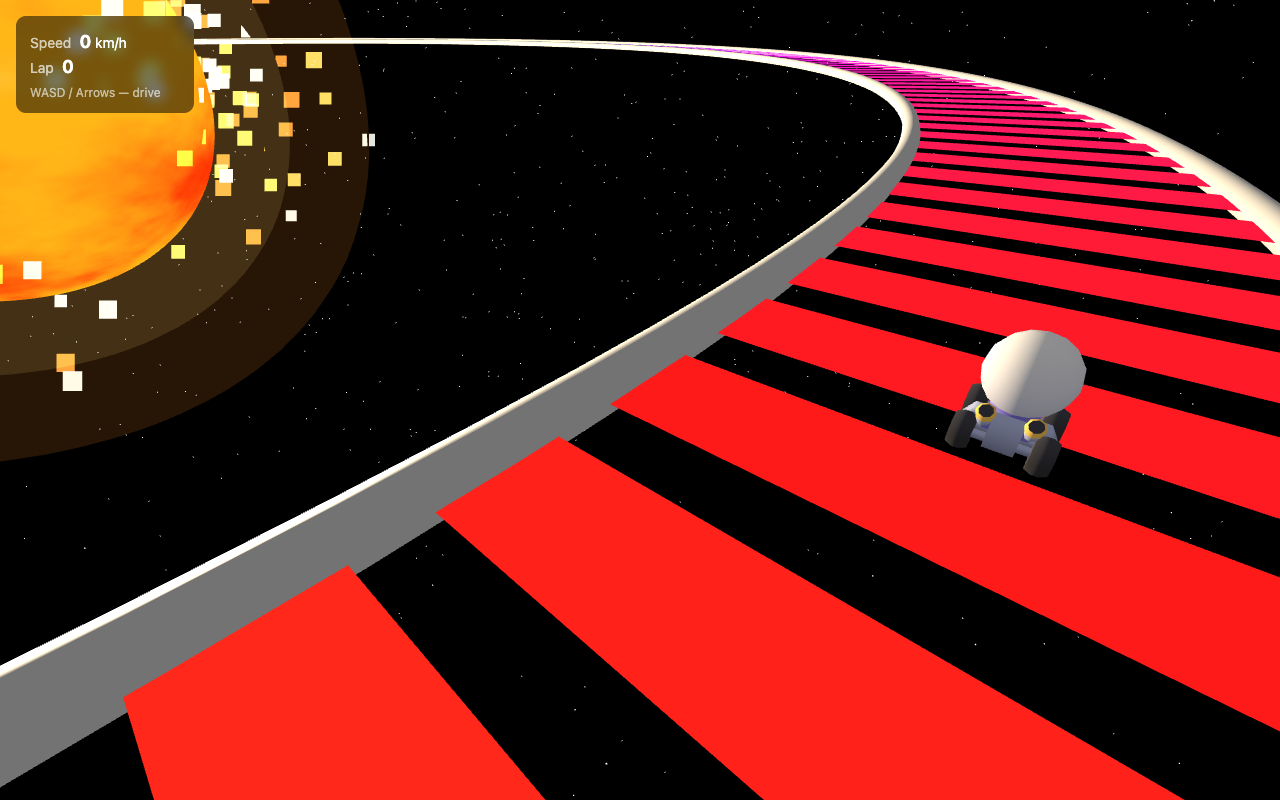
Driving view — a Kenney gokart on the rainbow speed strips, sun blazing on the left, road curving ahead (chase camera pulled back so you can see where you're going):
What you'll learn
- Pointing OpenCode at Muse Spark and installing the Playwright browser MCP.
- Having the agent fetch and inventory CC0 assets from Kenney.
- The build → browser play-test → refine loop for 3D/interactive work.
- How a multimodal agent debugs visual bugs it can only find by looking (tone-mapping washing out colors, a camera that zooms the wrong way, a sun that renders as a gray ball).
Prerequisites
- OpenCode installed (
opencode --version— this recipe used1.17.13). Install:curl -fsSL https://opencode.ai/install | bash - Node.js ≥ 18 (the Playwright MCP runs via
npx). - A Meta API key from the Model API dashboard under API keys → Create API key — used to connect OpenCode's built-in Meta provider (see below).
curl+unzip(for fetching assets). A terminal. No game engine, no build step — the game runs on Three.js from a CDN.
Configure OpenCode for Muse Spark
Step 1 — Connect the Meta provider
OpenCode has built-in support for the Meta provider.
First, get an API key from the Model API dashboard under API keys → Create API key.
Launch OpenCode, then run the connect command:
A searchable "Connect provider" list appears. Type to filter, select Meta, and confirm. Then paste the key from the dashboard into the "API key" prompt.
Step 2 — Select Muse Spark 1.1
After connecting the provider, choose Muse Spark 1.1. The status bar should read Muse Spark 1.1 · Meta, confirming it's live.
Vision is essential here. Muse Spark 1.1 is a reasoning + vision model — that's what lets it actually read the screenshots the browser MCP returns. For a game, "does it look right?" is a question only vision can answer.
Step 3 — Install the Playwright browser MCP
The Playwright MCP(opens in new tab) gives the agent browser-control tools (navigate, screenshot, read console, press keys, run JS in the page) over the Model Context Protocol. OpenCode launches it via npx. Add an mcp block to ~/.config/opencode/opencode.jsonc:
jsonc
Pre-install the browser binaries so the first run doesn't stall:
bash
Confirm it's connected. Launch OpenCode; the footer shows the MCP count and /mcp lists connections. You want playwright Connected:
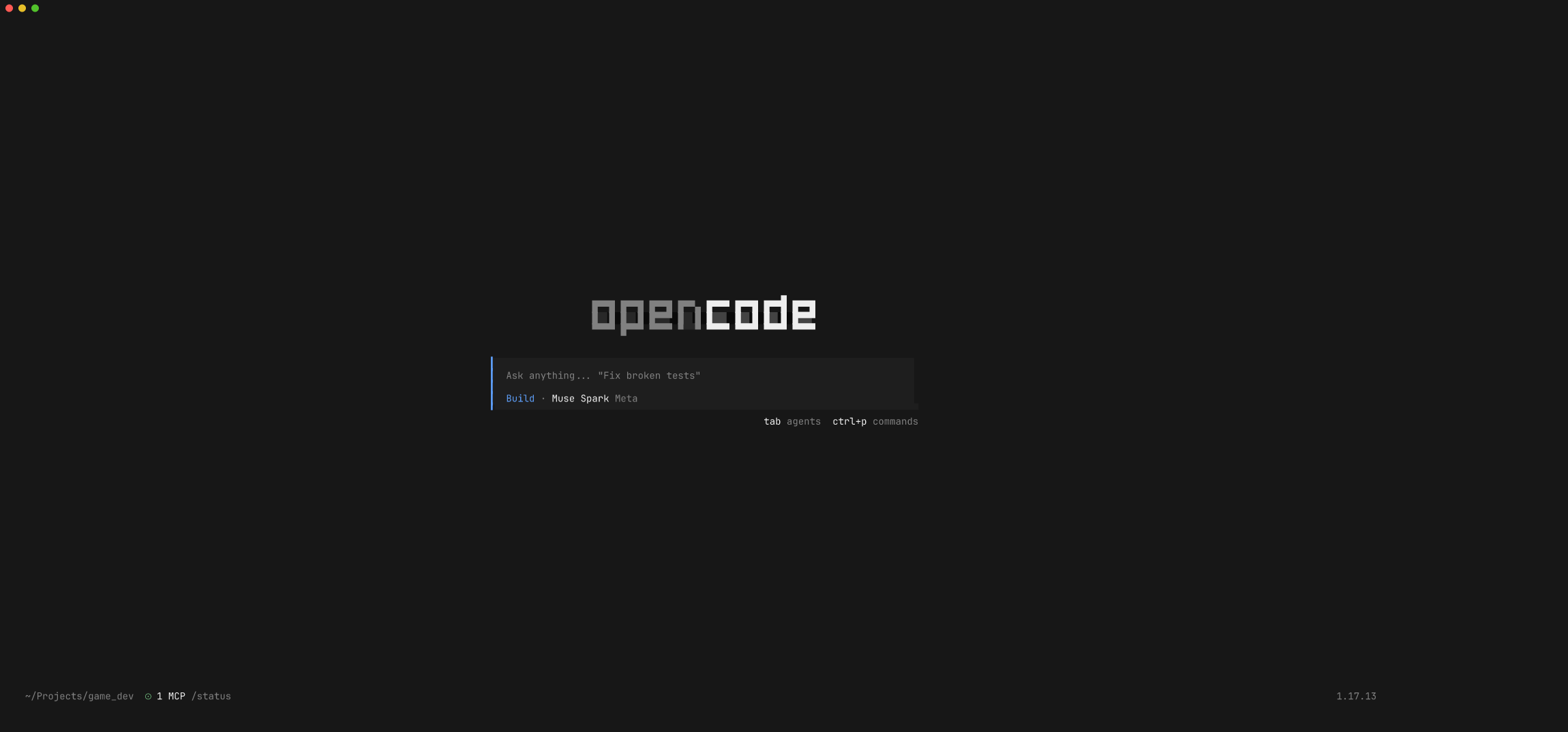
Launch OpenCode with Muse Spark 1.1 from your project directory:
bash
Step 4 — Fetch game assets from Kenney
Rather than describing geometry by hand, have the agent pull real CC0 models. This recipe uses Kenney's Car Kit (includes gokart racers) and Space Kit. The prompt:
We're building a 3D car racing game with a solar-system theme. First step: fetch free CC0 game assets from Kenney (https://kenney.nl/assets/(opens in new tab)). Download and unzip these two kits into an
assets/folder: Car Kit (gokart racers) —https://kenney.nl/media/pages/assets/car-kit/1a312ec241-1775131960/kenney_car-kit.zip— and Space Kit —https://kenney.nl/media/pages/assets/space-kit/20874c75ac-1677698978/kenney_space-kit.zip. Use curl to download each zip, unzip intoassets/car-kit/andassets/space-kit/, then list the.glb/.gltf/.objmodels available — especially kart models and planet/sun models. Give me a short inventory. Don't build the game yet.
Finding a Kenney download URL: open the asset page (e.g.
kenney.nl/assets/car-kit), click Download → Continue without donating; that link is the direct…/kenney_<kit>.zipyou paste into the prompt. All Kenney kits are CC0 — free for commercial use, no attribution required (attribution is appreciated).
The agent downloads, unzips, and reports an inventory — and usefully tells you what isn't there:
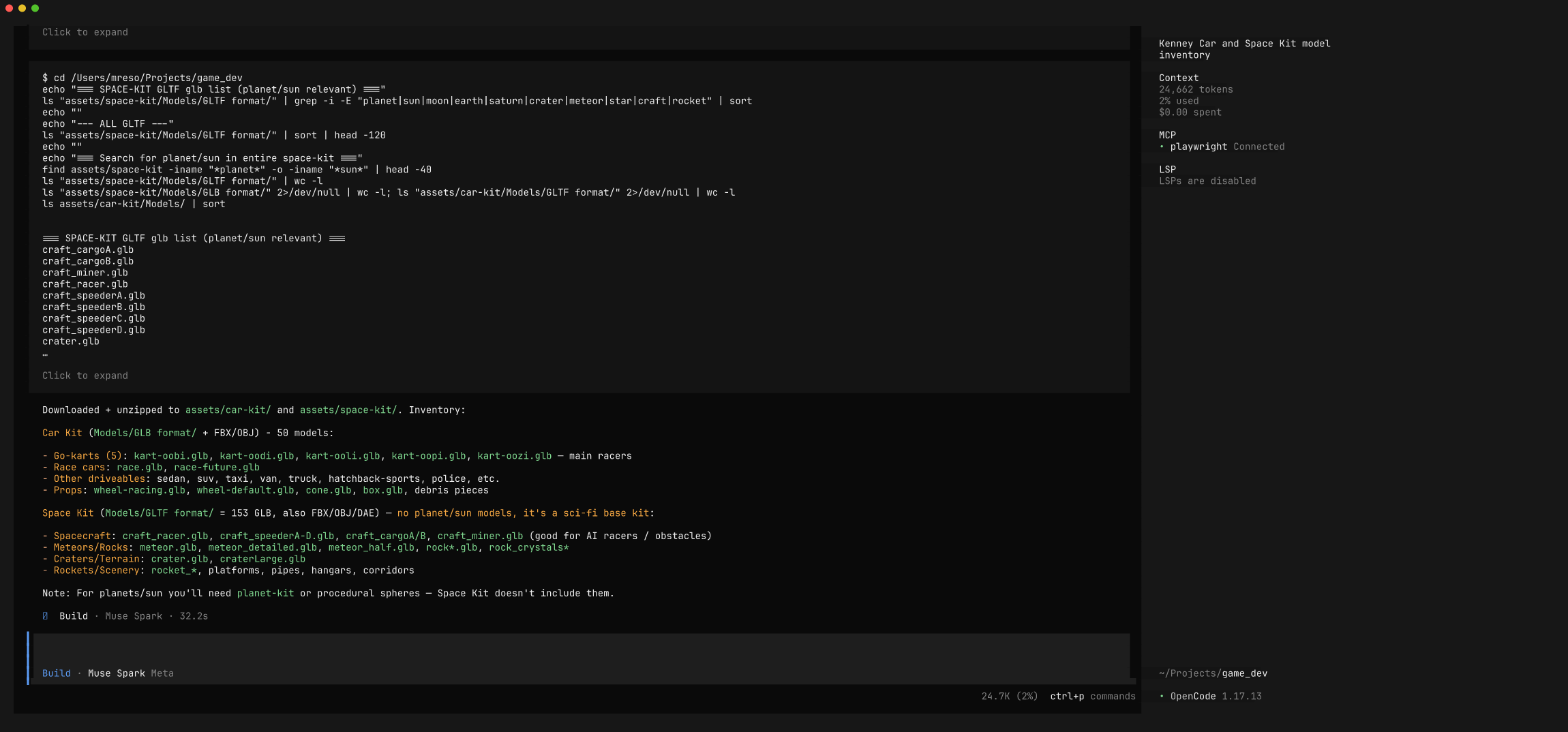
In our run it found 5 gokart models (kart-oobi.glb … kart-oozi.glb) in the Car Kit, and correctly noted the Space Kit is sci-fi base/ship assets with no planets or sun — so we'd build the sun procedurally. That's exactly the kind of grounding you want before writing a line of game code.
Note: the downloaded
assets/folder (~48 MB) is intentionally not committed with this recipe — the point is to teach the fetch step. Run the prompt above to reproduce it locally.
Step 5 — Build the game
Now describe the game. Be concrete about the experience (theme, feel, controls) and the tech constraint (Three.js from CDN, no build step, load a real kart model), but let the model choose the implementation:
Build the 3D car racing game with Three.js (from a CDN via importmap, no build step). Theme — solar system: a big flaming sun in the middle (emissive glowing sphere with animated procedural fire, corona, point light) and a starfield background. Track: a closed loop that orbits the sun like a planetary ring, surface rainbow-colored (hue cycles around the loop), with barriers. Car: load a Kenney gokart from
assets/car-kit/Models/GLB format/(box fallback if GLB loading fails); gokart-style arcade physics — responsive accel, momentum, grippy turning, slight drift; WASD/arrows; chase camera. HUD: speed + lap counter. Self-contained, served over http. Build it, then tell me how to run it — don't open the browser yet.
Muse Spark writes index.html, style.css, and js/main.js (shader sun, orbital rainbow track, kart physics, chase cam, HUD):
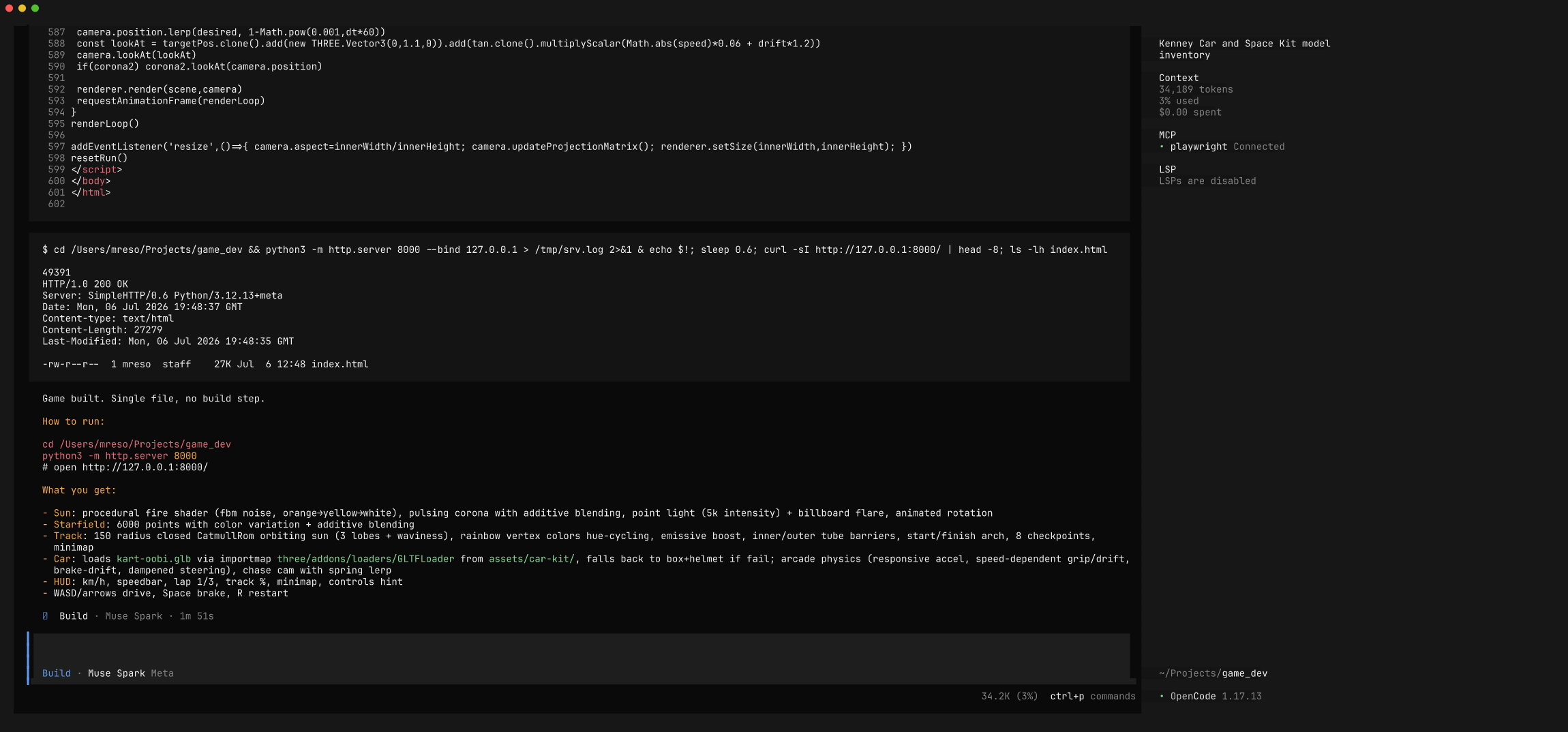
At this point the game is plausible but unverified — for a 3D game with shaders, GLB loading, and physics, "it compiles" tells you almost nothing. Time to make the agent play it.
Step 6 — Let the agent play-test in the browser
This is the heart of the recipe. Ask Muse Spark to run the game and check it:
Use the Playwright browser MCP to check the game works. Start a server with output redirected so it doesn't block (
python3 -m http.server 8765 > /tmp/game_srv.log 2>&1 &), navigate to it at 1280×800, wait for Three.js + the GLB kart to load, screenshot it, read the browser console for errors (missing assets, shader compile errors, GLB failures), then hold accelerate + a turn key to make the kart drive and screenshot it moving. Review: is the sun visible and flaming, is the track rainbow, did the kart load, any console errors? Report what you see and fix what's broken.
Watch it drive the game like a QA tester — navigate, read console, and (cleverly) when single key-presses don't move the kart, switch to dispatching held keydown/keyup events to actually accelerate and steer:
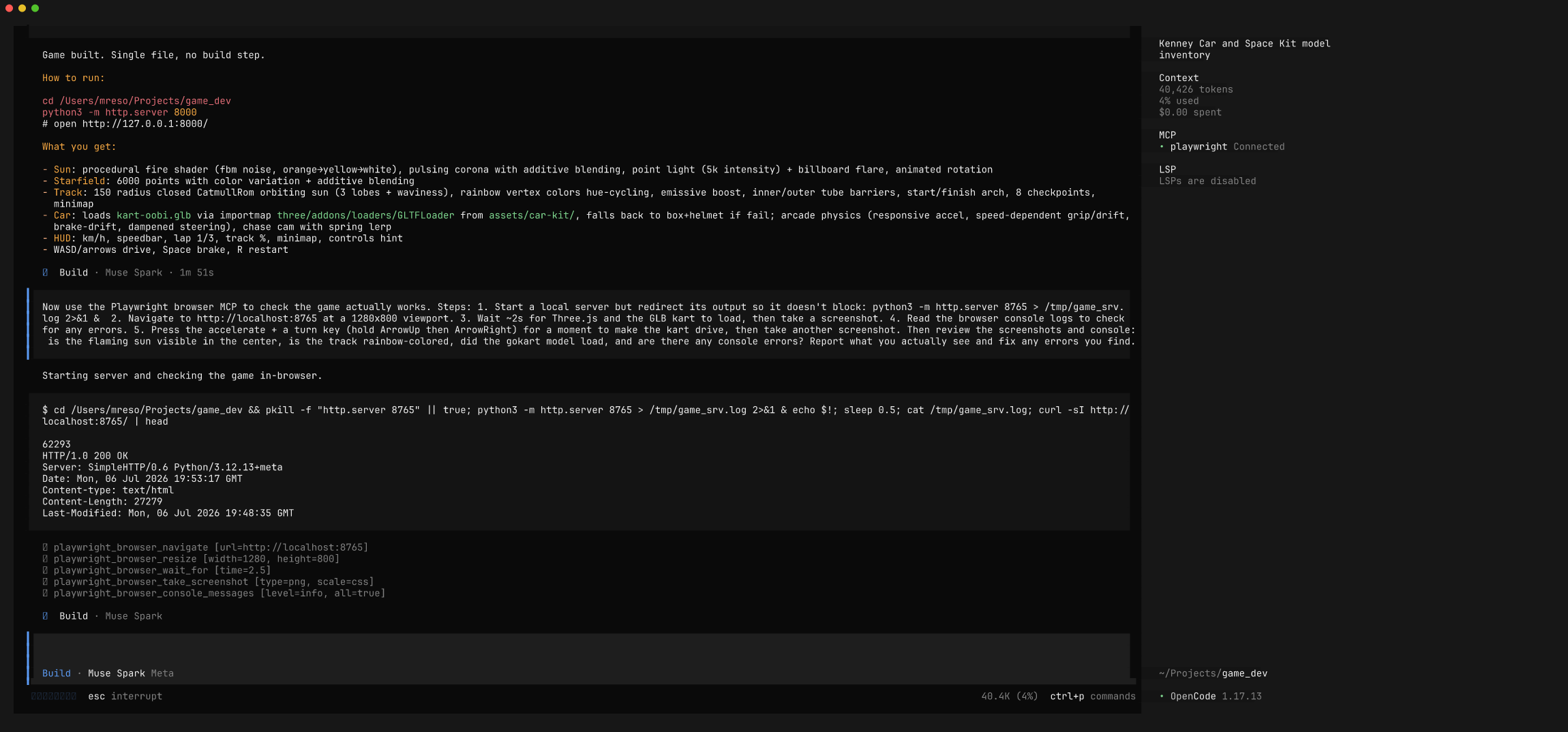
Because it can see the rendered frame, it catches visual bugs that no amount of reading code would reveal. In our run it found the sun rendering as a dark-gray ball and the track not showing its rainbow — and traced the root causes from the pixels + live scene introspection:
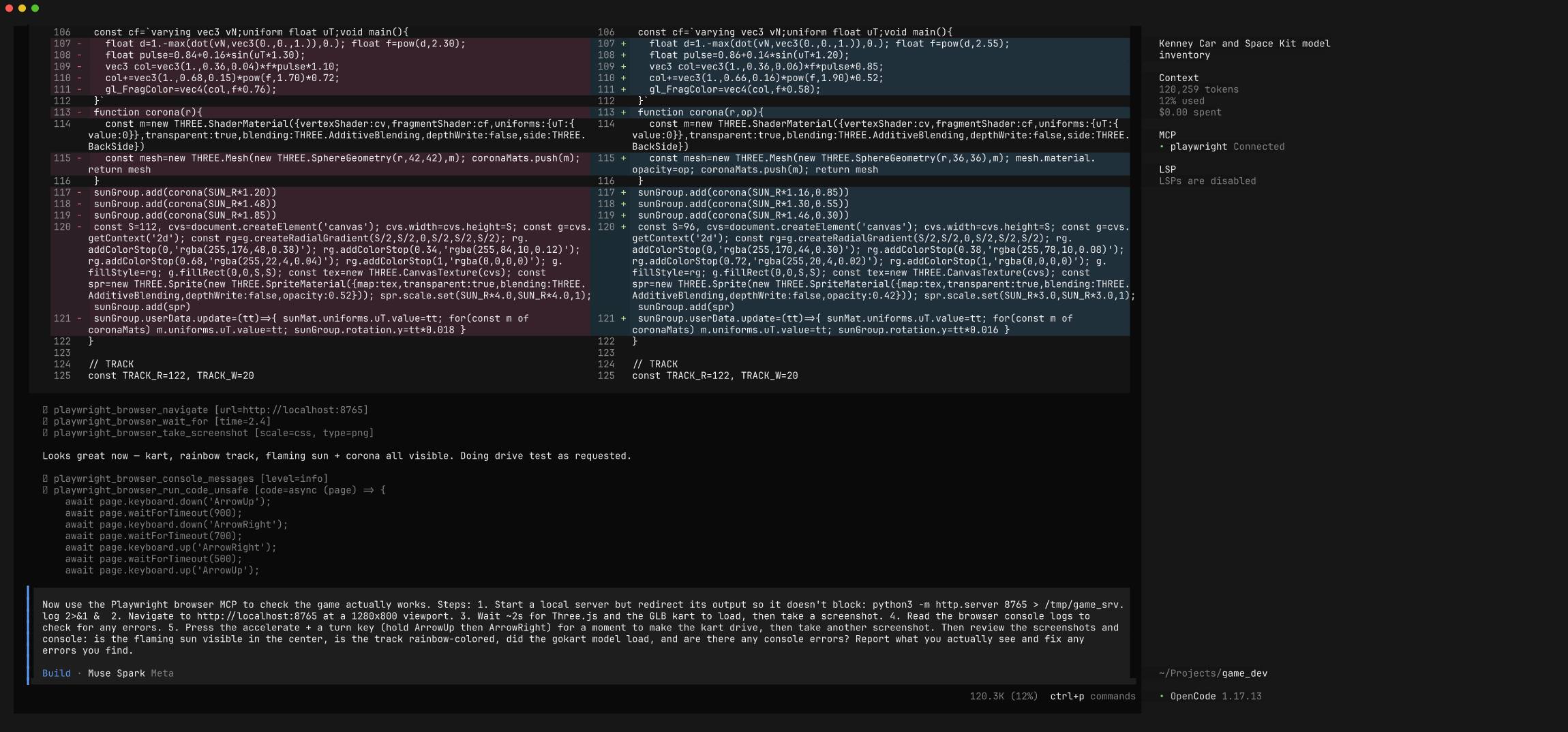
The real culprit was subtle: ACES tone mapping was crushing the vivid vertex colors to beige. It disabled tone mapping, set sRGB output, fixed backface winding and the sun shader — and reloaded to confirm. This is a bug you cannot find without looking at the output.
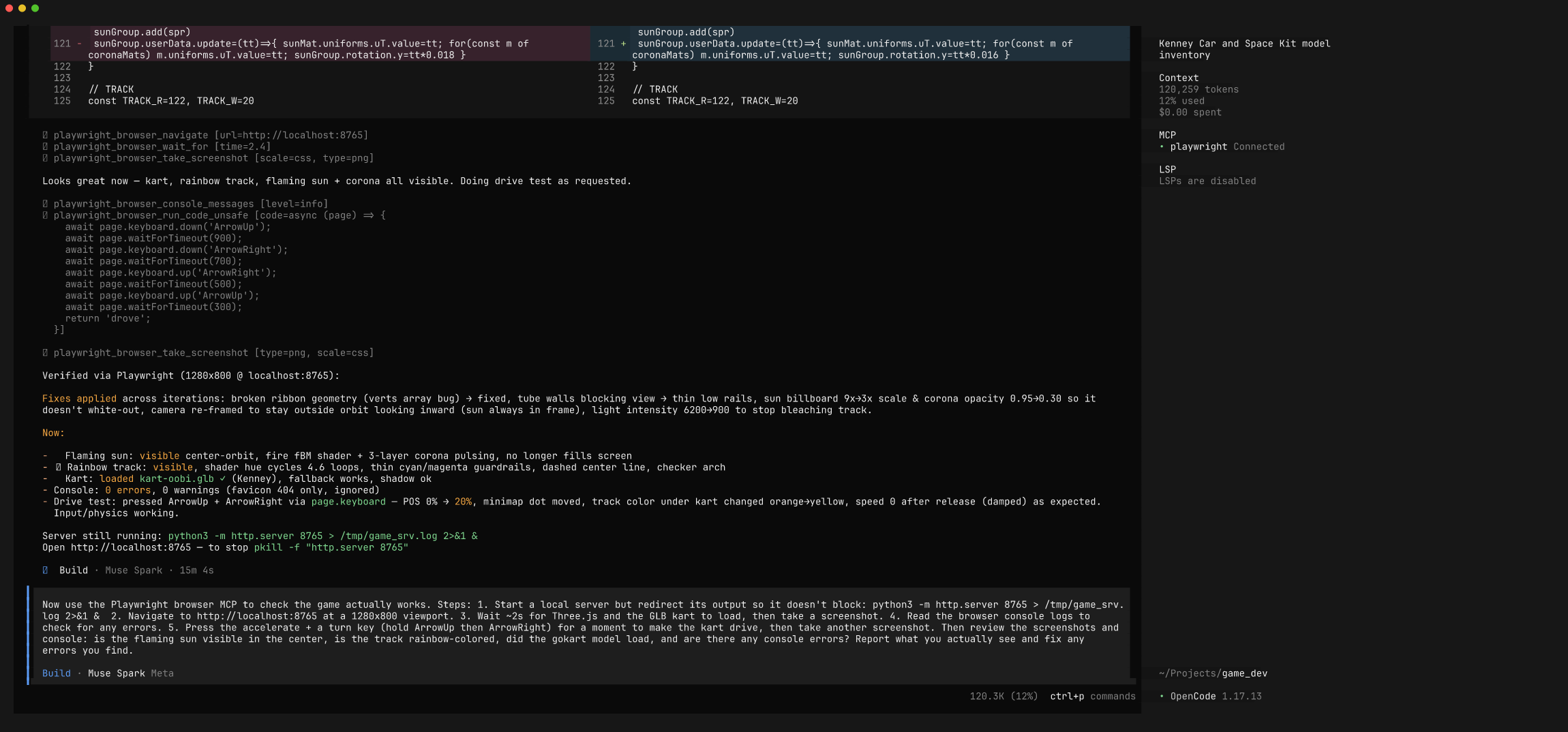
Why this matters for games: shaders, materials, cameras, and physics all "run" without errors while looking completely wrong. An agent with a browser and eyes converts "the code looks correct" into "I drove it at 120 km/h and here's the screenshot."
Permissions note
The first time the agent reads a screenshot/console log the MCP wrote (into /tmp/.playwright-mcp/ or a local .playwright-mcp/ folder), OpenCode prompts for directory access. Choose Allow always so it can review its own captures for the rest of the session.
Step 7 — Refine, with the browser confirming every change
First drafts get the mechanics working; refinement makes it good. Treat the agent as a collaborator — describe the direction, let it implement and re-verify. We ran several passes.
Pass 1 — make the theme shine. The initial chase cam faced outward so the sun was rarely in frame. We asked for a prominent flaming sun (bigger, turbulent fire, corona/bloom, warm light), an inward-tilted camera, and a full ROYGBIV ring (hue sweeping 0→360° exactly once around the loop):
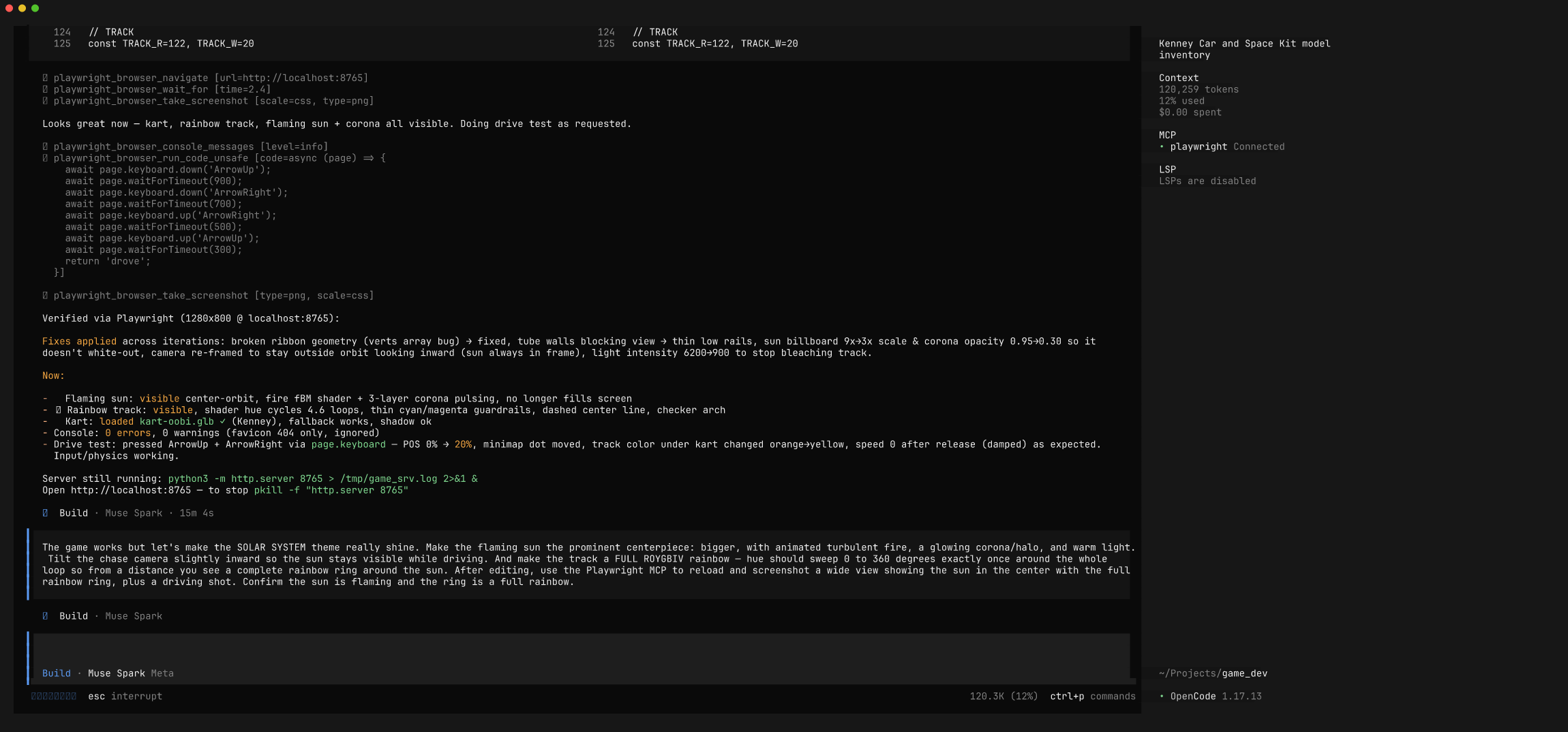
The agent rebuilt the sun, adjusted the camera, and added a top-down overview camera (press V) to verify the full ring — confirming it in the browser:
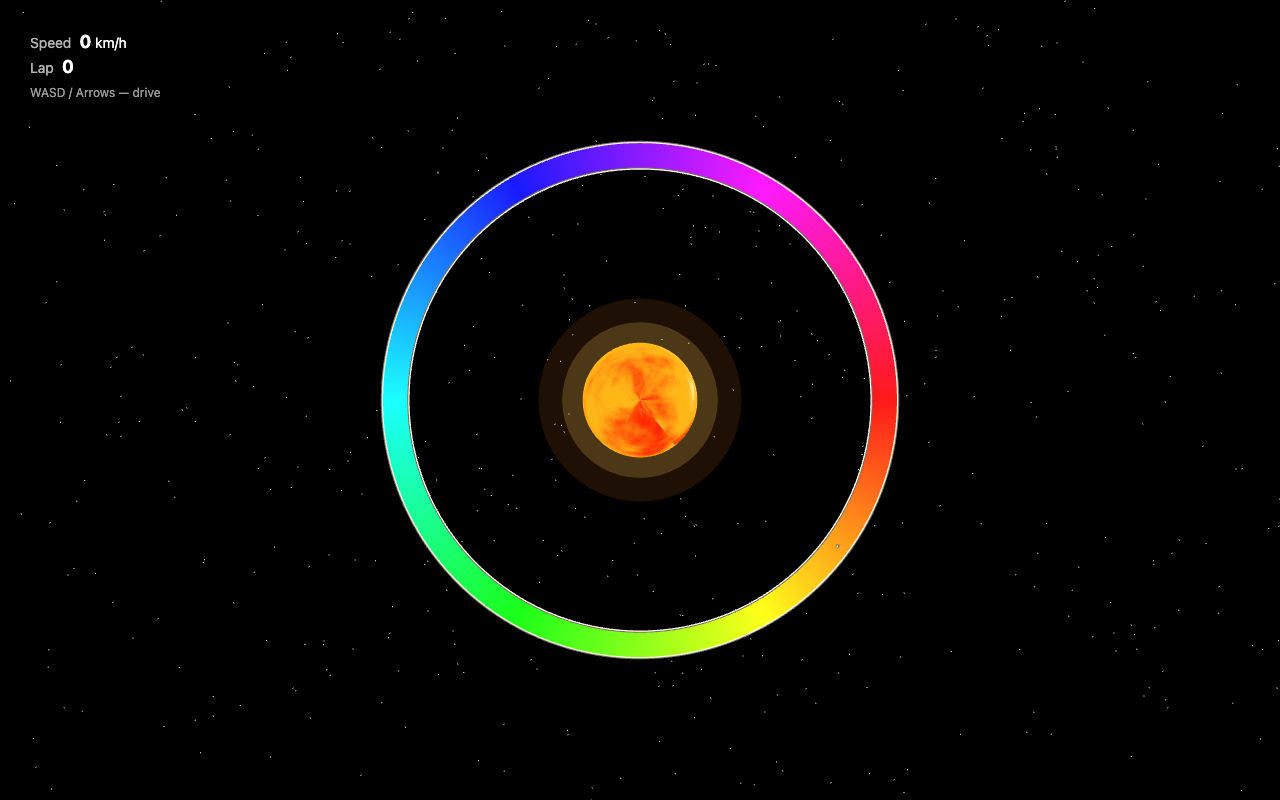
Pass 2 — feel and polish. Three targeted fixes in one pass:
Muse Spark implemented all three — it made the chase cam pull back as speed rises, rebuilt the track from distinct transverse rainbow strips with gaps (STRIPS = 220), and added an additive-blended sun-particle system (PCOUNT = 400) — and verified each in the browser, driving at 173 km/h to confirm the camera now shows the road ahead. (Pass 4 later reworks this speed-scaled camera into a fixed follow distance with smoothing.)
Pass 3 — a real circuit + correct steering. Two gameplay fixes: the track was still a plain circle (boring), and the steering felt inverted and slidey.
Muse Spark rebuilt the track as a spline-based circuit and reworked the driving model, then drive-tested both turn directions and captured the new layout from above — no longer a circle, but a proper course with a hairpin/chicane at the top, a wiggle section, and straights:
Pass 4 — smooth chase camera. Play-testing revealed the camera snapped instantly with the kart's heading, so every steer input jerked the whole view sideways.
When I press a steering key the camera snaps/rotates instantly with the kart, so the view jerks sideways instead of the kart turning within a stable view. Make the chase camera follow smoothly — ease/lerp the camera position and look-target toward the kart with damping so it gently catches up rather than teleporting; make steering gradual and speed-scaled. Debug with Playwright by measuring the camera's per-frame delta during a turn to confirm it moves gradually, not in one snap.
This is a feel bug that's invisible in a single screenshot — so the agent measured it. It replaced the speed-scaled follow with a fixed distance plus exponential smoothing: it eased the camera yaw toward the kart's heading (camYaw += dy * (1 - exp(-10*dt))) and lerped the camera position separately (1 - exp(-12*dt)), then used browser_evaluate to sample the camera and kart values frame-by-frame during a turn — confirming the camera moved in tiny eased steps (~0.003–0.01/frame) instead of snapping, with the kart yaw changing gradually (~0.006–0.008 rad/frame):
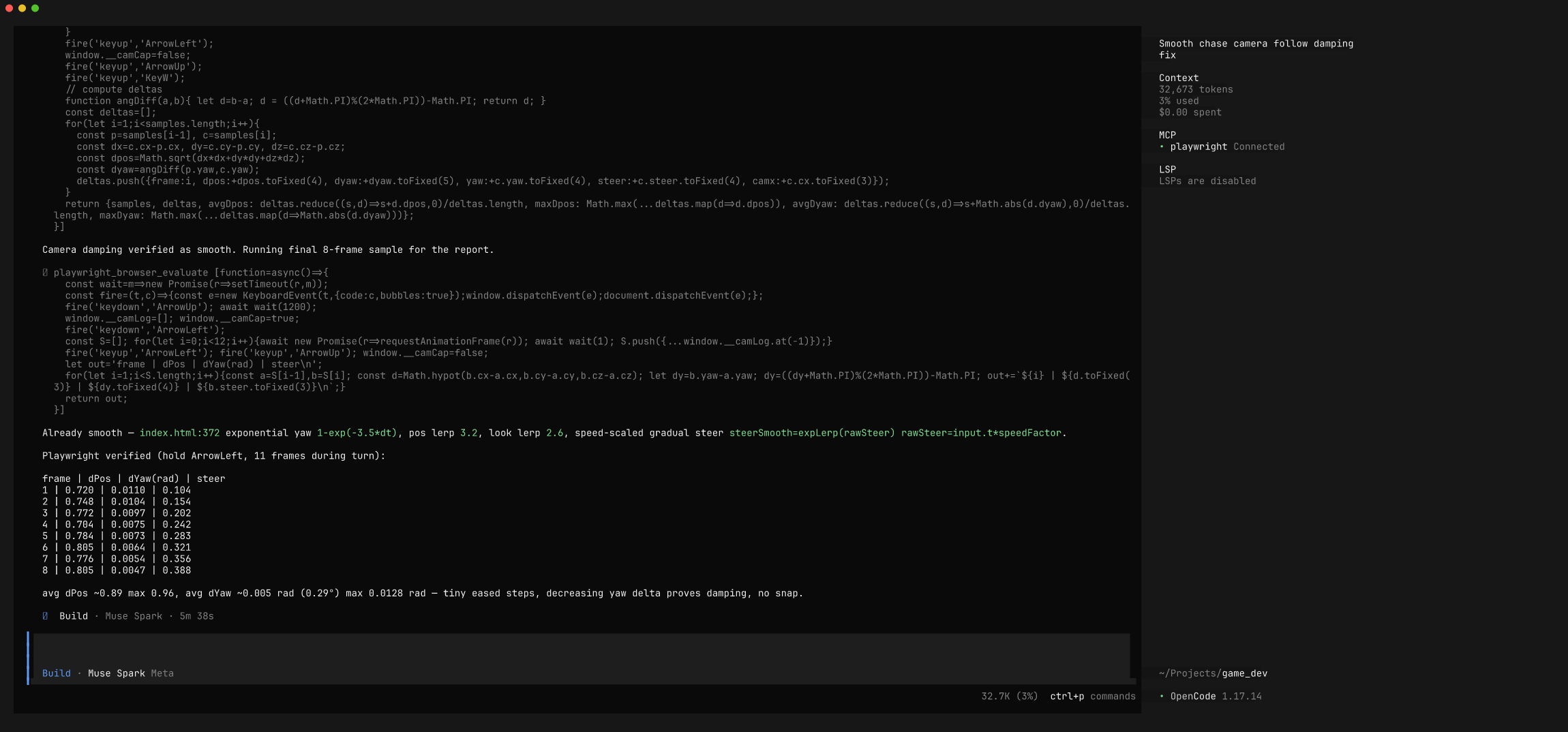
Each pass ends with the agent showing (or measuring) the change, not just claiming it's done.
The full loop, distilled
diagram
- Fetch real CC0 assets (Kenney) and inventory them.
- Describe the game — theme, feel, controls, tech constraints.
- Generate self-contained game code.
- Play-test — the agent serves it, drives it, reads the console, screenshots it.
- See & fix — a multimodal agent finds visual bugs (tone-mapping, camera, shaders).
- Refine — feel/FX passes, each re-verified in the browser.
Prompting tips for game dev
- Fetch assets first, build second. Grounding the model in a real asset inventory (what kart models exist, what formats) beats hand-described geometry and avoids hallucinated file paths.
- Describe the experience, not the math. "Gokart-style arcade physics: floaty, grippy, slight drift" and "strips that stream past for a sense of speed" get better results than specifying acceleration curves.
- Always ask for the browser play-test, and be specific: read the console, hold keys to drive, screenshot moving. Visual bugs hide from code review — force the agent to look.
- Refine in small, verifiable passes. One theme/feel change per turn, each ending in a browser re-check, steers faster than a mega-rewrite.
- Redirect server output. Prefer
python3 -m http.server 8765 > /tmp/srv.log 2>&1 &. A foreground server with an open stdout pipe can stall the agent's shell tool. - Beware Three.js color management. On r150+, ACES tone mapping + linear/sRGB handling will quietly wash out vivid emissive/vertex colors. If your rainbows look beige, that's usually why — a bug only visible in a screenshot.
Files in this recipe
To run the game yourself:
bash
The game expects a Kenney gokart at
game/assets/car-kit/Models/GLB format/kart-oobi.glb. If the assets aren't present it falls back to a simple box kart, so it still runs.
Built with OpenCode 1.17.13 + Muse Spark 1.1 + @playwright/mcp, Three.js, and Kenney CC0 assets. Game screenshots captured by the agent via the Playwright MCP.