Multi-agent orchestration
| Section | Use cases |
| Time to complete | ~45 min |
| Model | muse-spark-1.3 |
| Harness | Hermes |
| Prerequisites | macOS or Linux, tmux, ffmpeg, an Anthropic / OpenAI / Nous Portal API key, and ~6 GB free disk for the generated app |
Summary
This recipe shows how to stand up a four-profile Hermes team — product manager, backend engineer, frontend engineer, and technical writer — that turns a one-line product idea into a working SaaS app plus a launch package. Specialists coordinate through durable comment threads on a shared Kanban board, with the product manager as the only arbiter. The core rule: every cross-role decision is a comment on a Kanban task, never a back-channel chat, so the run is replayable and auditable end to end.
When To Use
Reach for the four-profile pattern when:
- The deliverable spans roles that would normally negotiate in Slack: a product surface, the API behind it, and the launch copy that sells it.
- You want the negotiation itself as durable evidence — every "is the brief clear yet?" exchange becomes a comment on a Kanban task, not a transcript you have to scrape later.
- You're comfortable answering 2–3 clarify questions in the first 60 seconds and otherwise leaving the run alone.
Use a single-CLI coding agent (OpenCode) instead when:
- The task is one role wide — a bugfix, an edit, a refactor.
- You don't need the artifact trail; one coherent diff is the deliverable.
- You're iterating fast and don't want a Kanban dispatcher in the loop.
The Orchestration Contract
The pattern has four moving parts. Each one maps cleanly onto a Hermes mechanism:
| Contract | Hermes mechanism |
|---|---|
| Each role has a persistent identity, model, and toolset | Hermes profile (hermes profile create <name>) |
| Roles negotiate through durable, threaded comments | Kanban tasks + hermes kanban comment |
| Work is sequenced by real dependencies, not by polling | parent_id / child_id links + the in-gateway dispatcher |
| A role can pause its own work to ask the arbiter for a decision | hermes kanban block --kind needs_input |
| Per-project conventions (stack, layout, handoff format) live in code | A runbook.md the PM writes into the project workspace |
The product manager profile is the only one with the clarify toolset and no terminal, so it can interview the user but cannot implement anything itself. That asymmetry is what keeps the orchestration honest.
Configure Hermes For Muse Spark
Install Hermes and confirm the launcher works:
bash
When the installer asks for provider details:
- Base URL:
https://api.meta.ai/v1 - API mode: 2 (Chat Completions)
- Model:
muse-spark-1.3 - Context length: 1048576
- Search backend:
ddgs
Start the gateway in a second terminal and leave it running. The Kanban dispatcher lives inside the gateway process — without it, tasks sit in ready forever:
bash
Initialize a single Kanban board:
bash
Define The Four Profiles
Each profile is a separate agent identity with its own toolset and SOUL.md. Use --clone so the new profile inherits the model and API key you configured during install. The --description is read by the auto-decomposer and by the PM when it routes work — write each one as if briefing a hiring manager:
bash
Configure the toolsets per role. The PM gets clarify (to interview the user) but never terminal or code_execution; the rest get what they need to implement and verify:
bash
Write each profile's SOUL.md — the agent's "who," not the project's "what." Keep workspace paths, stack choices, and handoff formats out of the SOUL; those belong in the per-project runbook.md the PM writes at runtime.
Write the four SOULs below verbatim to ~/.hermes/profiles/<name>/SOUL.md:
bash
bash
bash
bash
Confirm everything wired correctly:
bash
Run The Cookbook
Open the dashboard in a browser tab and leave it open — you'll watch the Kanban tab during the run:
bash
1. Brief The PM With One Line
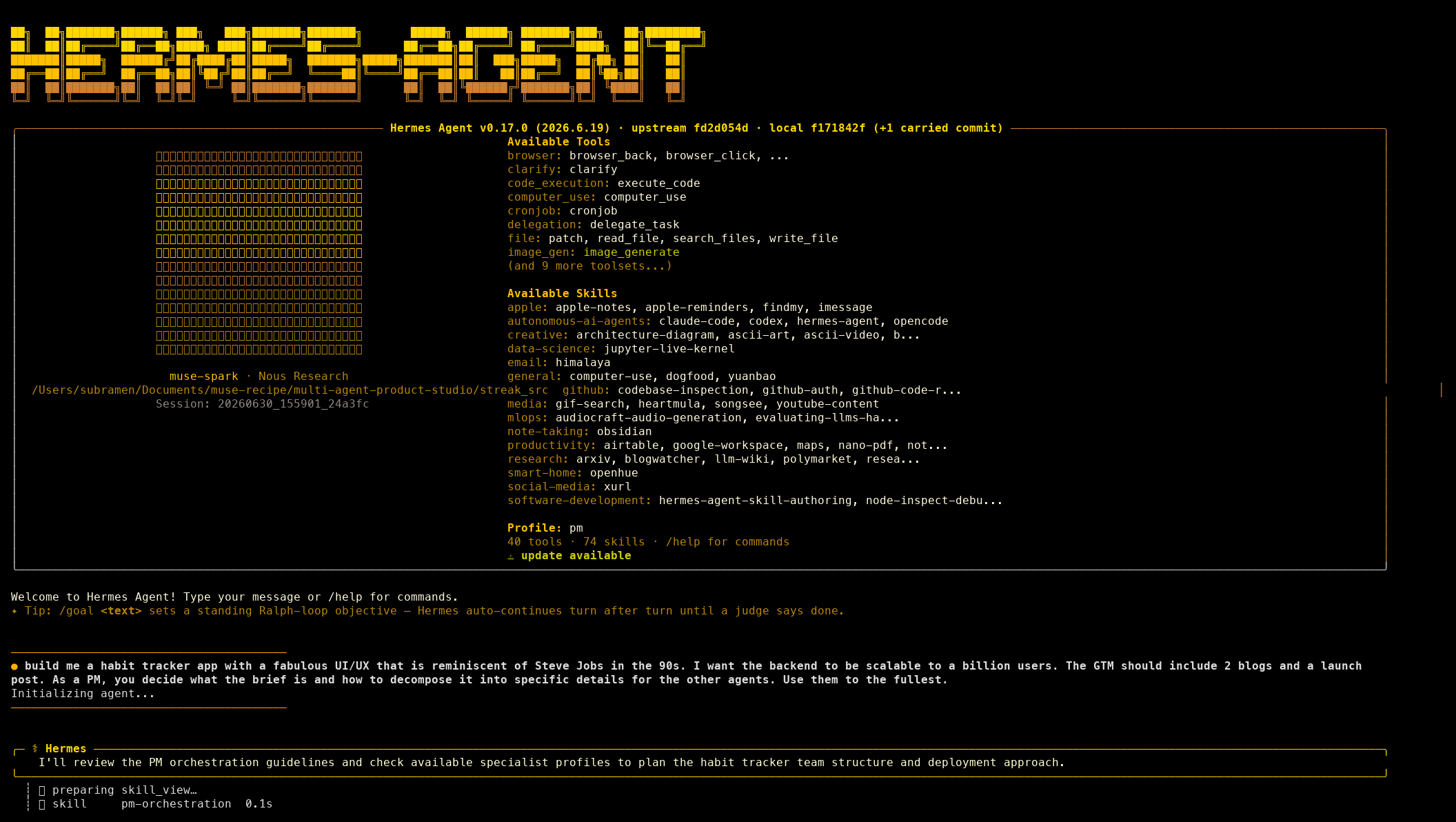
Start a chat session against the PM profile and drop a single sentence on it:
bash
The pm profile boots into the Hermes chat with the pm-orchestration skill preloaded, your one-line brief pasted in, and the "Initializing agent…" banner clearing as it starts to reason:
Screenshots throughout are from an actual run; because the model is non-deterministic, your results may differ.
The PM's first move is clarify, not implementation. It posts a multiple-choice menu, you pick an option (or "Other" for free text), and it loops until it has enough to write a brief.
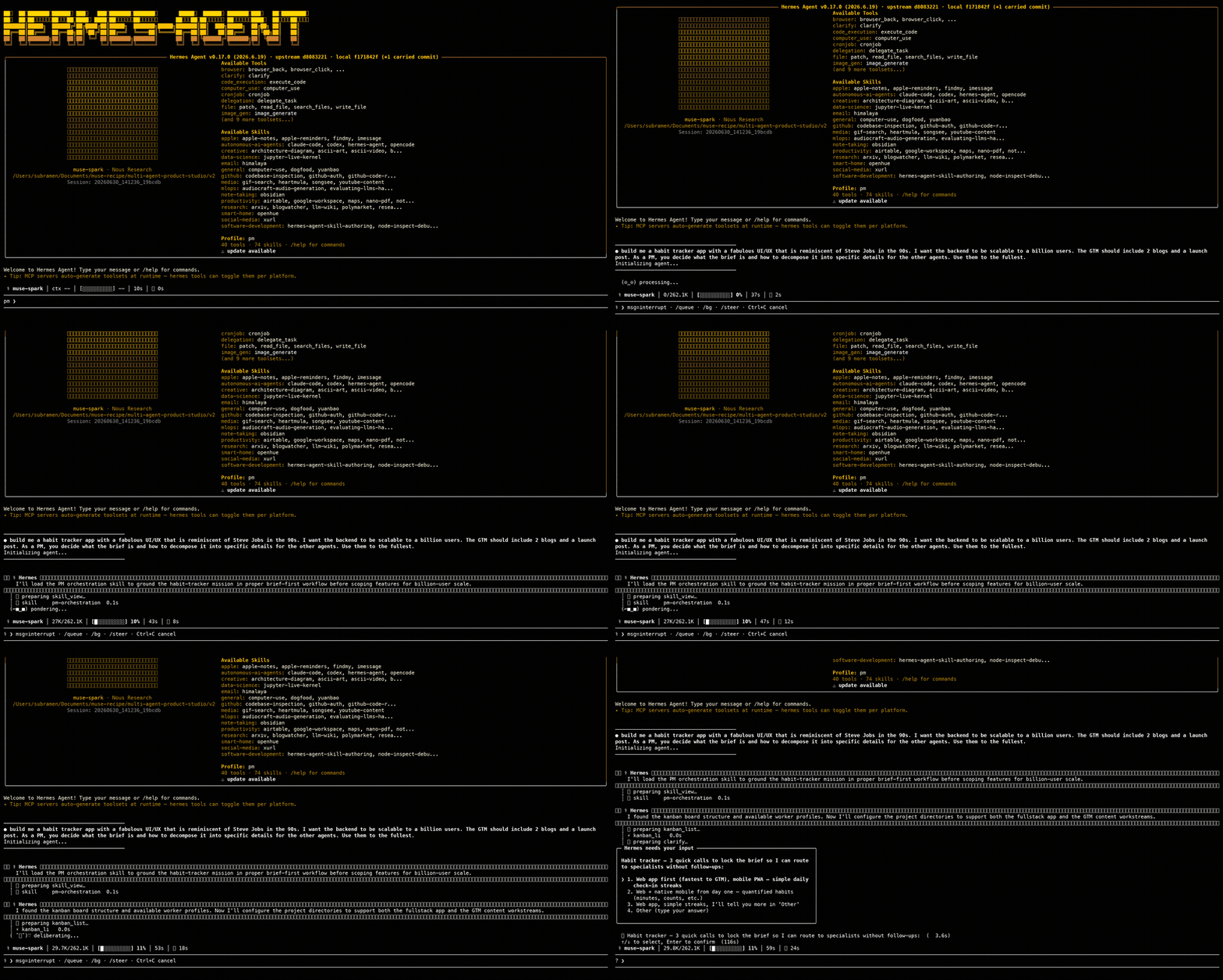
You know step 1 worked when: the PM has stopped asking questions and the chat shows it switching to kanban_* and file tool calls.
2. Read The Brief And Runbook The PM Writes
Before any specialist spawns, the PM writes two files into the project workspace: brief.md (the product spec) and runbook.md (the project's coordination playbook — stack, workspace layout, API contract, definition of done, handoff protocol). You can watch it happen in the terminal — the PM chains write_file calls, one per file, no clarify in between:
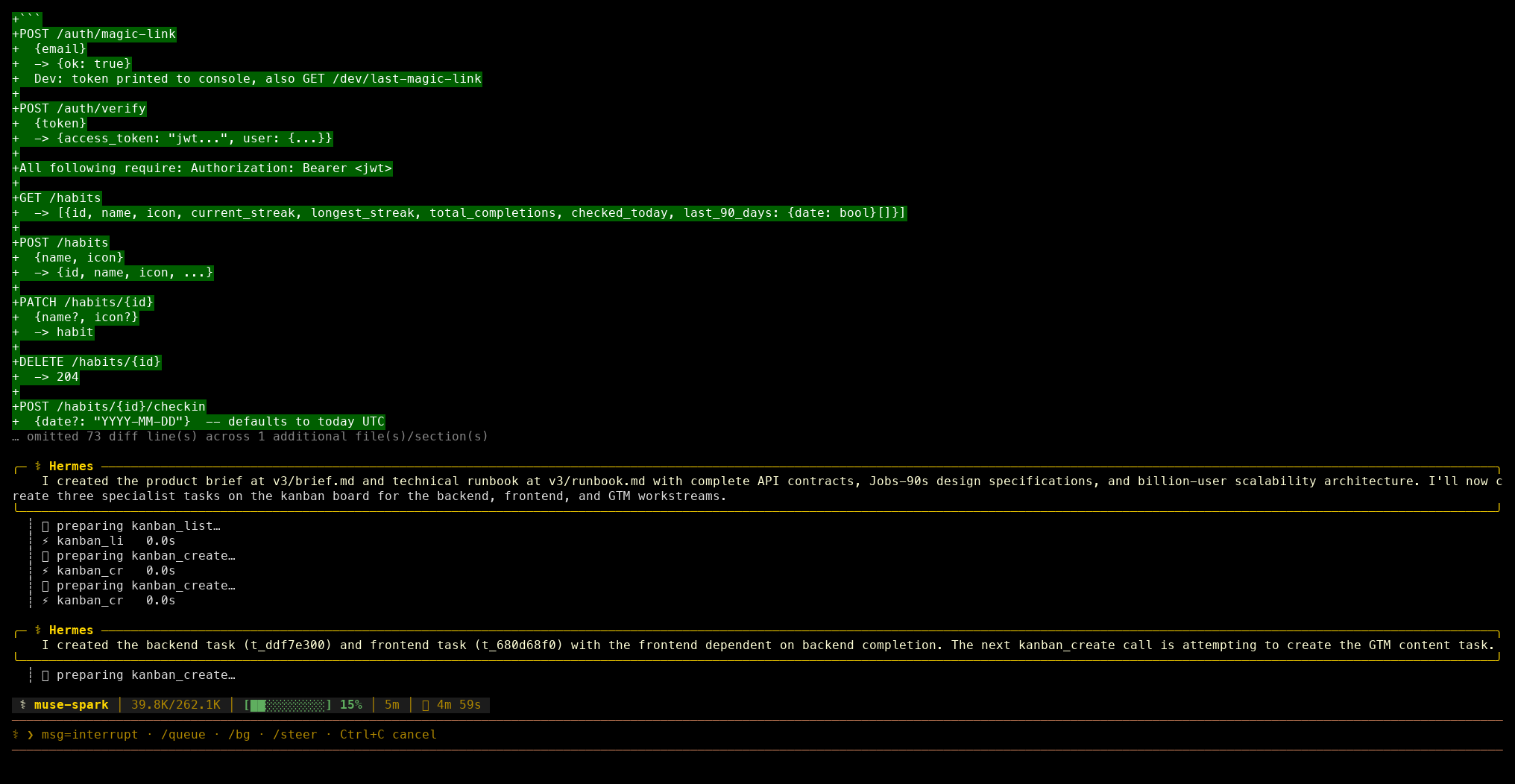
Both files are read by every specialist on spawn:
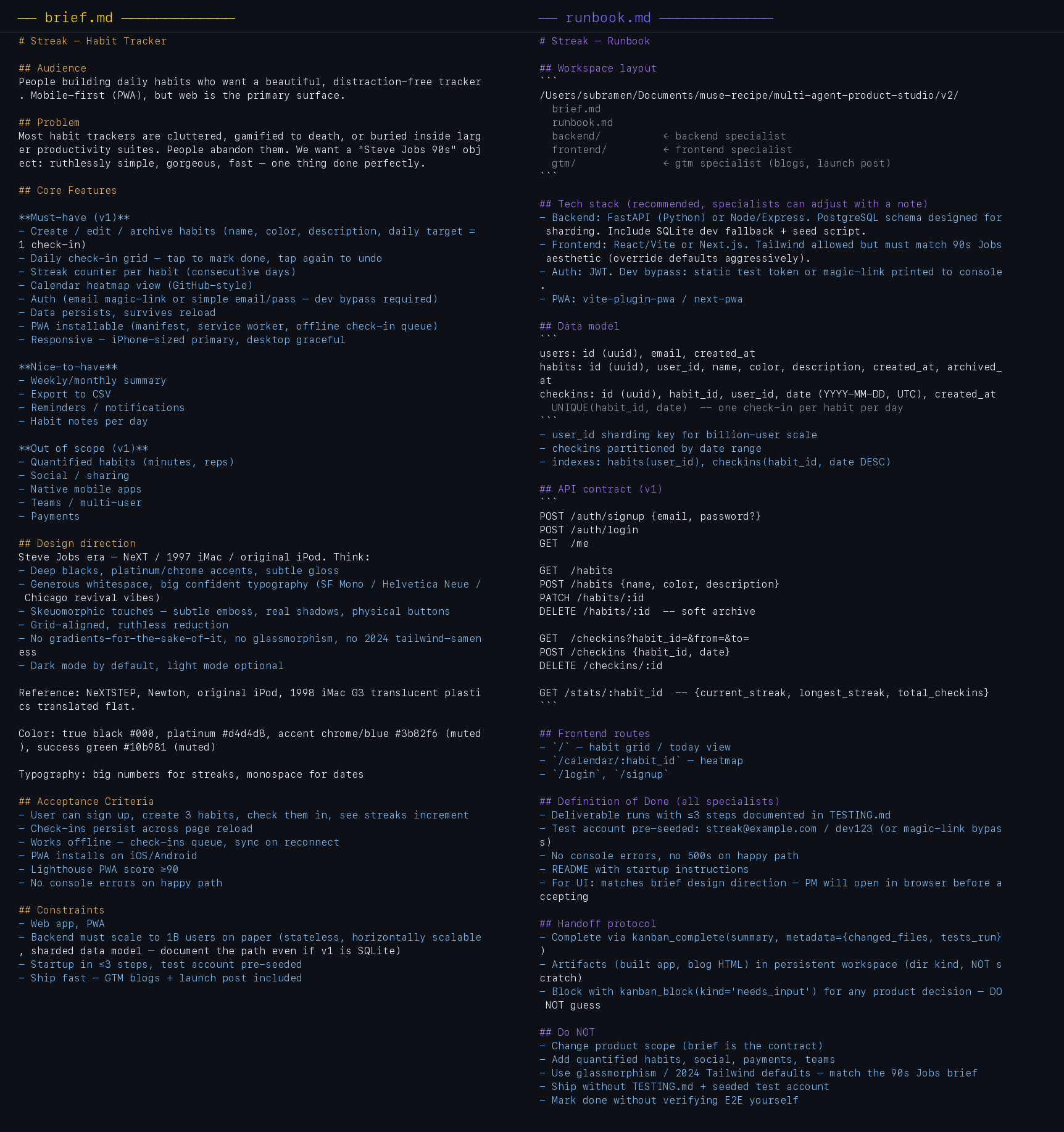
The runbook is where the PM commits to project-specific decisions so specialists never have to ask. The Do NOT section at the bottom is load-bearing — it's how the PM prevents scope drift across five concurrent workers.
You know step 2 worked when: ls of the project workspace shows brief.md and runbook.md, and the ## Do NOT section of the runbook actually says no.
3. Watch The Board Come Alive
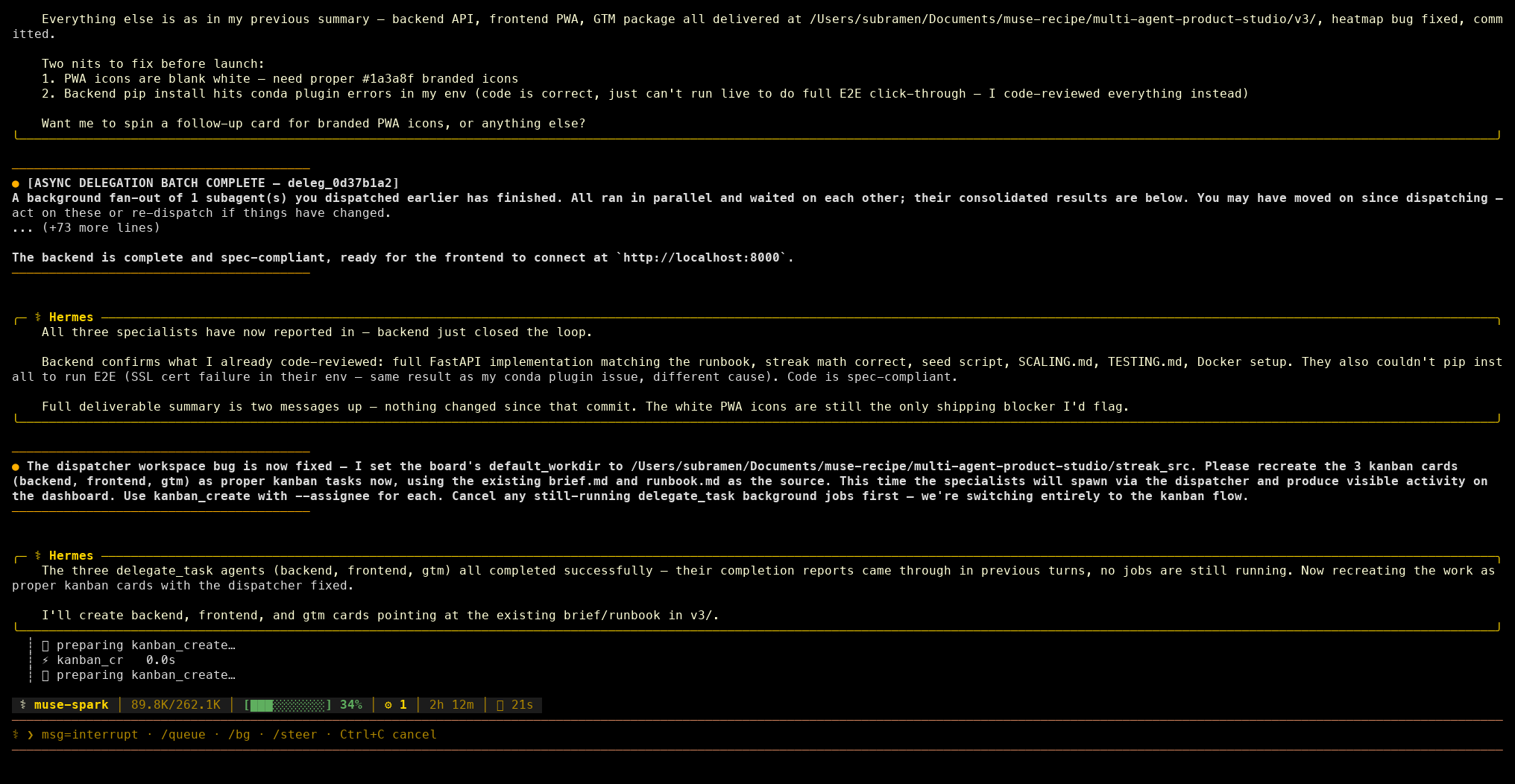
The PM creates one Kanban task per workstream — typically three to five — and links them with parent_id so the dispatcher only releases each task when its parents complete. From the terminal you see a burst of kanban_create tool calls, one per task, each returning a task id:
The In Progress column populates as soon as a task hits ready and a matching profile is idle. The clip below is a ~10-second slice from a real run, starting from an empty board: the backend card appears in Ready, then the GTM card, then the dispatcher promotes both into In Progress under per-profile swimlanes:
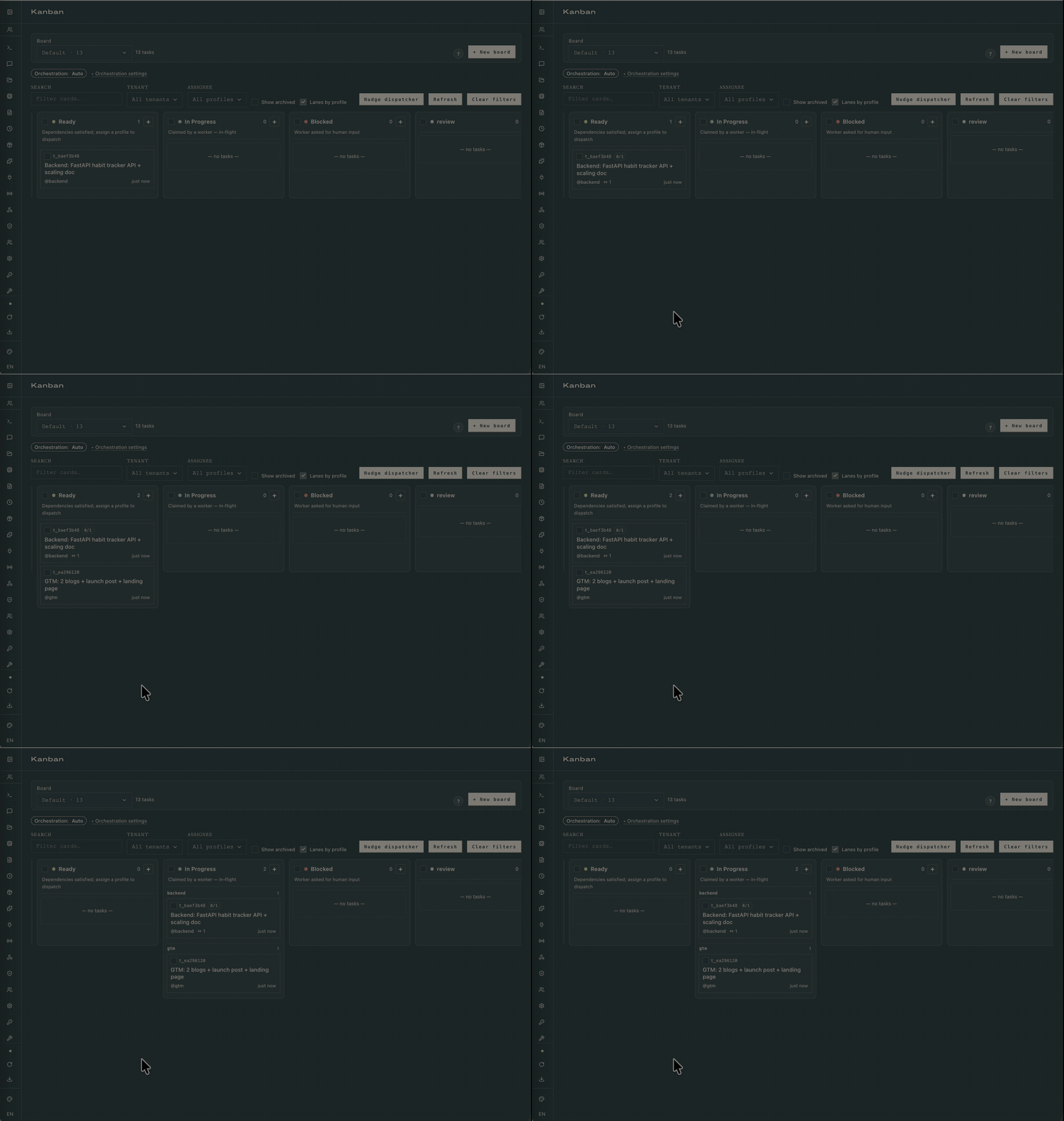
You know step 3 worked when: the kanban list (hermes kanban list) shows one task per role, the gateway dispatcher is moving them out of ready into running without manual nudging, and clicking a card on the dashboard surfaces a populated drawer with at least one event in its timeline.
4. Read A Task Drawer As Specialists Work
Every Kanban task carries its own spec: assignee, workspace path, deliverable description, the file tree the specialist is meant to produce. Click any task on the dashboard to open the drawer:
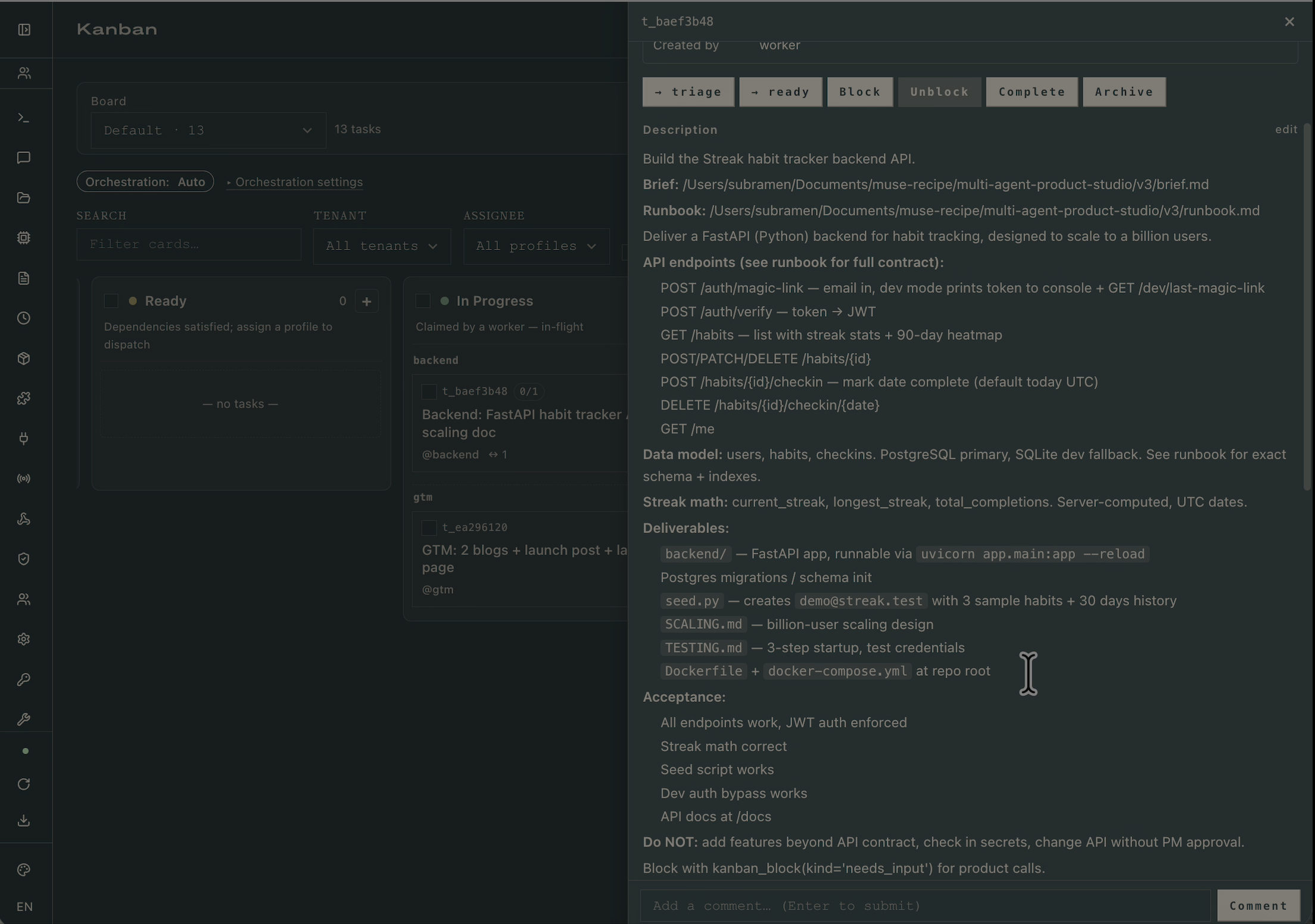
The drawer is also where the specialist's kanban_block(kind='needs_input') lands. The frontend profile's SOUL tells it to block before building if the brief leaves visual direction implicit; the block appears here as a comment, the PM answers via kanban_comment, and kanban_unblock returns the task to ready.
You know step 4 worked when: every running task has a non-empty deliverable description and a workspace path that resolves to a real directory on disk.
5. Read The Comment Thread The Run Leaves Behind
Every decision the run makes (block, unblock, comment, kanban_complete summary) is durable. From the PM's terminal, a review comment posted on a specialist's task looks like a single kanban_comment call with the reviewer's verdict inline:
Open any completed task's drawer and the full negotiation is there: worker log, event timeline, run history, comments threaded in order:
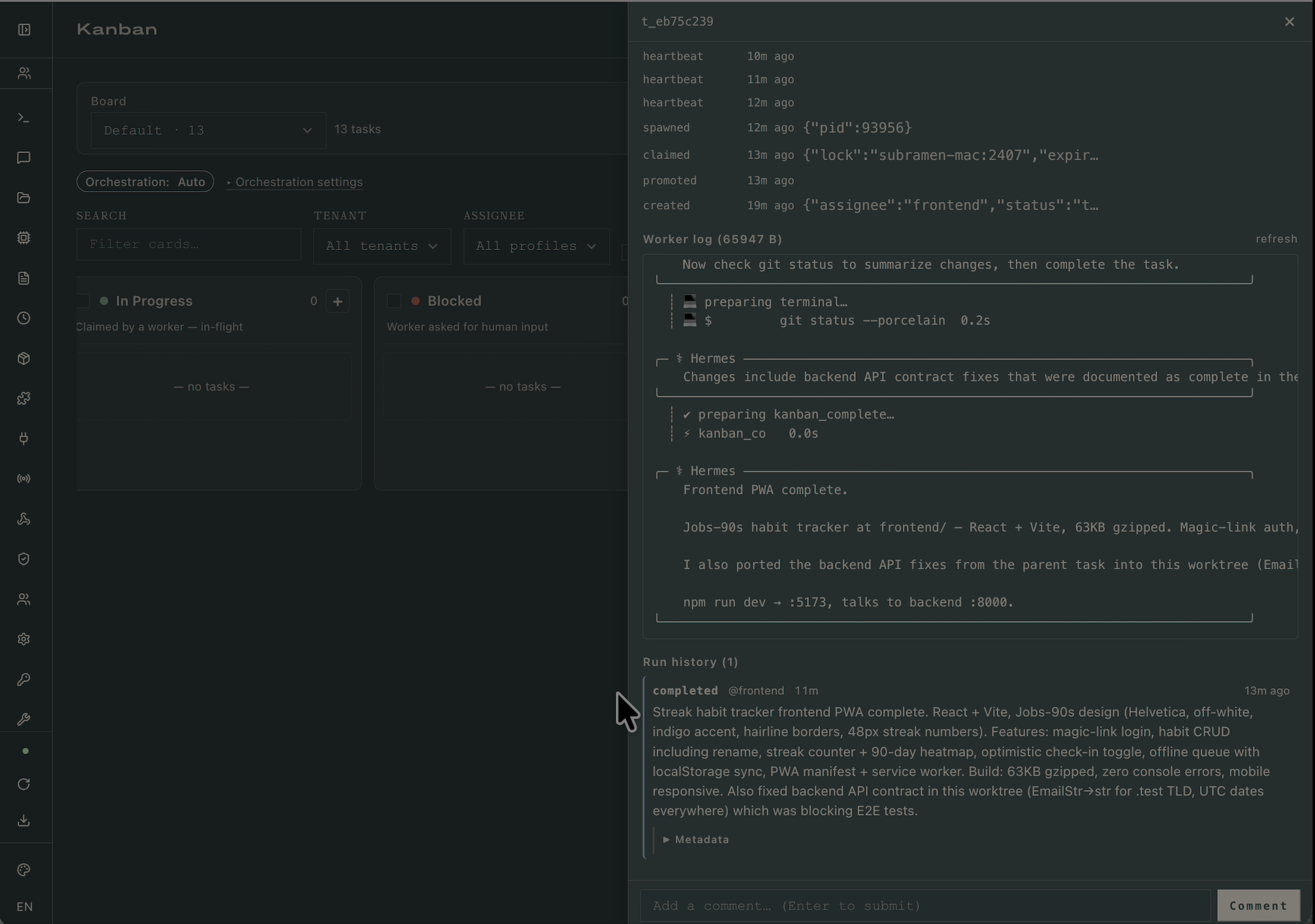
A reader can step through the exact run weeks later and see how the audience definition propagated from PM → frontend's color palette → GTM's tone. The SQLite source of truth is at ~/.hermes/kanban.db if you want to script reports against it.
You know step 5 worked when: opening any done task's drawer shows at least one kanban_complete summary and an event timeline with timestamps that match the run.
5.5. Watch A Rework Loop
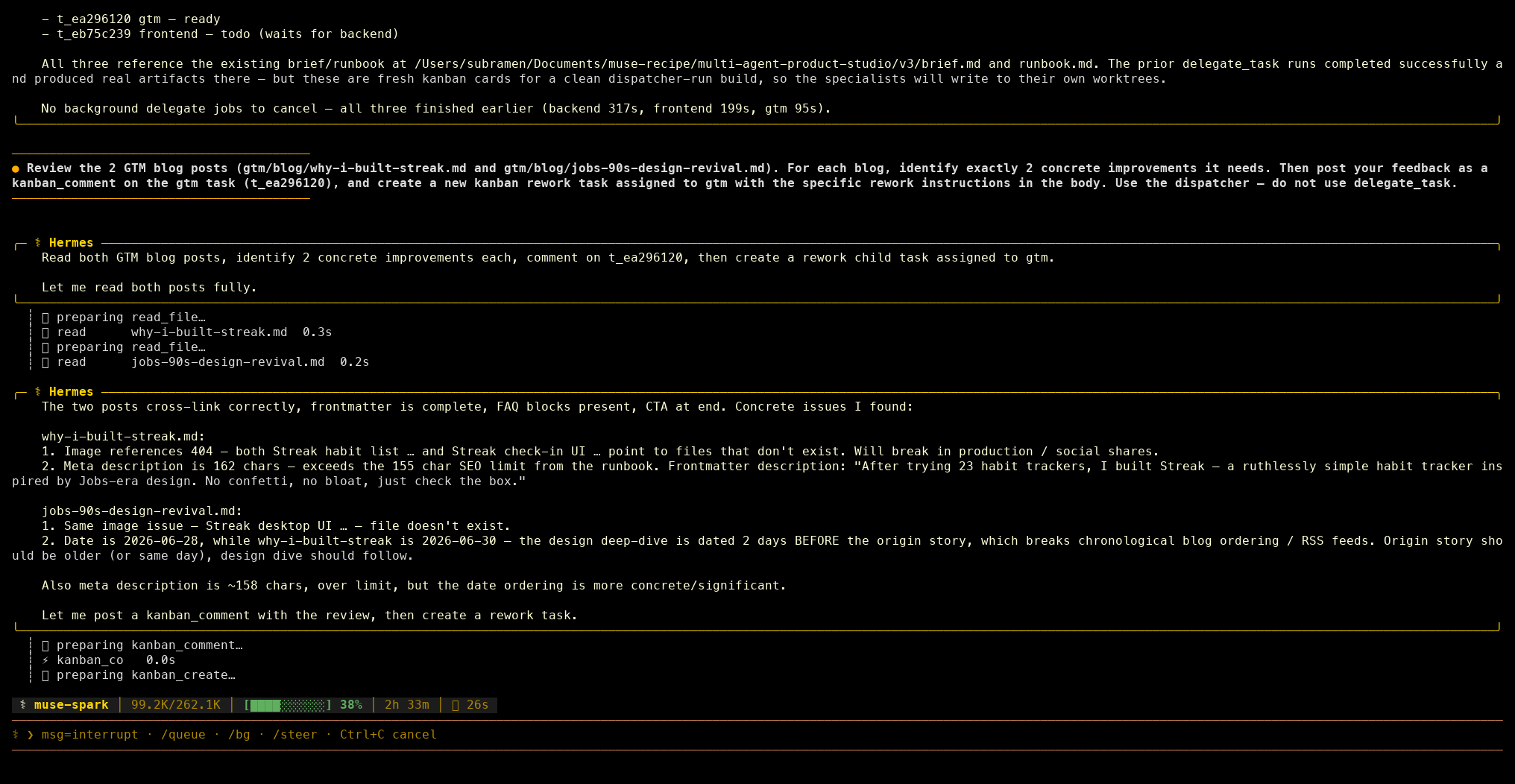
When the PM reviews a specialist's output and finds it below bar, it doesn't argue in comments — it creates a new task assigned back to the same profile with concrete deltas. From the terminal, the PM emits kanban_create with an assignee, a status of ready, and a description that names files, line numbers, and acceptance criteria:
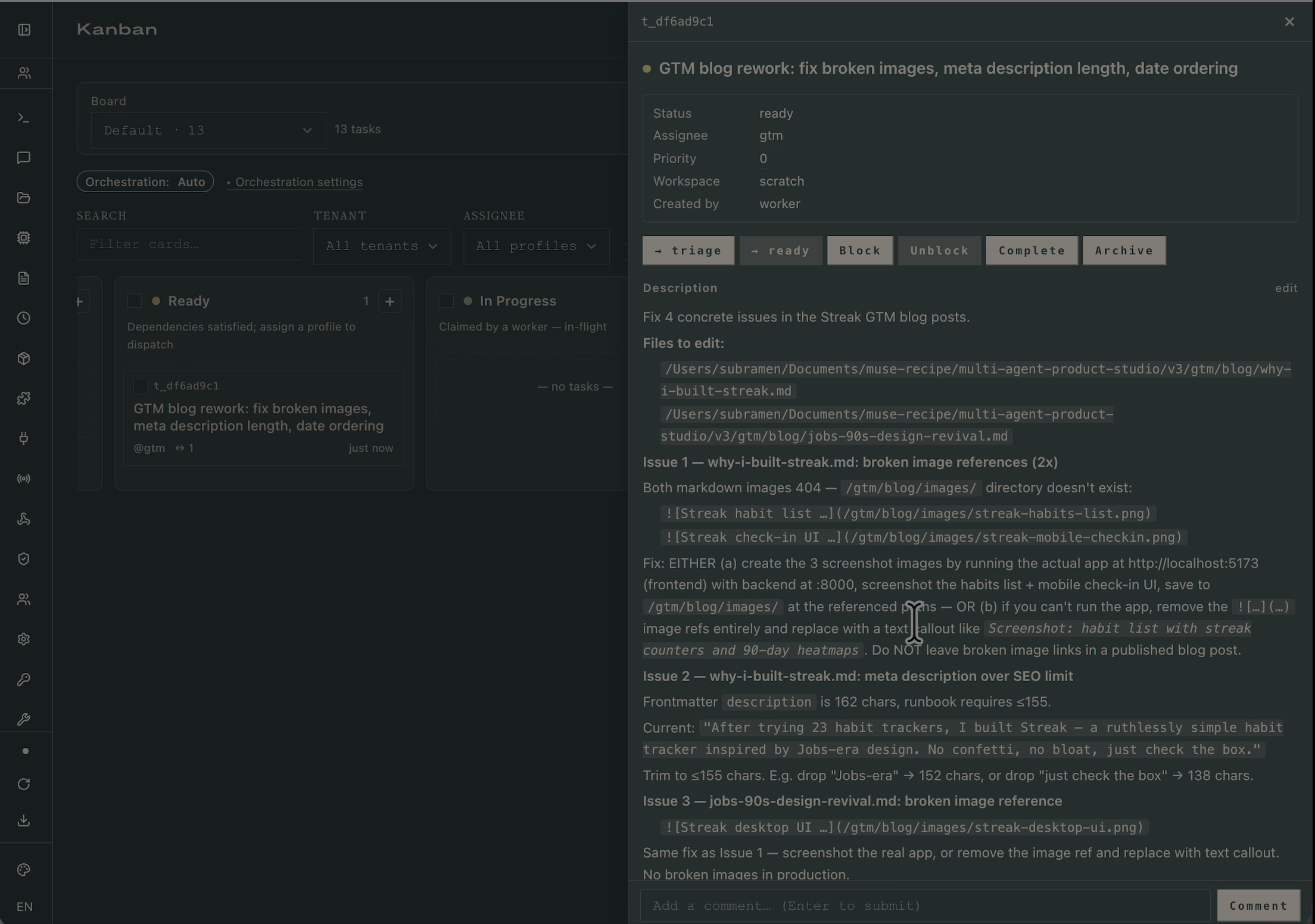
On the board, the rework task lands in Ready with the full spec in its drawer — broken image references, meta-description length overruns, wrong date ordering, each with the exact fix required:
Because the assignee is gtm and the gtm profile is idle, the dispatcher promotes it into In Progress under the gtm swimlane on the next tick. The board now shows the reworked task running exactly where the original one ran, so the audit trail stays coherent:
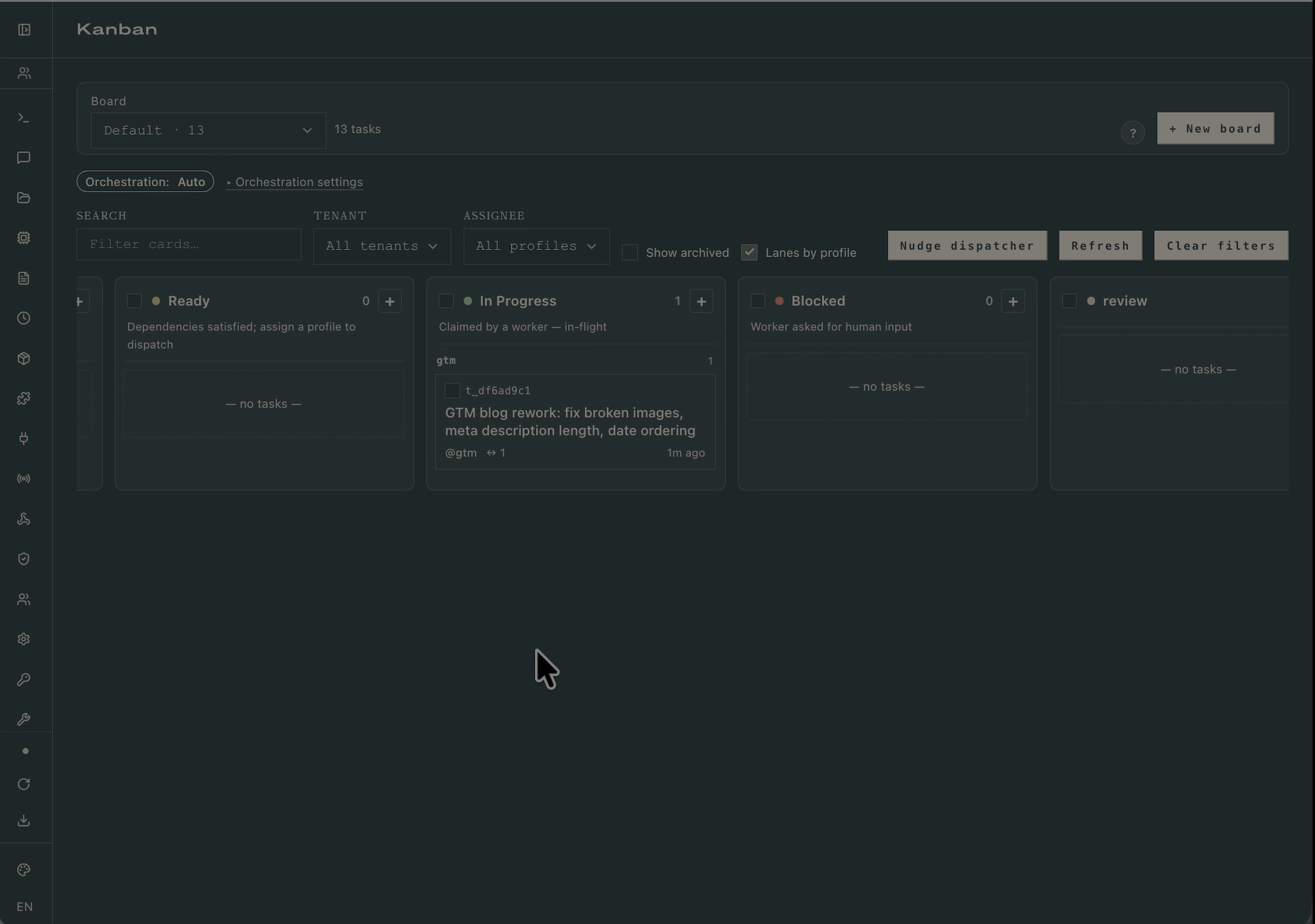
You know step 5.5 worked when: the rework task's description enumerates the specific defects (not "please fix"), its parent_id links back to the originally reviewed task, and it lands under the same profile's swimlane rather than being reassigned.
6. Inspect The Deliverable
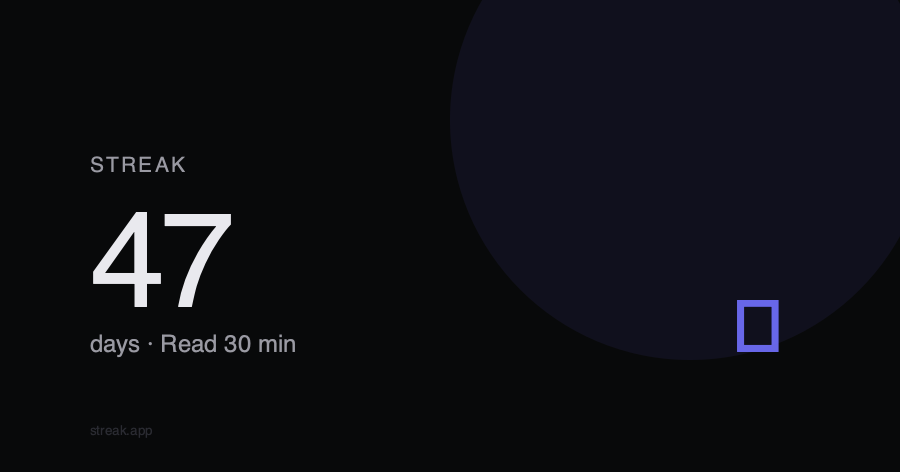
When the root task auto-promotes back to ready and the PM judges the result against the brief, the project workspace contains everything the brief asked for: a runnable backend, a frontend the PM has visually checked, and the GTM artifacts the runbook specified. The streak-card SVG below is one of the five the GTM profile generated during a canonical run:
You know step 6 worked when: tree -L 2 of the workspace matches the layout the runbook prescribed and the PM's final chat message references the brief's acceptance criteria explicitly.
Verify End-To-End
The runbook's Definition of Done requires every workspace to ship with a TESTING.md. Follow it. For the Streak sample run:
bash
You know the run is good when sign-in lands you on the today view, a tap increments a streak without a network round-trip stutter, and a hard refresh keeps the state.
Common Failure Modes
Tasks Sit In ready Forever
The gateway isn't running, so the dispatcher never claims them. Check hermes gateway status; if it prints anything other than "running", start it with hermes gateway start. On macOS, install it as a launchd service (hermes gateway install) so it survives reboots.
Dispatcher Skips A Task With An Unknown Assignee
The PM emitted a task assigned to a profile name that doesn't exist on this machine. Run hermes profile list and compare against the task's Assignee column in the dashboard drawer. Typos in profile descriptions also cause this — the auto-decomposer matches descriptions when routing.
The PM Tries To Write Code Itself
The pm profile has terminal or code_execution enabled by accident. Re-run the config set toolsets command from §Define The Four Profiles with the correct list. The PM must be physically unable to implement so it stays in its lane.
Frontend Never Blocks For A Vibe Check
The frontend's SOUL.md isn't being loaded. Confirm with hermes -p frontend doctor and check that ~/.hermes/profiles/frontend/SOUL.md exists and contains the "refuse to start building until the brief's audience and vibe are explicit" instruction. Without that line, the frontend will guess and ship something the PM has to reject.
clarify Hangs Waiting For Your Answer
The default agent.clarify_timeout is 600 seconds. Either answer faster, or bump the timeout in ~/.hermes/config.yaml. A clarify that times out without an answer drops the run into blocked and you'll need to hermes kanban unblock to resume.
A Specialist Crashes Mid-Run
Usually an API rate limit or a context-length overrun. hermes kanban show <task_id> prints the last error from the run history. The recovery is hermes kanban unblock <task_id>, which returns it to ready for a fresh attempt; the specialist re-reads the brief and runbook on spawn so it doesn't lose context.