One-shot game dev
| Section | Use cases |
| Time to complete | ~20 min |
| Model | muse-spark-1.3 |
| Harness | OpenCode |
| Prerequisites | series setup(opens in new tab) |
Ground Muse Spark with an AGENTS.md and one structured prompt, and it builds a complete, polished 3D Crossy Road game in a single pass — no build-and-fix loop, no eval harness.
The screenshots below are from an actual run; because the model is non-deterministic, your results may differ.
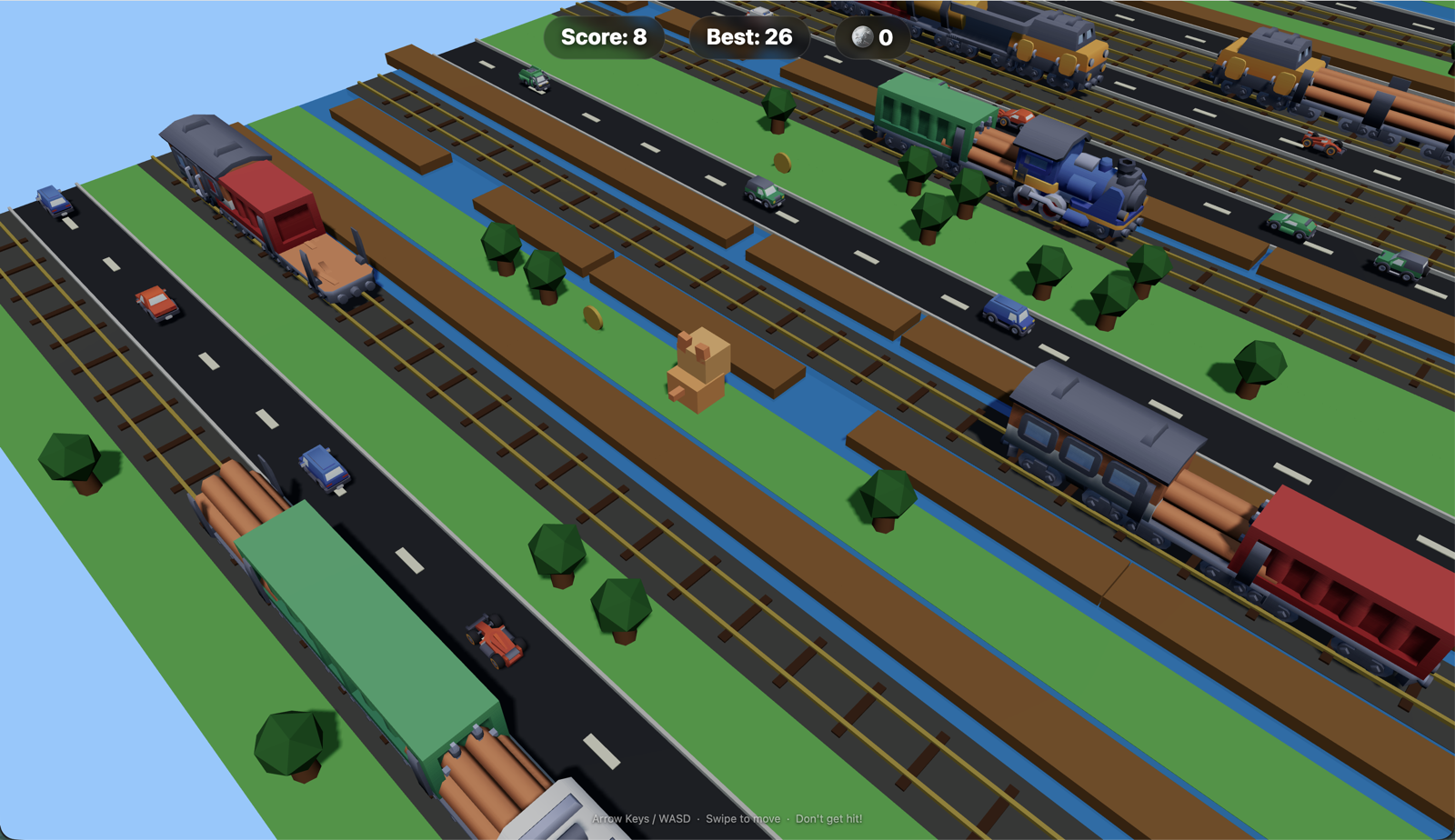
One-shot output: a cube-pet riding a river log, dodging cars and Kenney trains across procedurally generated road, water, and rail lanes.
Most of what a first pass gets wrong isn't the model's coding ability — it's unstated constraints: which way is forward, whether collision is checked by grid row or world position, whether logs snap or drift. Put those on the page first and a strong reasoning model can satisfy them all at once.
This recipe leans into that: point OpenCode(opens in new tab) at Muse Spark, give it an AGENTS.md with the handful of rules that prevent invisible bugs, and hand it one structured prompt. At maximum reasoning effort (high, or the equivalent xhigh), Muse Spark holds the whole spec in a single generation and writes a self-contained, playable game. The screenshots here are from exactly that — one prompt, one file, no iteration.
Note: Results will differ across runs. The prompt is intentionally open-ended — you'll get a playable game each time, but the specific implementation, visuals, and behavior will vary. This is expected: the recipe teaches the workflow, not a deterministic script.
What you build
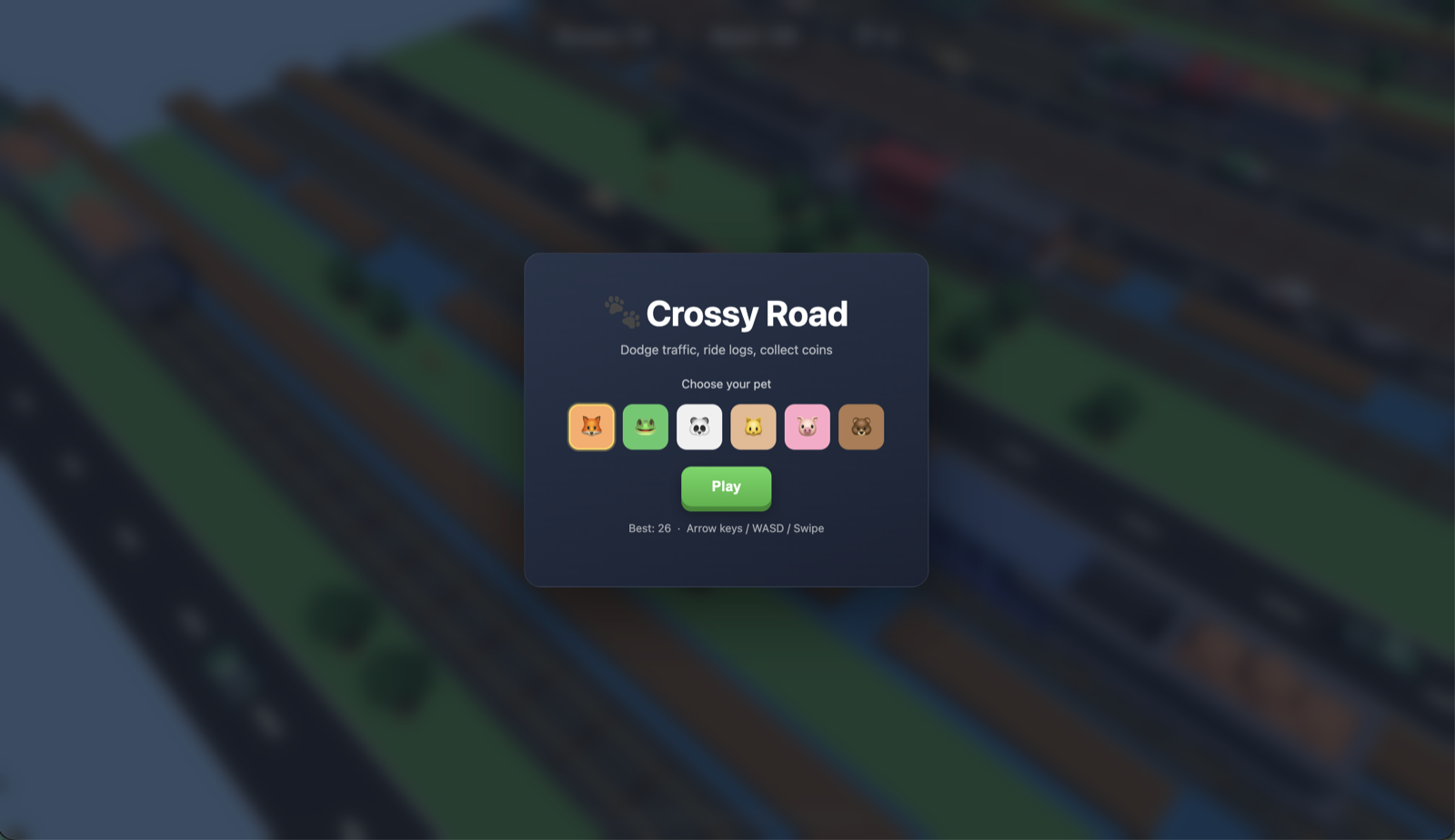
Start screen from the same one-shot build: six selectable cube-pet characters, best-score persistence, keyboard/touch controls.
- An OpenCode setup pointed at
muse-spark-1.3withreasoning_effort=xhigh. - An
AGENTS.mdthat captures the load-bearing constraints (coordinate system, position-based collision, log drift, train spawn ordering). - A single structured one-shot prompt — experience + tech constraints + acceptance criteria.
- A complete single-file Three.js game (
index.html), served over HTTP and playable.
How it works
Muse Spark is a reasoning model. At higher reasoning_effort it works through more of the problem internally before emitting a token, which is exactly what a many-constraint task needs. The quality lever isn't an outer loop that re-runs the model — it's what the model knows before it starts:
AGENTS.mdremoves the guesswork. OpenCode loads it automatically every turn, so the model never has to infer the coordinate convention or the collision model — the two things a Crossy Road clone most often gets subtly wrong.- The prompt describes the experience, not the implementation. You constrain the tech (Three.js, single file, no build step) and the acceptance criteria, and let the model choose how.
- Maximum reasoning effort does the "iteration" internally. Instead of you running fix passes, the model reasons through the interactions (log riding vs. grid snap, train culling) in one shot.
Step 0: setup
Confirm the series foundation(opens in new tab). OpenCode has built-in support for the Meta provider — connect it and select the model from inside OpenCode.
Connect the Meta provider. Grab an API key from the Model API dashboard under API keys → Create API key, launch OpenCode, and run:
A searchable "Connect provider" list appears — type to filter, select Meta, confirm, and paste your key into the "API key" prompt.
Select Muse Spark. Choose Muse Spark; the status bar should read Muse Spark · Meta, confirming it's live. Then set the model's reasoning effort to its maximum (high, or the equivalent xhigh) for the build.
reasoning_effortrunsminimal < low < medium < high, andxhighmaps to the same reasoning strength ashigh(the effective maximum); higher effort spends more reasoning tokens for a better first pass on hard problems. For a one-shot build of a many-constraint game, max out the reasoning (high, or the equivalentxhigh). See the reasoning recipe.
Step 1: get the assets
Do this first, before you generate — the agent lists these folders to wire up the real models. The recipe uses three free Kenney(opens in new tab) asset packs; download each directly from Kenney and unzip the GLB models into the project's assets/ folder:
| Pack | Used for | Download |
|---|---|---|
| Cube Pets | player characters | https://kenney.nl/assets/cube-pets(opens in new tab) |
| Car Kit | road-lane vehicles | https://kenney.nl/assets/car-kit(opens in new tab) |
| Train Kit | rail-lane trains | https://kenney.nl/assets/train-kit(opens in new tab) |
All Kenney packs are released under the Creative Commons CC0 1.0 Universal(opens in new tab) public-domain dedication: free to use in personal and commercial projects, with no permission or attribution required (crediting Kenney is appreciated, not obligatory). This cookbook does not bundle or redistribute the assets — download them from the links above and place the GLB models under assets/ (for example assets/kenney_car-kit/Models/GLB format/), matching the paths in your AGENTS.md.
Step 2: write the AGENTS.md
This is where the quality comes from. Put the rules that prevent invisible bugs on the page so the model starts from ground truth instead of guessing — then stop. A tight page of principles beats an exhaustive spec: over-specifying every function signals the model needs hand-holding and can actually hurt results.
md
Each line maps to a bug you'd otherwise spend an iteration discovering by hand — and that's all it needs. This whole file is the AGENTS.md(opens in new tab) that ships with the recipe; drop it at your project root (where you run OpenCode) and let the model fill in everything the principles don't pin down.
Step 3: the one-shot prompt
With the constraints grounded in AGENTS.md, the prompt can stay about the experience and the deliverable. A prompt that lands first-try follows a fixed shape — role, tech stack, assets, mechanics, deliverable, acceptance criteria:
Describe the what and the feel; let the model own the how. The acceptance criteria double as the model's own definition of done.
Step 4: run and play
Serve the game over HTTP:
bash
If the GLB assets aren't present the game falls back to procedural box meshes and still plays, so you can verify the mechanics before wiring up art.
Prompting tips for one-shot game dev
- Lead with the constraints, in
AGENTS.md. The invisible-bug rules (forward direction, position-based collision, log drift) are the difference between a one-shot that lands and one that needs three fix passes. - Describe the experience, not the math. "Rideable logs, drown if you miss" beats spelling out drift equations — the model fills those in.
- Make acceptance criteria explicit. They give the model a checklist to self-satisfy in the same pass.
- Turn reasoning up for the build. Maximum reasoning (
high, or the equivalentxhigh) is where a many-constraint one-shot holds together; drop tomediumonly for small cosmetic follow-ups. - Constrain the tech, free the implementation. "Three.js via importmap, single file, no build step" keeps the model from reaching for React/Vite on a game-jam-scale project.
References
muse-spark-1.3(Model API docs): OpenAI-compatible; point any OpenAI client athttps://api.meta.ai/v1.- OpenCode — docs(opens in new tab) · config schema(opens in new tab).
- Assets — Kenney(opens in new tab) Cube Pets, Car Kit, and Train Kit, all under CC0 1.0 Universal(opens in new tab) (public domain; no attribution required, appreciated). Download them from Kenney; this recipe does not redistribute them.