Sandboxed execution
This shows how muse-spark-1.3 can execute code safely inside a throwaway Docker container. You hand it a bug to fix; it goes into the container, reproduces the bug, fixes it, and confirms the fix by running the project's tests — all on its own — then the container is deleted. Everything it does streams to your terminal, and nothing it runs ever touches your machine.
Your part is small: give it an instruction, run one command, and watch. The rest of this doc shows exactly what you'll see.
What you need
- Docker, running (tested on 29.1.2)
- Python 3.11+
- A muse-spark-1.3 API key
bash
Scaffold setup with sandbox_scaffold.py
Everything around the model is scaffolding that the script sandbox_scaffold.py(opens in new tab) provides — muse-spark-1.3 does not set any of this up itself:
- The sandbox — the script builds, starts, and (at the end) deletes a Docker container with the buggy project inside it, at
/testbed. - The toolset — the two tools the model is allowed to call, and nothing else:
run(run a shell command in the container) andwrite_file(write a file in the container). Both act only inside the container; changes land in the container's filesystem, never on your machine. The container is the boundary. - The system prompt — the rules we give the model: you're in a sandbox at
/testbed, reproduce the bug → fix the source → verify with the tests, and don't edit the tests. - The loop — the script sends the model the running conversation plus the toolset, runs whatever tool calls come back against the container, feeds the output back, and repeats until the model stops.
What muse-spark-1.3 is doing
muse-spark-1.3 supplies the reasoning. Given that scaffolding, it decides:
- every command to run,
- how to localize and diagnose the bug,
- what the fix is, and
- when it's done.
In the run below it chose all 48 shell commands on its own — including digging through the project's git history to find the commit that introduced the bug (ef59aa022), which nothing told it to do. That autonomous workflow is what you see in the screenshots.
The instruction you give it
The task comes from SWE-bench — a benchmark of real, already-fixed GitHub bugs, each packaged with the project's code and the tests a correct fix must pass. The script reads one such task from task.json(opens in new tab) and builds your instruction from it: the bug report plus the tests that must pass.
text
To point muse-spark-1.3 at a different bug, edit task.json. These are the fields that define what to fix:
json
It has to be a real SWE-bench instance, so that its Docker image and tests exist.
Run it
bash
That's the one command. Now watch the terminal — everything below happens automatically, and each screenshot is exactly what scrolls past: muse-spark-1.3's own words, the commands it runs in the sandbox, and the output it gets back.
Watch it work
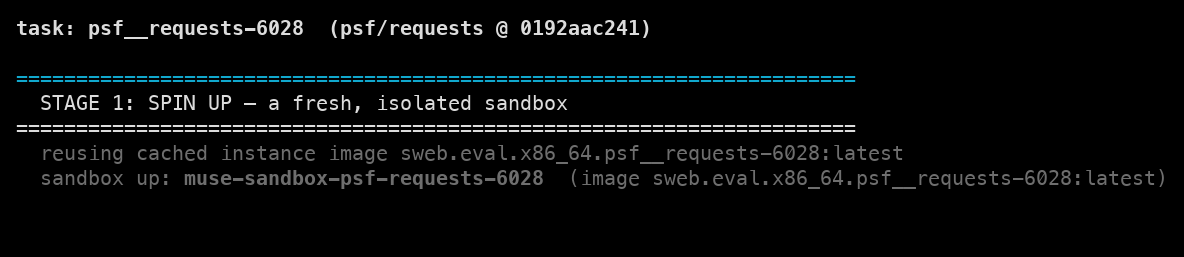
1. The sandbox starts
The script starts a Docker container with the buggy project checked out inside it. (The first run builds the container image, which takes a few minutes; later runs reuse it and start instantly.)
Screenshots throughout are from an actual run; because the model is non-deterministic, your results may differ.
2. Muse Spark reproduces the bug
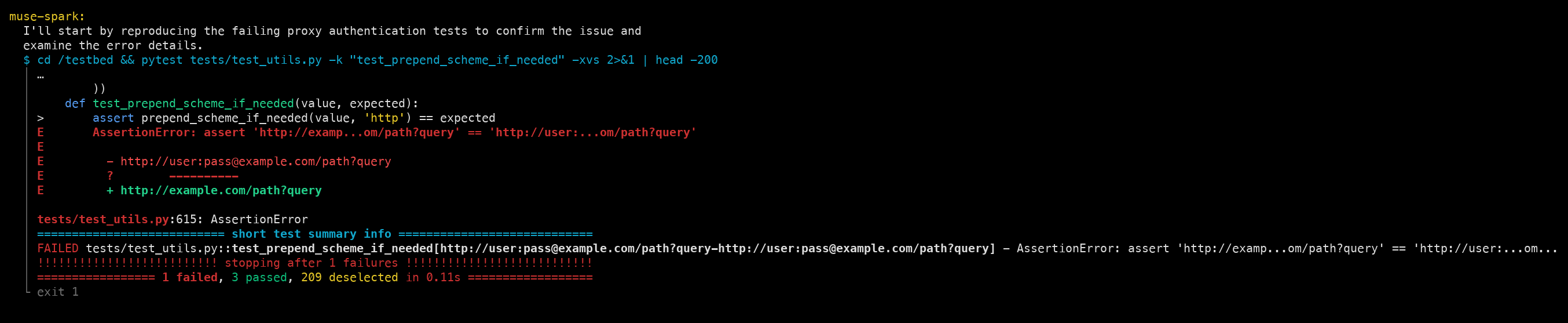
Handed the sandbox, its first move is to run the failing tests — not to guess. In the terminal you see it say what it's about to do, then the red test output it's reading: the URL comes back with the user:pass@ credentials stripped out. The bug is real and reproduced. (Red.)
3. Muse Spark fixes it
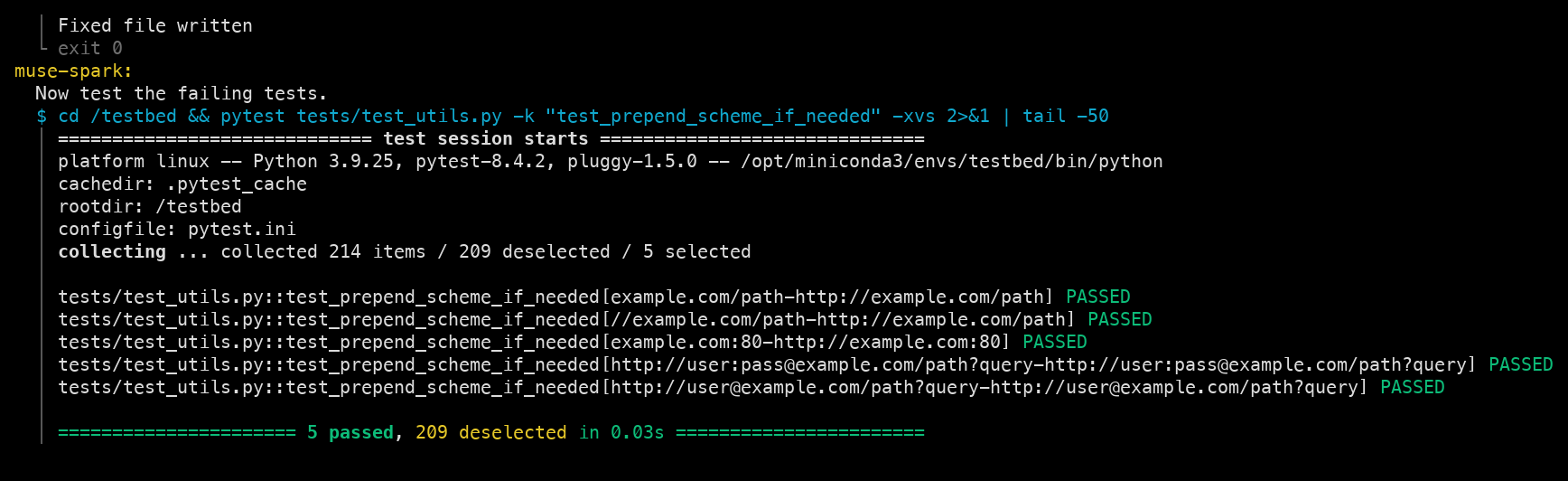
It reads the source, digs through the git history to find where the regression was introduced, edits the source file inside the container, and re-runs the affected tests itself — watching them turn green. (Green.)
4. Muse Spark reports back
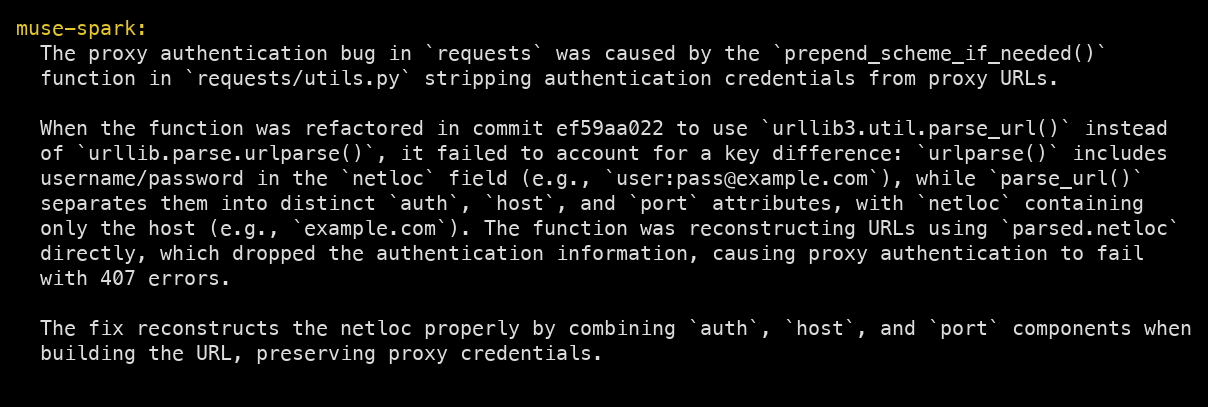
When it's done, muse-spark-1.3 tells you — in plain English — what was wrong and how it fixed it:
5. The script verifies independently
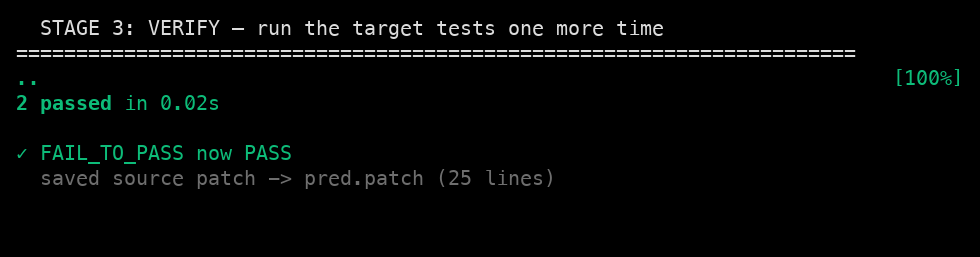
muse-spark-1.3 already confirmed its own fix in step 3 — but you shouldn't have to take its word for it. After the model stops, the script re-runs the bug's two tests one more time and saves the exact code change to pred.patch on your machine. This whole run took 129 seconds.
6. The sandbox is deleted
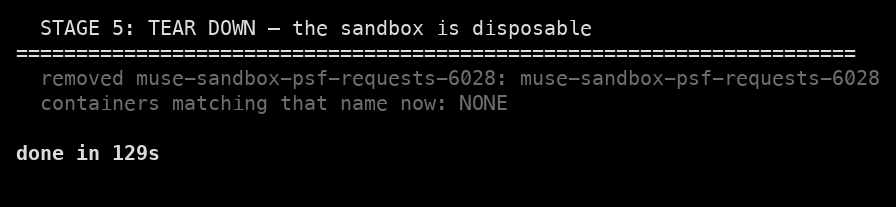
The container is destroyed. muse-spark-1.3 ran shell commands for a couple of minutes, and none of it survives — the only thing left on your machine is pred.patch, the fix it wrote.
Confirm it really worked (optional)
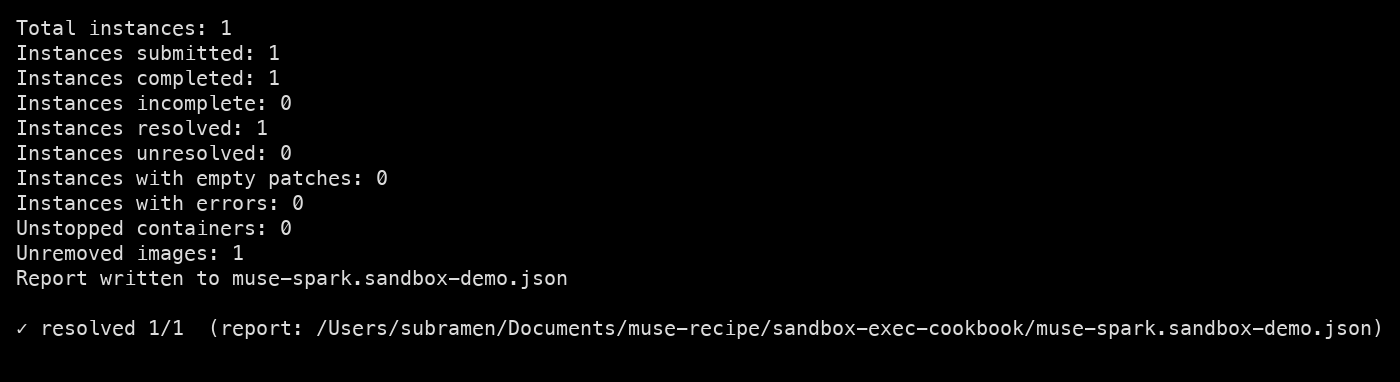
muse-spark-1.3 and the script both checked the fix, but the definitive test is SWE-bench's official grader. It starts a fresh container, applies pred.patch, and runs the full test suite:
bash
resolved 1/1 means the fix passed all the project's tests in a clean container.
Good to know
- Docker must be running before you start — the sandbox lives there.
- The first run is slow (it builds the container image, a few GB); after that it's fast.
- The fix is proven by running real tests, not by the model claiming success — that's the whole point of executing in the sandbox.