Turn a pet video into an animated sticker pack
| Section | Segment Anything Model |
| Docs | Media segmentation · Reading segmentation output · Client libraries |
| Time to complete | ~15 min |
| Model | sam-3.1 |
| Languages | JavaScript and Python |
| Prerequisites | Node.js 20.17+, Python 3.10+, FFmpeg, curl, and a MODEL_API_KEY (create one in the Model API dashboard) |
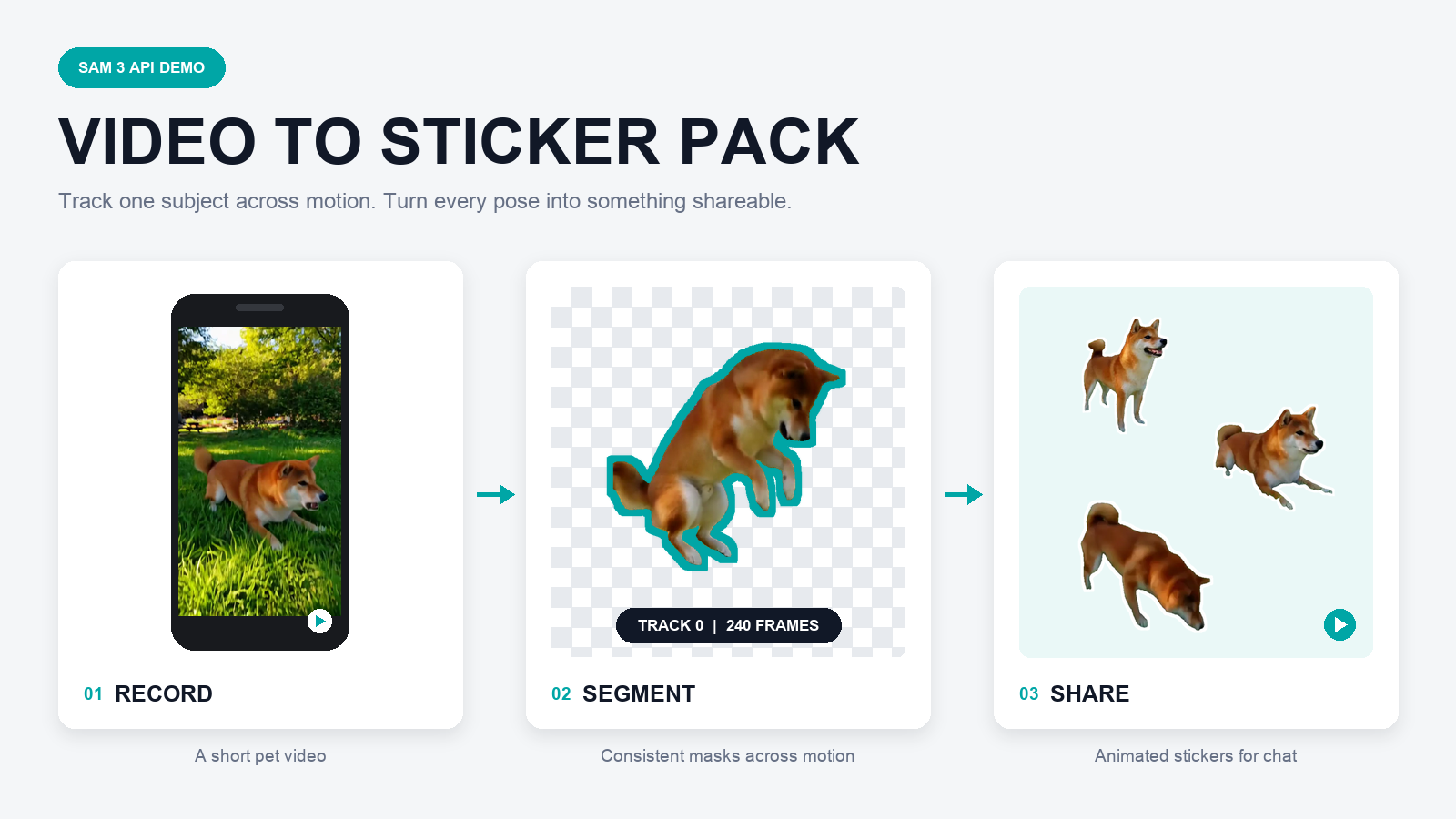
Give the recipe a video and an object noun such as dog, cat, horse, or bird. Segment Anything Model 3.1 (SAM 3.1) tracks every matching subject through the video. The recipe uses the longest-lived matching track to remove the background, selects three high-motion moments, and exports a transparent animated sticker pack.
How it works
- FFmpeg limits the video's longest edge while preserving every source frame.
create-segmented-gif.mjsuploads the video, requests the object by name, and parses the streamed masks with@meta-sam/parser.- The script selects the longest-lived object track, applies each mask to its exact source frame, smooths crop motion, and creates a lossless transparent APNG intermediate.
make-sticker-pack.pypicks a high-motion clip from each third of the animation and packages the clips as animated WebP stickers.
SAM supplies the temporal object identity and pixel masks. The remaining image operations are deterministic and do not call another vision model.
Setup
bash
npm install pulls @meta-sam/parser from npm. To develop against unreleased parser changes, build a local meta-sam(opens in new tab) checkout and install its parser over the published one:
bash
Run
The bundled shiba_jump.mp4 is a 10-second pet clip you can run straight away:
bash
Point the same command at your own video and use another concrete noun, without changing the code:
bash
The default preprocessing preserves the source frame rate and limits the longest video edge to 960 pixels. Use --analysis-fps only when deliberately sampling frames, or change --max-dimension to trade spatial detail for latency.
When several matching animals appear, the recipe selects the track present in the most frames. Pass --track-id ID to choose another track. During design iteration, reuse a saved response without another model call:
bash
Output
| File | Purpose |
|---|---|
sticker-01.webp through sticker-03.webp | 512x512 transparent animated stickers, each under 500 KB |
sticker-*-preview.gif | Browser-friendly transparent previews |
tray.png | 96x96 pack icon |
contents.json | WhatsApp-style sticker pack manifest |
pack-preview.png | Contact sheet for reviewing the selected poses |
report.json | Source frames, encoding choices, API timings, and constraints |
segmentation/ | Parsed SAM output, raw stream events, summary, and lossless cutout APNG |
The preview above comes from a real run of the bundled clip. SAM tracked the dog in all 240 source frames. The three resulting 2.5-second stickers are capped at 15 FPS, contain 31 frames each, and remain below 500 KB.
Each sticker covers one third of the animation: the recipe scores frame-to-frame motion on the cutout, then keeps the highest-motion window in each third, so the three poses are always spread across the clip rather than clustered.
To adjust sticker selection without calling the API again, pass an existing segmented-subject.png APNG to the same command, or pass a saved events.ndjson with --events to rerun mask compositing against the source video.