Setup
For this demo, we are using a Macbook Pro running Sonoma 14.4.1 with 64GB memory. Since we will be using Ollamap, this setup can also be used on other operating systems that are supported such as Linux or Windows using similar steps as the ones shown here.
Ollama lets you set up and run Large Language models like Llama models locally.
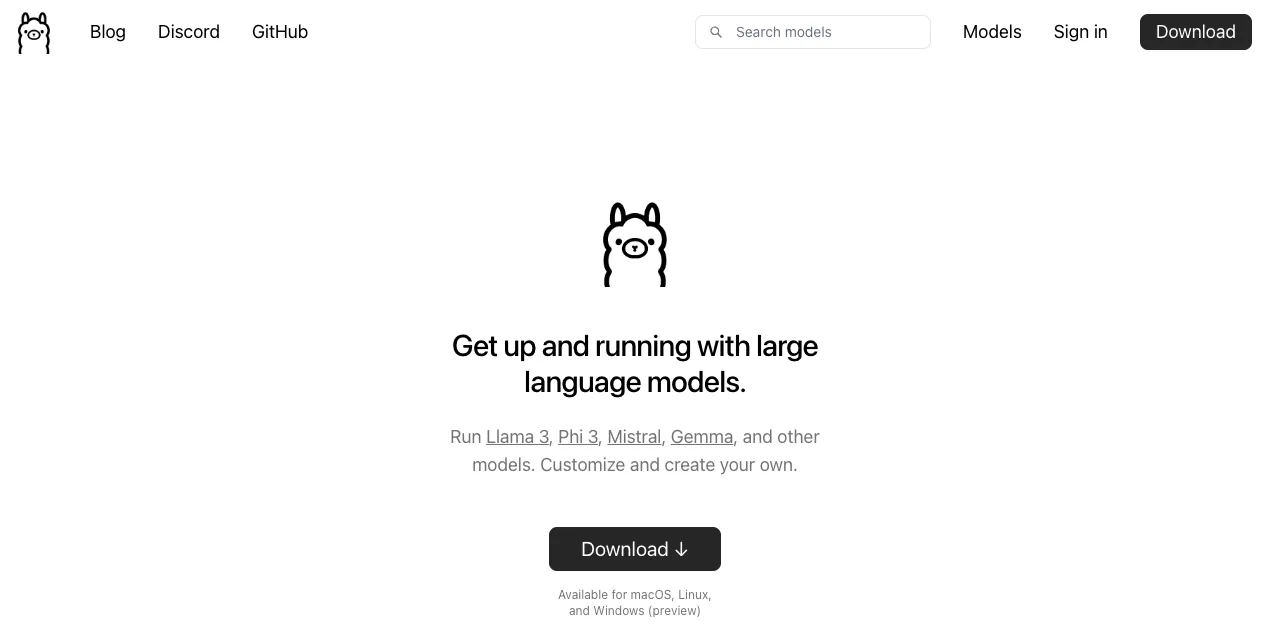
Downloading Ollama
The first step is to install Ollama. To do that, visit their website, where you can choose your platform, and click on “Download” to download Ollama. For our demo, we will choose macOS, and select “Download for macOS”.
Next, we will make sure that we can test run Meta Llama 3 models on Ollama. Please note that Ollama provides Meta Llama models in the 4-bit quantized format. To test run the model, let’s open our terminal, and run ollama pull llama3 to download the 4-bit quantized Meta Llama 3 8B chat model, with a size of about 4.7 GB.
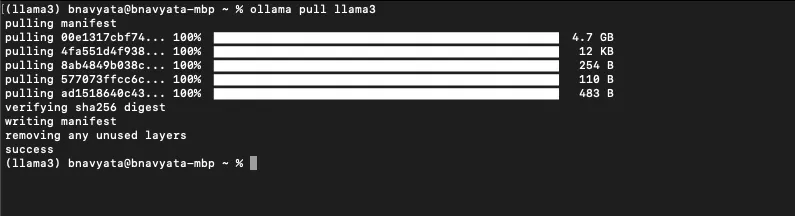
Downloading 4-bit quantized Meta Llama models
If you’d like to download the Llama 3 70B chat model, also in 4-bit, you can instead type
which in quantized format, would have a size of about 39GB.
Running using ollama run
To run our model, in your terminal, type:
We are all set to ask questions and chat with our Meta Llama 3 model. Let’s ask some questions:
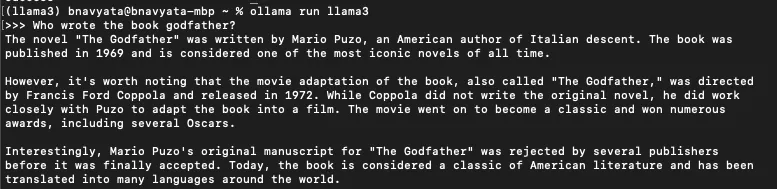
Meta Llama model generating a response
We can see that it gives the right answer, along with more information about the book as well as the movie that was based on the book. What if I just wanted the name of the author, without the extra information. Let’s adapt our prompt accordingly, specifying the kind of response we expect:
"Who wrote the book godfather? Answer with only the name."

Meta Llama model generating a specified responses based on prompt
We can see that it generates the answer in the format we requested.
You can also try running the 70B model:
but the inference speed will likely be slower.
Running with curl
You can even run and test the Llama 3 8B model directly by using the curl command and specifying your prompt right in the command:
Here, we are sending a POST request to an API running on localhost. The API endpoint is for "chat", which will interact with our AI model hosted on the server. We are providing a JSON payload that contains a string specifying the name of the AI model to use for processing the input prompt (llama3), an array with a string indicating the role of the message sender (user) and a string with the user's input prompt ("who wrote the book godfather?"), and a boolean value stream indicating whether the response should be streamed or not. In our case, it is set to false, meaning the entire response will be returned at once.
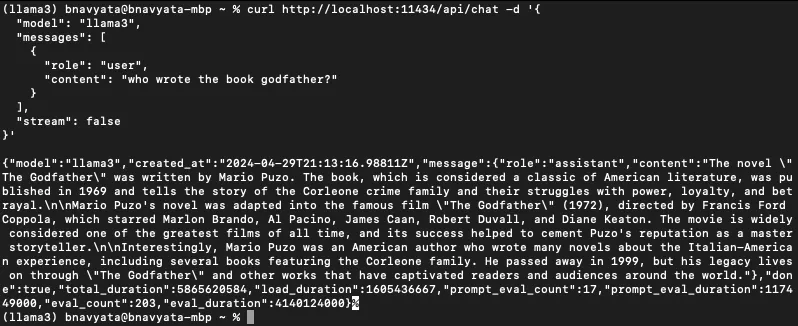
Ollama running Llama model with curl command
As we can see, the model generated the response with the answer to our question.
Running as a Python script
This example can also be run using a Python script. To install Python, visit the Python website, where you can choose your OS and download the version of Python you like.
To run it using a Python script, open the editor of your choice, and create a new file. First, let’s add the imports we will need for this demo, and define a parameter called url, which will have the same value as the URL we saw in the curl demo:
py
We will now add a new function called llama3, which will take in prompt as an argument:
py
This function constructs a JSON payload containing the specified prompt and the model name, which is "llama3”. Then, it sends a POST request to the API endpoint with the JSON payload as the message body, using the requests library. Once the response is received, the function extracts the content of the response message from the JSON object returned by the API, and returns this extracted content.
Finally, we will provide the prompt and print the generated response:
py
To run the script, write python <name of script>.py and press enter.

Running Meta Llama model using Ollama and Python script
As we can see, it generated the response based on the prompt we provided in our script. To learn more about the complete Ollama APIs, check out their documentation.
To check out the full example, and run it on your own machine, our team has developed a detailed sample notebook that you can refer to and can be found in the llama-cookbook Github repo, where you will find an example of how to run Llama 3 models on a Mac as well as other platforms. You will find the examples we discussed here, as well as other ways to use Llama 3 locally with Ollama via LangChain.
We’ve also created various other demos and examples to provide you with guidance and as references to help you get started with Llama models and to make it easier for you to integrate Llama into your own use cases. These demos and examples are also located in our llama-cookbook GitHub repo and on PyPI, where you’ll find complete walkthroughs for how to get started with Llama models, including several examples for inference, fine tuning, and training on custom data sets—as well as demos that showcase Llama deployments, basic interactions, and specialized use cases.